




Empire
Members
-
Joined
-
Last visited
Everything posted by Empire
-
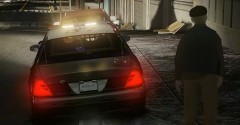
From the album: Bay Side Virtual Emergency Services
I got pulled over for nothing, as I had an $80 fine for going off the road onto the footpath -
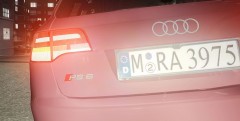
From the album: Bay Side Virtual Emergency Services
That's bait cloves -
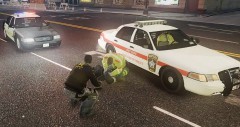
From the album: Bay Side Virtual Emergency Services
I was about to be 10-8 on service, then I run over a poor woman trying to cross the road -
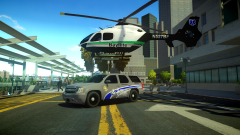 Have you Landed it on the Tahoe, like I have seen on top-gear
 -
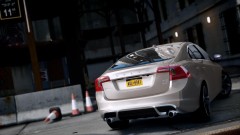 Volvo
Volvo -
It's All right, as I have not even played yet, and that I think there is another thread about this!!
-
how long did it take to make that up?
-
I made this up months and months ago, Here you are '?do=embed' frameborder='0' data-embedContent>> -It's that of what you been looking for? If it is then enjoy
-
I'm so addicted, that I want to eat that nice yummy cookie
-
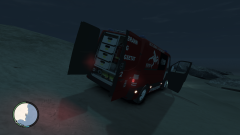 nice
nice -
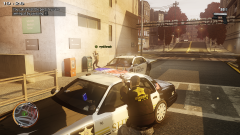
From the album: Bay Side Virtual Emergency Services
His game Crashed "right there" -
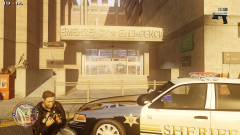
From the album: Bay Side Virtual Emergency Services
I been shooting for an hour now, and I'm Flipping hungry -
I have find put weeks ago, when I was running the Reliability Monitor, and that I just want information about this' as I heard that there is an updated version of Crashhook.dll, Might I don't think so
-
How can I leave it alone if I do not have it installed. if you look at your root folder you do not have it installed. You can download of the internet and install it to GTA IV http://www.dll-files.com/dllindex/dll-files.shtml?crashhook -I just do not know what is it, as my first thread says
-
Sounds good, yea it's own police mod
-
As the handing says, -what does the Crashhook.dll do? -Does it help the game stop crashing? -is it for GTA IV! can I use it for GTA iv? -does any-one use this .dll?
-
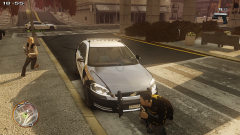
From the album: Bay Side Virtual Emergency Services
I might have a chance to finish this off "maybe on" -
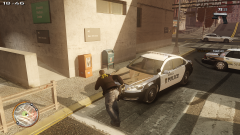
From the album: Bay Side Virtual Emergency Services
His game crashed -
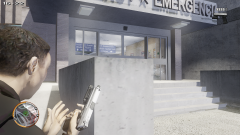
From the album: Bay Side Virtual Emergency Services
Gun man inside, shooting the hell out - had to reload 5 times -
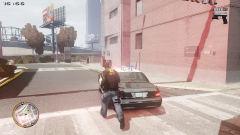
From the album: Bay Side Virtual Emergency Services
An bad gun men inside this building, I was Running back from dying 3 times "back from the dead 3 times" other units had Game crashes. -
Happy 21st Birthday
-
WE all get that error, I do get it. It's just the cars and peds and things that have not been made 100% or you are playing with some-one else that has different car pack
-
Cat in the hat, Where's the hat "lol"
-
Try ALT-P to start LCPDFR off then CTRL-P to go on Duty, if that does not work then reinstall
-
I see it as well, I thought it was just Ads, like you see on all of the Sites, but even when I'm typing this done I see it right now,

