



Shredder
Members
-
Joined
-
Last visited
Everything posted by Shredder
-
-
I'm having the same issue. I'd love to know the fix.
-
If you installed this in a mods>patchday folder, you can re-open the folder in OpenIV and delete the files (i.e. if you installed it as police3, just delete those) and the original game models should return to your game.
-
I'm having an issue where the game will hit the loading screen but then RHP will crash every time. I've verified the integrity of GTA and it won't start even without RHP. I was working on installing a new car for police4 and edited some metas/variations when it crashed and wouldn't work again. I've since returned the metas/variations to the originals and removed the car models and still nothing. Not sure what's wrong. Anyone else have an idea? Update: I screwed something up so I restarted with my backup mods folder and then redid it. Only issue was I needed to also update the update.rpf file. Not exactly sure what I screwed up but hey, that's why we have backup folders!
-
I updated the RPF and was able to load the game but when I hit E the game crashed. I use LSPDFR+. Do I need to wait for all of those plugins to be updated before I can use them in-game?
-
What update.rpf folder should I download if I don’t use EUP and am still stuck on loading?
-
I'm new to LSPDFR. Does this mean that every time there's a new update, LSPDFR, Rage, ScripthookV, OpenIV, and each plugin need to be updated? I can run my game, force duty, and then it instantly crashes. Any help?
-
 Hi, I'm new to this whole ELS thing but I've installed all your files like instructed for Sheriff2 but my light bar isn't working but the rest of the lights do. Has anyone encountered the same problem? Thank you, Disregard, I found it. It was the diffusetint setting but my windows weren't tinted so I was thrown off. All set now!
- 207 comments
- 94 reviews
-
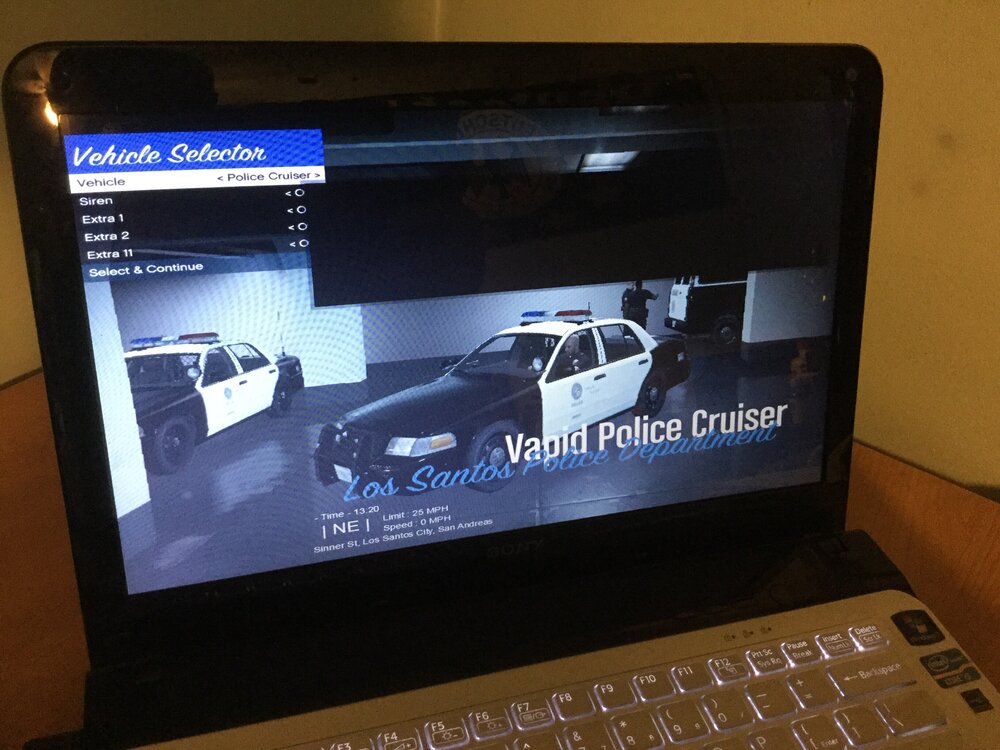
Hi all, When I initially start up GTA V, the black box isn’t there. The moment I go on-duty or right after, a black box appears in the middle of the screen. My mouse only goes behind it, there’s no click and drag to get it out of the way, and I’m not sure why it’s there or how to get rid of it. The only plugin I was told had invalid values was removed and I’d still get the black box. I run an old Sony Vaio (yes, I need a new gaming computer) but the box is only there after I start LSPDFR. Any ideas on how to resolve this issue? Thanks,
-
 I have a black bar showing on my screen across the middle right and it's driving me nuts. It never showed up until I installed this plugin. Anyone else have this problem? I can't seem to get rid of it.
- 200 comments
- 22 reviews
-
 ANyone else having trouble when you use the "question subject" command and the character is essentially stuck in a box and can't move and a blue box appears on the screen?
- 423 comments
- 73 reviews
-
I'm having a similar issue but it seems to be with every callout plugin. They are all in my Plugins folder, but for some that belong inside the inner LSPDFR folder, once I move them, the game doesn't recognize them and I don't get them anyway... Anyone else have this problem??
-
No I don't hear a beep. The siren starts and the strobes on the tail lights go, but the LEDs and light are remain off.
-
I did that. I have ELS installed and put all the VCF files in the pack_default folder but none of the LEDs work except for one car...
-
I added the CVPI and FPIU to the game and the FPIU's ELS system works, but for some reason, the CVPI and the Taurus I've added's lights don't work. I've uninstalled and reinstalled but for some reason, their LEDs don't work but the FPIU's does. I added an unmarked CVPI and its lights worked. I'm wondering if anyone else has had any problems like this. I'm running a Windows 7 w/ service pack, shitty graphics card and the game runs slow but until I have the money to upgrade, this is what I'm working with. Just wondering why I can't get the lights to work even though each of the 3-4 files have been added. Thanks.
-
-
 I'm actually in Window 7 with the service pack. My computer/graphics card are old so that may be it.
- 1,743 comments
- 172 reviews
-
I couldn't screenshot cuz my computer is acting weird but I took a picture. Although it's only a still, if you try to click anything it starts going nuts. I uninstalled and reinstalled and had the same problem.
- 1,743 comments
- 172 reviews
-
I'm having an issue. I installed it and when I went to open it, all the pictures were jumbled and it was rifling through illegible pages and I couldn't X out of it. Has anyone else had this problem? It says system update check failed in the lower left corner, not sure if that helps. Thanks.
- 1,743 comments
- 172 reviews
-
 Is this not working for anyone else? None of my ELS work and I can't even bring up the control panel. I just keep getting ambulances.
- 534 comments
- 206 reviews
-
I need help with this too. I can't even bring up the ELS control panel...
-
I'm having the same issue. I also cannot open the ELS control panel. Whenever I hit ctrl M it just sends ambulances... Need help here. I can't get any of the lights to work.



