



Shredder
Members
-
Joined
-
Last visited
Everything posted by Shredder
-
It was an issue with custom regions for Ultimate Backup. Not sure what it was, but i essentially deleted everything in the file and had the game rely off the information in the default regions file and that did the trick.
-
When I've been starting my game, my standard is usually "Force Duty" command, but for some reason it now crashes the game by saying "unhandled exception..." I even went into the PD and tried going on duty that way and then LSPDFR crashed. I've attached my log below. Would appreciate any guidance on the situation. RagePluginHook.log
-
I'm not sure what MLO is, but all I had customized was Ultimate Backup and when I put the base files back in, still the same result. I ended up doing a complete reinstall from scratch.
-
I'm losing my mind here. I've reinstalled LSPDFR, removed all of the plugins, and verified my game files. I also set preload to false. Whenever I start the game, everything loads just fine, but when I go to the main PD (GotoPD command), my character, as well as the peds/vehicles, fall through the map. Has anyone come across this issue, and how did you fix it? Thank you in advance.
-
Is there any mod or plugin that allows you to pick which department you work for and where you get callouts?
-
.thumb.png.4200977192ef3e708a701ebc7335b1f7.png) This EUP is great. It was awesome when it debuted and even with the updates, the quality remains. The only thing that needs to be added is a quick tutorial/step-by-step in the ReadMe so players know where/how to drag n drop. I've been using this EUP for the longest time and it's the only CPD EUP that's quality.
This EUP is great. It was awesome when it debuted and even with the updates, the quality remains. The only thing that needs to be added is a quick tutorial/step-by-step in the ReadMe so players know where/how to drag n drop. I've been using this EUP for the longest time and it's the only CPD EUP that's quality. -
Just saw that this was updated. Great work, the uniforms look great. Thanks for making a great EUP!
-
 So, I know unmarked cars usually don't have a skin. I know this. However, mine not only doesn't have a skin in OpenIV, but it's that lime green "I don't have any texture" color in-game. Also, no license plate info either. Does this happen to anyone else's 13-15 FPIU?
- 125 comments
- 14 reviews
-
Not sure why but when I follow this trail, I get no folders in custom, In OpenIV or regular.
 Is there any way to control the brightness of the reverse lights on the CVPI? Mine are super bright. And no, it's not the "reverselights" setting in the VCF unfortunately. That's already at 0.
- 276 comments
- 45 reviews
-
-

- 1
-
I know to change the base peds in the game, aside from ultimate backup, is nearly impossible. But, after installing EUP, the base peds all have new uniforms but they all have sergeant chevrons under their short sleeves. Anyone know how to edit this/edit the base peds following installation of EUP?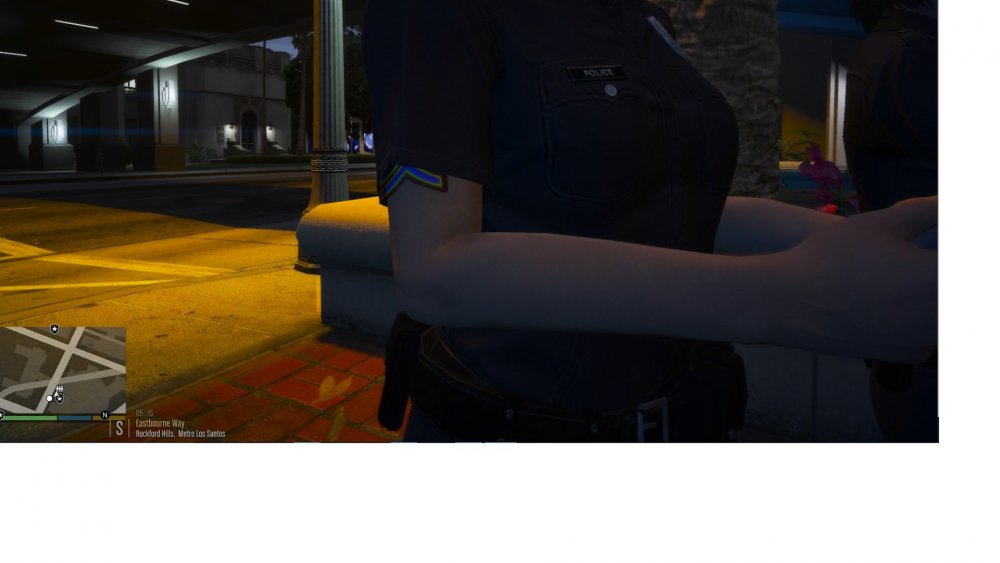 I just ran into this too. Do you have the vehicles in the original police1,2,3/sheriff1,2 slots or did you add/create slots for police5+/Sheriff3+? I added them to the game by naming them with police5 and sheriff3 and ran into the same problem but just the green color. I'm gonna mess around with it and see if that's the issue but if you did the same, that may have been the problem.I just added a new vehicle and created my own Sheriff3 slot. The car loads fine but when I initiate traffic stops, the suspect vehicles don't stop for me yet when I switched back to one of the original slotted cars, they stopped just fine. Does anyone know what setting I've failed to fix?
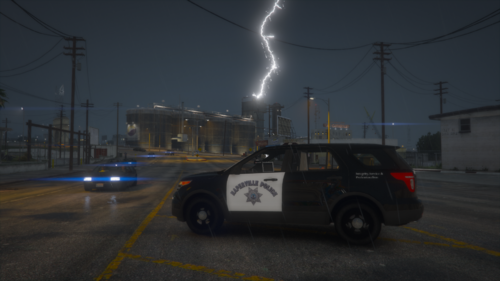 I've tried it on multiple models, including the one you provided, and I still get the green tint... Disregard. I figured it out. When you throw them in there not in the regular police2 or sheriff slots and add 3+ on there, it screws with the file.
- 5 comments
- 1 review
-
-
- 1
-
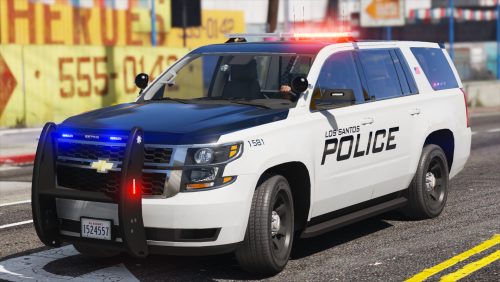 I put a black skin on the FPIU and it has a weird green tint to it. Guy who created the skin said it's not the skin but the model. You aware of what would be causing this?
- 51 comments
- 22 reviews
Oh, okay, good to know. I tried it on my other model and it didn't work but good to know it's the car and not the skin. Have you made any of these skins for the 2018 FPIU or the 2016 Charger?- 5 comments
- 1 review
-
-
- 1
-
For whatever reason, the FPIU skin has a green tint to it in light. Also, the Tahoe plate isn't showing up on the car.- 5 comments
- 1 review
-
-
- 1
-
This pack is absolutely FANTASTIC! Is there a way to set the NPCs and backups using the CPD setting my character has? I have all the EUPs installed and the configs but idk how to configure it to create the new peds to not wear LSPD unis with random patches. I can't find anything about how to use this thing. I've installed it but I don't know how to even open the menu to change NPC settings. Please help.
- 195 comments
- 24 reviews
In your ReadMe, Could you put the correct path description for how to install the files. Some (me) are new to installing uniforms into EUP and having that information available on how to install would be awesome.Sorry, I don't know the answer to this question but I was curious how you were able to set the NPC uniforms. I can't figure it out. Thanks,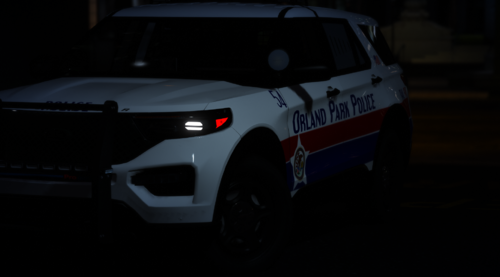 @Juiecey These look great! Could you incorporate Elmhurst, Lombard, Villa Park and some of the western suburbs?
- 17 comments
- 2 reviews
 I've installed this plugin and when I hit the button to speak it keys up once then it won't do it again and it only will do anything if I hit the panic buttons. It keys up, doesn't understand me, then doesn't work after that. Any help?
- 587 comments
- 106 reviews
 Either use CTRL+Scroll lock or turn on the on-screen keyboard and do the same. When the scroll lock is on, you'll get that warning.
- 2,692 comments
- 236 reviews

.thumb.png.4200977192ef3e708a701ebc7335b1f7.png)


