Skip to content
View in the app

A better way to browse. Learn more.

LCPDFR.com

A full-screen app on your home screen with push notifications, badges and more.

To install this app on iOS and iPadOS
  1. Tap the Share icon in Safari
  2. Scroll the menu and tap Add to Home Screen.
  3. Tap Add in the top-right corner.
To install this app on Android
  1. Tap the 3-dot menu (⋮) in the top-right corner of the browser.
  2. Tap Add to Home screen or Install app.
  3. Confirm by tapping Install.

How to Add Custom RCMP Uniforms to EUP

Featured Replies

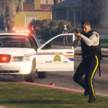
Hi All, relatively new to LSPDFR, have a good base going here now of adding in new cars and callouts and plugins. Now that i have got the hand of all the controls and plugins and that. I am trying to master the EUP. I finally got the EUP, MENO S&R and Settings configuration working, and have it all working now and can change the outfits and they all work. I have all the NPC uniforms, custom RCMP (Canada) uniforms working, but having a hard time trying to get Mine in the menu, i tried making my own agency_addon.xml, modifying the Agency.xml, and watched a few tutorials, but having a hard time now getting all the downloaded unfiorm content, different hats and holsters and vests to work. Does anyone have a lead on a good link or video on adding custom components, or how to get it to work in the locker room and just override the basic black uniforms? I've tried to overwrite every s_m_cop file i can find in every mod and patch folder, haha, with no success, or end up crashing the LSPDFR.


This is the pack im trying to get to work as a default,


GR

  • 8 months later...

Sorry, I don't know the answer to this question but I was curious how you were able to set the NPC uniforms. I can't figure it out. Thanks, 

Officer Shredder

Police Officer | Tactical Response Unit

Los Santos Police Department

Los Santos, San Andreas

cityoflossantos.wordpress.com

Join the conversation

You can post now and register later. If you have an account, sign in now to post with your account.

Guest
Reply to this topic...

Recently Browsing 0

  • No registered users viewing this page.

Account

Navigation

Search

Search

Configure browser push notifications

Chrome (Android)
  1. Tap the lock icon next to the address bar.
  2. Tap Permissions → Notifications.
  3. Adjust your preference.
Chrome (Desktop)
  1. Click the padlock icon in the address bar.
  2. Select Site settings.
  3. Find Notifications and adjust your preference.