



thedude529
Members
-
Joined
-
Last visited
Everything posted by thedude529
-
-
-
-
-
-
-
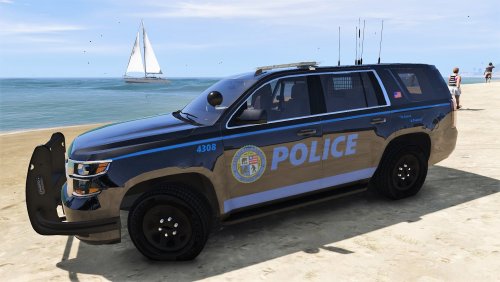 I love this pack! No installation errors, everything looks great in-game! I hope I see this texture for a CVPI soon! *EDIT* Nevermind! I see my CVPI skin!! haha
- 8 comments
- 3 reviews
-
-

- 1
-
-
-
-
Looks great! I'm glad to see a black/blue based texture pack. Is there a possibility that this skin will be available for a Crown Victoria in the future?
- 8 comments
- 3 reviews
-
-
- 1
-
-
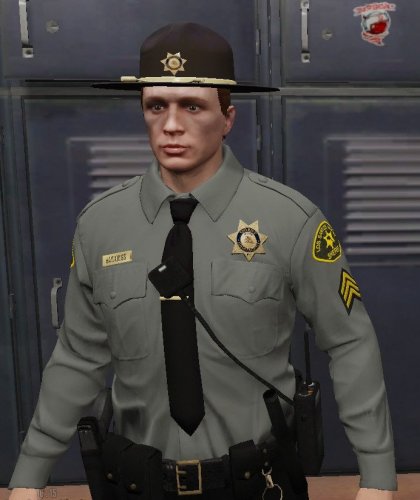 Love it! Would love to see an option for the striped pants on the PEDS. UPDATE: I love the striped pants for the PEDS! Is there any possibility for a yellow taser on the belt in the future? Maybe add compatibility for the peds to have the LE Revamped belts?
- 23 comments
- 5 reviews
-
I use ELS
-
Still won't load with a mods folder that is present but empty, unfortunately.
-
My game crashes only when openiv.asi is installed. When I remove just my mods folder it does not work but if I remove OpenIV.asi my game loads without mods (obviously) Ive tried: Removing mods folder and launching via playgta5.exe creating a fresh mods folder (copy of the update and x64 folders, along with x64e and x64g) verifying game files Everything is up-to-date. Game version 1.1103.2, Ragepluginhook 55, latest scripthook and trainerv as well as ELS. Attached is the openiv.log and ragepluginhook.log OpenIV.log RagePluginHook.log
-
THAT IS IT! Thank You Steele and definitely thank you Gump!!
-
Long story short I had to redo my mods folder entirely and lost this beautiful 2013 ELS Unmarked Tahoe. IT FEATURED A BLACK CHEVY LOGO WITH A BLUE STRIPE THROUGH IT. It also had cones and crime scene tape in the trunk. I've been trying to find it and cannot for whatever reason. If anyone knows where I can download it again I would love you forever!
-
Are there any ELS unmarked Dodge Chargers or Ford Tauruses that have seats where peds heads don't stick out of the roof in the back? I love POLICESCO's unmarked vehicles but I have come to find unless it is a crown vic or an SUV, suspects won't fit in the back properly with his slicktops.
-
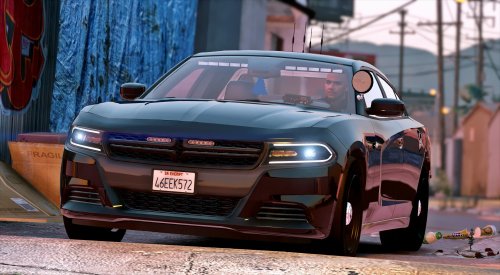 Any fix for heads sticking out of the roof in the back seat? I've installed the corresponding vehicles.meta but it still didn't fix it.
- 47 comments
- 26 reviews
-
Great looking car! I love that the back seat is set up for transport. I don't really like that people's heads still stick out of the back after installing the corresponding meta though. All in all still a great car, just sad I can't use it for transport.
- 47 comments
- 26 reviews
-
Not sure, sorry. I have the Social Club version. Try the Rage Plugin Hook discord.
-
I deleted 3 files from my game directory, RAGEPluginHook.euifl, GameBackups.rph, and rphhs. Rage now loads for me.
-
I'm having this error, but I do not know a fix.
-
Zmodeler will not let me import the .yft. I think it may be blocked, any way around this?
-
What program would I use to edit the model? And how exactly would I do it. Sorry I am very new to editing models and textures.
-
Does anyone know how to edit a vehicle to make the backseat passengers fit correctly that is simple? Most of my unmarked cars don't have the passenger seated right.


