
OfficerMike32
-
Joined
-
Last visited
Everything posted by OfficerMike32
-
Hello everyone, Im currently running on version 2845.0 of GTA on steam and was wondering if anyone possibly has lspdfr or rage compatible with my game version?
-
All part of Mike's Textures N Shit to possibly be released soon into one big thick n bitchin pack
-
 20200520162335_1.jpg
-
 20200520162131_1.jpg
-
 20200520162123_1.jpg
-
 20200520162050_1.jpg
-
 20200519164425_1.jpg
-
 20200520162101_1.jpg
-
 20200519164407_1.jpg
-
 20200519164235_1.jpg
-
 20191203192335_1.jpg
-
 20191204151844_1.jpg
-
 20200519162552_1.jpg
-
 20200519164150_1.jpg
-
 20200519164425_1.jpg
-
 20190530223301_1.jpg
-
 20190530223240_1.jpg
-
 20190530223149_1.jpg
-
 20190530223125_1.jpg
-
 20190530223043_1.jpg
-
 20190528153438_1.jpg
-
 20190528153231_1.jpg
-
-
From the album: My w.i.p texture packs
-
From the album: My w.i.p texture packs
-
From the album: My w.i.p texture packs
-
From the album: My w.i.p texture packs
-
From the album: My w.i.p texture packs
-
From the album: My w.i.p texture packs
-
From the album: My w.i.p texture packs
-
From the album: My w.i.p texture packs
-
From the album: My w.i.p texture packs
-
From the album: My w.i.p texture packs
-
From the album: My w.i.p texture packs
-
From the album: My w.i.p texture packs
-
From the album: My w.i.p texture packs
-
-
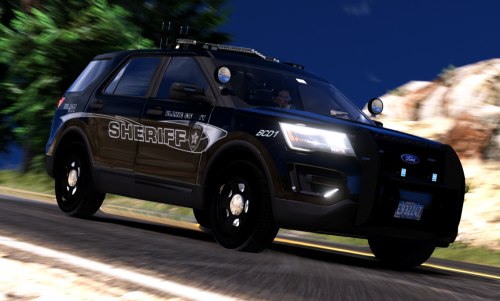 Love this pack! Does anyone have a link to his discord all the ones I click are expired?
- 50 comments
- 27 reviews
-
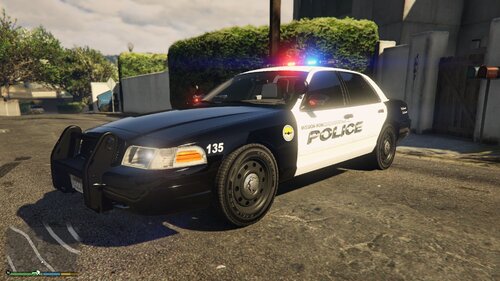 So badass to see all these high quality Riverside County agencies and more in this pack!
- 6 comments
- 3 reviews
-
-

- 1
-
-
-
-
Hello everyone! I have a quick question I've been having a issue with LSPDFR 0.42 lately where my game crashes to the desktop I only have LSPDFR installed (via automatic installer) with no other scripts or plugins. I also took a look at my rage log and I usually see that i crash during a ambient event or a line pops up saying the "ped was damaged". any suggestions would be greatly appreciated thanks in advance and have an awesome day! UPDATE: I fixed my LSPDFR i'm now able to play 0.42 for hours with no crashes!
-
Thanks!
-
From the album: My w.i.p texture packs
-
From the album: My w.i.p texture packs
-
From the album: My w.i.p texture packs