


gmantonz
Members
-
Joined
-
Last visited
Everything posted by gmantonz
-
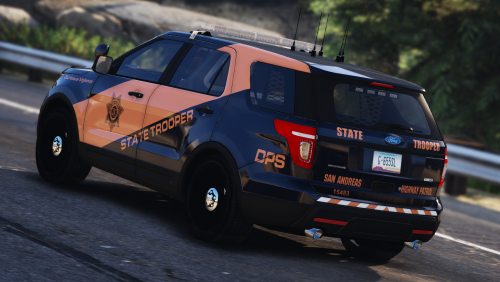 LOVE the stripe! Just used these textures by @BradM in my LSPDFR patrol on a 2016 Dodge Charger from the LSSD Pack by Mr.Kindness. Now this is not one of the vehicles listed as a supported vehicle, but the texture fit anyways and boy does it look fantastic. Keep up the awesome work, looking forward to seeing more!
- 24 comments
- 19 reviews
-
-

- 1
-
-
Introducing new logo and new intro! Check it out!
-
Happy #StarWarsDay everyone! May the 4th be with you!
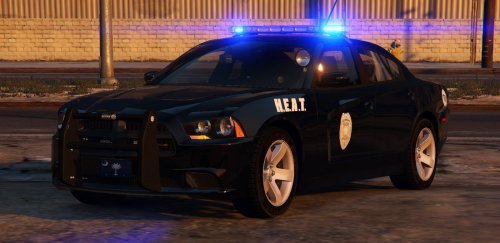 Another great car by Gump! I just did my #StarWarsDay patrol in it using the Sandy Shores Police textures as the white and black is quite fitting with my Stormtrooper uniform :) Enjoyed the vehicle!
- 56 comments
- 25 reviews
-
-
- 1
-
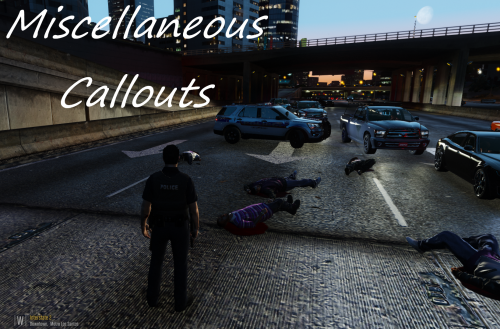 Great call out pack! Just used it in my latest LSPDFR episode when I patrolled Vinewood and the Bar Fight call came. Didn't expect for one of them to go after me with a knife, but that's what makes it so interesting :) Looking forward to checking out the other calls and would love to see more in the future, keep it up!
- 68 comments
- 21 reviews
-
-
- 1
-
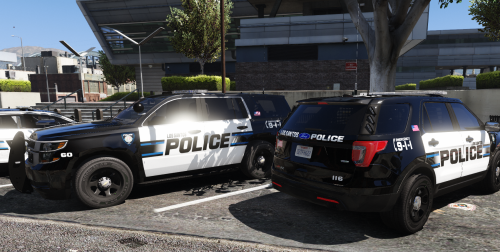 Great texture pack by @WatchMyFootwork, I just used it in my latest LSPDFR episode. Textures look great, lore friendly, and they also work with the 2015 FPIS by @JJDawkins, so win and win! Keep up the great work, would love to see more from you!
- 41 comments
- 19 reviews
-
-
- 2
-
Saturday night in Vinewood = drunk people, house parties and bar fights!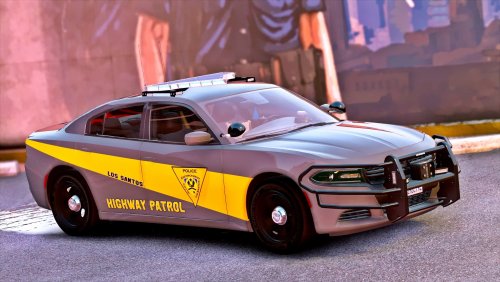 As always, @POLICESCO delivers! Just did my Los Santos highway patrol using this great model, love the Charger! Comes with 3 great skins as well, so a perfect fit for a patrol in the city or out in Blaine!
- 35 comments
- 37 reviews
-
-
- 1
-
Went under cover as a DOA agent for this episode to do some drug enforcement!Continuing the state patrol series today with the Texas State Troopers!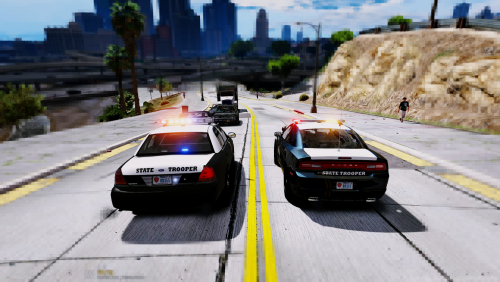 Great work by @xCraftingFabe and a perfect skins for the LSPD pack from @JJDawkins! A lot of hard work has been put into this pack to make it compatible not only now with the LSPD pack but with the CHP pack by @Thehurk. There are skins for many different vehicle models so you have a lot of choice when it comes to selecting which Texas State Trooper vehicle you'd like to patrol in. @xCraftingFabe is also a great member of the community, I appreciate all of the updates he provided as he work on this mod and a HUGE thank you for allowing me to preview and showcase the pack in my video! Keep up the great work, can't wait to see more!
- 7 comments
- 8 reviews
-
-
- 1
-
Something a little different tonight... a bike patrol!Today's episode is an online patrol using FiveReborn featuring the rest of the KUFFS Gaming Crew!Detective patrol on today's episode!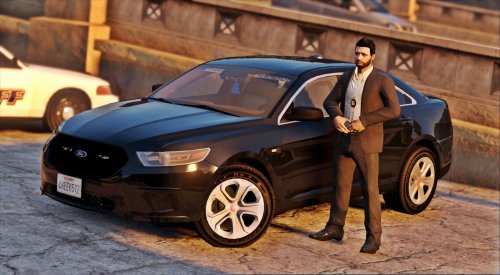 Never fails to impress! Just used this awesome vehicle by @POLICESCO in my first detective patrol, and this car is fantastic! Has just the right amount of lights and the ELS patterns are spot on as always. Great job!
- 19 comments
- 11 reviews
-
-
- 1
-
Kicking off my State Patrols series today with the Alaska State Troopers!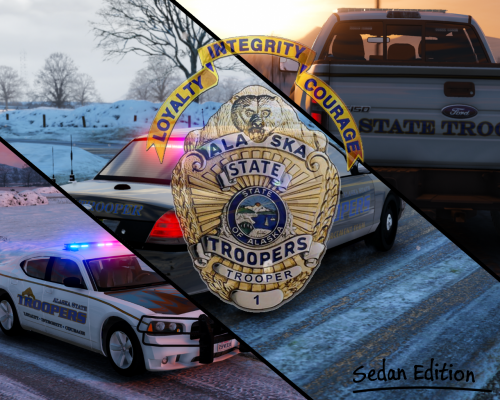 Just used the old school texture on an ELS CVPI created by BxBuggs123 in my Alaska State Troopers patrol, fantastic job! The vehicle looks absolutely great and you did great work paying attention to all of the details such as the license plate. Loved it!
- 54 comments
- 12 reviews
-
-
- 1
-
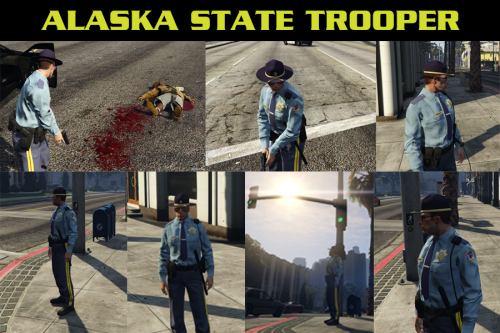 Just used the uniform in my Alaska State Troopers patrol, fantastic job! Lots of different options to choose from and textures are really high quality and they look great!
- 20 comments
- 3 reviews
Checking out the absolutely fab unmarked Camaro ZL1 by @MrPotato in this episode: @MrPotato has done it again! First it was the Hellcat SRT now it's the Camaro ZL1! While this might not be a typical police car, it is absolutely fantastic and a joy to drive. The ELS lights are truly magical, as Apple would put it. @MrPotato really paid attention to all of the details and how the lights are set up, everything fits and looks just perfect. Just used the vehicle for the first time in my patrol, and I loved it!
- 31 comments
- 36 reviews

Account
Navigation
Search
Configure browser push notifications
Chrome (Android)
- Tap the lock icon next to the address bar.
- Tap Permissions → Notifications.
- Adjust your preference.
Chrome (Desktop)
- Click the padlock icon in the address bar.
- Select Site settings.
- Find Notifications and adjust your preference.
Safari (iOS 16.4+)
- Ensure the site is installed via Add to Home Screen.
- Open Settings App → Notifications.
- Find your app name and adjust your preference.
Safari (macOS)
- Go to Safari → Preferences.
- Click the Websites tab.
- Select Notifications in the sidebar.
- Find this website and adjust your preference.
Edge (Android)
- Tap the lock icon next to the address bar.
- Tap Permissions.
- Find Notifications and adjust your preference.
Edge (Desktop)
- Click the padlock icon in the address bar.
- Click Permissions for this site.
- Find Notifications and adjust your preference.
Firefox (Android)
- Go to Settings → Site permissions.
- Tap Notifications.
- Find this site in the list and adjust your preference.
Firefox (Desktop)
- Open Firefox Settings.
- Search for Notifications.
- Find this site in the list and adjust your preference.