


gmantonz
Members
-
Joined
-
Last visited
Everything posted by gmantonz
-
Episode 3 was a lot of fun, especially the naked people!
-
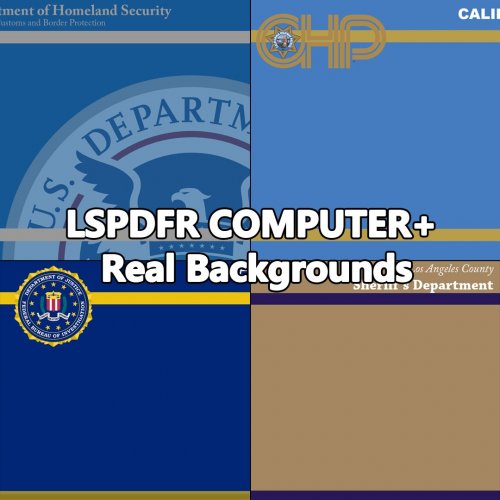 @sebair did a great job with this mod, I really love the backgrounds especially the blue Homeland Security one, great design aesthetic! Just did my first patrol with the new texture for the LSPDFR Computer+ and I'll be using it for a while.
- 4 comments
- 2 reviews
-
-

- 2
-
-
 Another awesome vehicle by Gump! Great car, the ELS lights look absolutely stunning. I did change out the lights and went with the optional blue and red, and I only wish that the red was slightly more "redder", it looks orange to me, but maybe that's just me. Just did my first patrol in this vehicle, looks fantastic!
- 65 comments
- 36 reviews
-
Episode 2 under the belt!
-
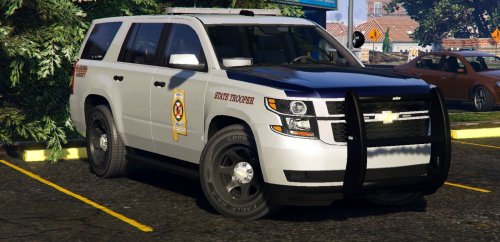 Amazing vehicle, I absolutely love it! Really high quality textures, the interior is fantastic and the ELS lights work really well. Just did my first patrol in it, great job Gump! I did notice a slight clipping issue on the front fender on the driver's side as I was getting out of the vehicle and walking to the car I pulled over but other than that, really happy with the Tahoe and will continue to use it in my future patrols.
- 32 comments
- 17 reviews
-
-
- 1
-
-
Thanks guys for checking out the video and for the comments, I really appreciate it! I do have Traffic Control installed, just have to remember to use it :) And thanks for the suggestion on Keep Calm, I'll get that installed as well, cause yeah I definitely experience a "clusterfuck" every time there is action, and then everyone freaks out :)
-
EDIT: WOW! I've come a long way since I started, already hitting over 100,000 subscribers!!!! Check out my channel for LSPDFR content and here is one of my latest LSPDFR videos: I also live stream alot of LSPDFR patrols every Mon, Wed @ 7 PM EST and on Sat @ 12 noon! Original Post from Jan 2017: Hey guys, I'm new to the community, just starting out on YouTube and I picked GTAV and LSPDFR as my go-to game and mod to get started on making gaming videos. Been lurking for a long time, watching gamers like Jeff play, so I thought I give it a shot too. Check out my first episode, let me know what you think! I know it's a little rough around the edges, but we all gotta start somewhere 🙂

