




Murphy
Members
-
Joined
Everything posted by Murphy
-
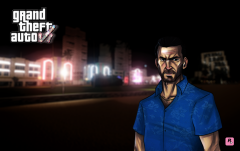 Nice video! You should have used this Tommy Vercetti model, though. It's a bit nicer: http://gtaforums.com/topic/653492-hd-tommy-vercetti-for-gtaiv/
 -
![Rapid Vadius (Vapid Radius) [WIP]](//s3-gallery.int-cdn.lcpdfrusercontent.com/gallery/album_3065/sml_gallery_86082_3065_530292.jpg) Looking good!
Looking good! -
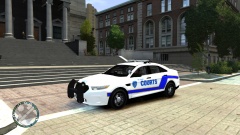 Ah, Vespucci University.
 -
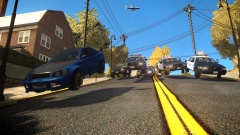 The moment when you ask yourself: Are the police chasing the Sultan RS, or is the Sultan RS trying to escape the swarm of wild police AI?
 -
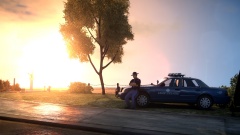 "Something tells me it's going to be a long day..." - ASP Trooper
 -
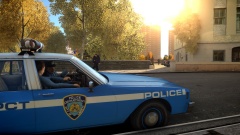 Best comment of the day.
 -
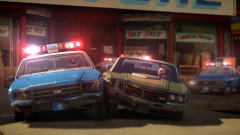 That's okay. It means you can feature another one, like mine, right? ...No? Eh, it was worth a try. :3
 -
-
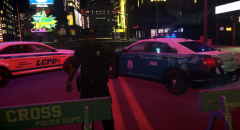 Can we have the FPIs now? https://www.youtube.com/watch?v=hjvXJMy5dcg [ ^ This is exactly how I feel ^ ]
 -
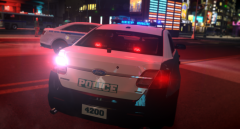 Can we have the FPIs now? https://www.youtube.com/watch?v=hjvXJMy5dcg [ ^ This is exactly how I feel ^ ]
 -
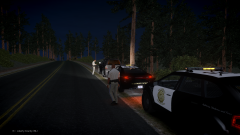 Would this happen to be my graphics mod? :D I noticed the orange-ish glow of the tail lamps.
 -
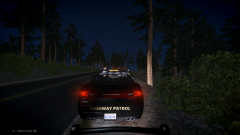 Would this happen to be my graphics mod? :D
 -
Mine, of course. In all seriousness though, my mod may not be the best for your graphics card. It may work fine, but it will be up to you to find out.
-
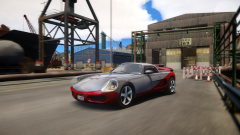 No worries at all, but I believe you misunderstood my question. There was a pack released that included this Stinger model converted for IV. The pack was available on GTAForums. What I was wondering is if this model in the screenshots is your own conversion of OnePIece's Stinger model, or if it's the conversion from that pack.
 -
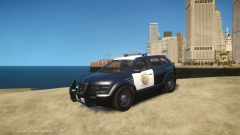
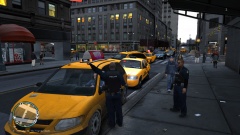 I see you're using my good ol' Dodge Caravan mod! Thanks, tz71! Maybe I'll upload a police variant here.
 -
 Indeed! You can make some new ones in IV now. :P Yes, that would be great. The VCPD cops deserve some attention! You said it!
 -
 Thanks! I can finally rest now, knowing that Tobie1's model has been given justice in the RAGE game engine.
 -
From the album: Murphy's GTA IV Screens
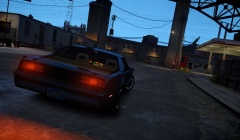
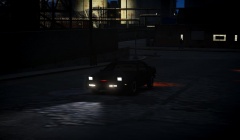
My conversion and revamp of Tobie1's San Andreas KR Season 3-4 model. With EPM, the car includes: Moving scanner https://www.dropbox.com/s/442m97wymk47bwa/scanner.avi?dl=0 Moving headlamps https://www.dropbox.com/s/pwhvdbuwzooj83m/headlamps.avi?dl=0 Rotating license plate https://www.dropbox.com/s/kylg1f3x9ee1qpp/license_plate.avi?dl=0 -
From the album: Murphy's GTA IV Screens
My conversion and revamp of Tobie1's San Andreas KR Season 3-4 model. With EPM, the car includes: Moving scannerhttps://www.dropbox....canner.avi?dl=0Moving headlampshttps://www.dropbox....dlamps.avi?dl=0Rotating license platehttps://www.dropbox...._plate.avi?dl=0 -
From the album: Murphy's GTA IV Screens
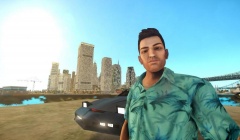
Tommy Vercetti is back!... But this isn't your average player mod. This is FidoX's recently released scratch model of Tommy Vercetti. It is available here: http://gtaforums.com...etti-for-gtaiv/ -
Great to see this conversion again. Did you convert this one yourself, or did you get it from the pack that was released?
-
 Yes, this is just what I've been waiting for! Now to wait for an LCPD version... Heh.
 -
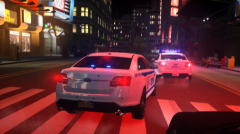 Darn, I really want that marked one.. Still, YEEESSSSSSSSSSSSSSSSSSSSS!
 -
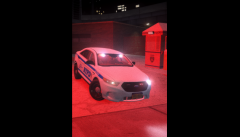 YEEESSSSSSSSSSSSSSSSSSSSS!
 -
We need some more information.

![Rapid Vadius (Vapid Radius) [WIP]](http://s3-gallery.int-cdn.lcpdfrusercontent.com/gallery/album_3065/sml_gallery_86082_3065_530292.jpg)

