




Murphy
Members
-
Joined
Everything posted by Murphy
-
-
 Thanks for making the video! :) If I update this file, I will be sure to include it in the description. The cars also look great!
- 54 comments
- 10 reviews
-
-

- 1
-
-
Hello fellow members and staff, I would like to take a moment to celebrate the birthday of the one and only, Original Light, A.K.A. Nick! I will never forget the moment I joined this forum, as OL was the first person to greet me with a nice and friendly messaged titled, "Hey". From that message stemmed a very powerful and long lasting friendship. He is truly one of these members that I respect, look up to, and am honored to be able to call a friend. If you have the opportunity, get to know him. He is bright, funny, and has a great taste in music! -The last part is the most important!... Just kidding! All of it is equally great. To OL: Never back down, and never surrender. When you put your mind to something, you have the power and the ability to get the job done. Keep studying hard and being who you are. All I can say is, thank you! Happy birthday, Nick! P.S. No birthday post for you would be complete without a picture of an LAPD Crown Victoria:
-
-
-
-
-
-
-
-
-
-
For all who are interested, the paint3 ShaderOverDax1 issue I mentioned that I fixed is when this occurs:
- 54 comments
- 10 reviews
-
Here is an image and a video showing how the ELS lighting appears in game for some users. I did not include these in the upload:
- 54 comments
- 10 reviews
-
-
- 1
-
-
-
-
-
Modern IV 2015 ENB by Murphy: Based off of CryENB V1 for patches 1.0.7.0 & EFLC 1.1.2.0, compatible with ELS & multiplayer, Modern IV 2015 ENB was created with the goal of giving the user a GTA V-like visual experience in IV. In addition, Modern IV 2015 ENB was created for users who sync their game time to real time in order to give gameplay a more realistic feel. CryENB V1 and Modern IV 2015 ENB differ in many of their features, one of the most prominent is the adjustment of the Adaptation feature. CryENB V1 and other ENBs that use Adaptation do not work well when IV has been synced to real time or has been set to real time duration, via the Simple Native Trainer. Adaptation controls how bright or dark your game appears, depending on the time, location, surrounding lights, and surrounding shadows. By making the Adaptation values equal, the game no longer gets additionally brighter or darker from day to night. To compensate for this, settings, such as the Environment values for Direct Lighting Intensity, were adjusted appropriately, maintaining the transition from day to night without interference. Another feature that differs is the timecycle file(s). Farclip, fog, and night time lighting values were adjusted for GTA V-style visual appearance and better visibility. Last, but not least, is the significant change in Modern IV 2015 ENB, which is the paint3 shader fix. Commonly, ENBs that use Dax1's shader files [ShaderOverDax1] cause vanilla IV vehicles and vehicles with liveries to appear darker where the paint3 shader, or livery, has been applied. By adjusting the PixelShader files, Modern IV 2015 ENB no longer experiences this visualization error, unlike IV 2015 ENB v2.0, CryENB, and other ENBs that use Dax1's pixel shaders. Countless of additional hours were spent tweaking visualSettings.dat, enbseries.ini, enbeffect.fx, effect.txt, timecyc.dat, and additional files in order to both optimize and enhance the game's visual experience. Before installing, it is recommended to set your Shadows Quality in-game setting to Off, Low, Medium, or High. Very High causes lag and too sharp shadows. Fabriciuz made very detailed installation instructions, which I made updates to, so be sure to read all of the text files! This mod is recommended for Low to High-End PCs, with an average of 30+ fps on Mid-End PCs. Backup your files before installing this mod! You are responsible for any crashes or loss of data that may occur. _____________________________ Original description from CryENB V1 by Fabriciuz: Made for patch 1.0.7.0 & EFLC 1.1.2.0, compatible with ELS & multiplayer. ENBSeries 0.163 + dax1 fix edit. Before installing, i really recommend you to set your Shadows Quality in-game setting on High or lower. Very High causes lag and too sharp shadows. If you wan't Auto-Focus DOF like in my pic's, then go to Optional presetsDepth Of FieldAuto-Focus DOFLQ DOF or HQ DOF and install that. I've made very detailed installation instructions, so just be sure to read all the text files. Enjoy! _____________________________ CONTENT INFORMATION: _Install: All of the main files for Modern IV 2015 ENB. _Options: Here you can get help and recommended mods. _Settings: Here you can choose the fitting configuration for your hardware. ELS preset: Here you can find all the necessary files to get ELS working. _Install has files set for non-ELS users. Optional presets: Here you can find Depth of Field options, Lens texture options, Godrays and various effects. HD textures: DKT70 newest HD roads and HD trees. _____________________________ Modern IV 2015 ENB FEATURES: Anamorphic Lens Flare [from CryENB V3] Blue Headlights (Optional) [from CryENB V3] SSAO Skylighting No red sky & no other bugs Dynamic timecyc created from scratch Auto-Focus DoF & Static DOF Dirt Lens (thanks to iCELaGlacE) Godrays (disabled by default) Realistic ELS Lens Flare Motion-Blur Combined SMAA & FXAA And much more.. _____________________________ COMPATIBILITY: IV 1.0.7.0 EFLC 1.1.2.0 ELS Multiplayer _____________________________ INPUTS: On/Off SSAO - press pause/break On/Off FPS counter - press NUM slash On/Off FPS limit - scroll lock. Screenshot - press print screen Reload config - press NUM star _____________________________ COPYRIGHT: Boris Vorontsov, iCELaGlacE, DKT70, gp65cj04, Dpeasant3, dax1, Buzz, Fabriciuz & Murphy. Give credit to everyone listed above if you upload any files from this ENB. _____________________________ CREDITS: iCELaGlacE for alot of codes and for helping with CryENB V1. DOCTORGTA for testing and helping alot with CryENB V1. Carrythxd for testing EFLC and helping with CryENB V1. DKT70 for codes, HD roads and HD trees. Fabriciuz for releasing CryENB V1 and V3. Murphy for creating Modern IV 2015 ENB. _____________________________ VIDEO PREVIEWS: Video 1: ELS appearance (night time only, ELS settings) Video 2: General game appearance (weather, day/night, non-ELS settings) Note: Even though Video 2 has ELS installed, the ELS graphics settings are not present. See Video 1 for the appearance of ELS with the graphics settings included in this graphics mod. _____________________________ ADDITIONAL INFO: Website: http://www.lcpdfr.com/user/31013-murphy/ _____________________________
- 54 comments
- 10 reviews
-
All I have to say is this: https://www.youtube.com/watch?v=fv0j1UhTy60 Remember, the LCPD knows all and sees all...
-
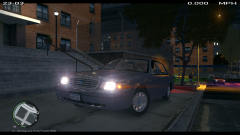 Yes, please!!
 -
Whoops, my review didn't mention it. Just rated 5/5. Perhaps you could upload a revision with the other sign? Other than that, great job!
- 14 comments
- 5 reviews
-
Very nice! The Times Square sign is inaccurate, though. Please see this image for reference:
- 14 comments
- 5 reviews
-
Suicide is never the answer! I'm not exactly sure why you were experiencing the problem. I couldn't tell from the video, but were you also unable to move?
-
This actually is not always true; it depends on the uploader's choice. The old file can be removed or replaced in an update, or the uploader can choose to put both the new and old versions up.
-
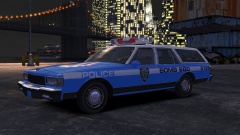 Now available!

