
HTownman77
Members
-
Joined
-
Last visited
Everything posted by HTownman77
-
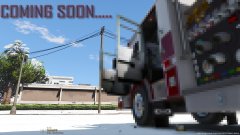 Need this rig - STAT! It's about time that we deserve an upgrade in the FD fleet. That's definitely a Pierce firetruck. The front grill should be a dead giveaway.
 -
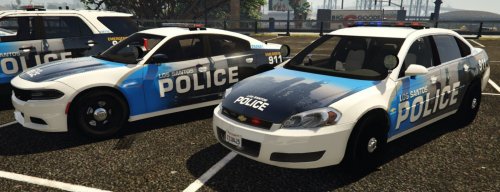 ...and it's great that people are still wanting to do skins on models that have nothing to do with ELS. Maybe he'll do with Thehurk did with his 2016 FPIU - have two versions: One ELS version and the other (which I currently have), the non-ELS version. Not everybody may want to join the ELS craze and I'm one of them. Keep up the great work on skins like these.
- 8 comments
- 4 reviews
-
-
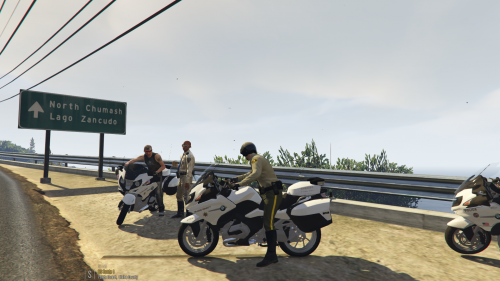 Cool! FYI, there is something like that already out but - well - http://www.lcpdfr.com/files/file/13574-bmw-r1200rt-dutch-police-beta/ Since that came out, a lot of folks were seen putting skins on that bike. I would use this bike in an instant if it was an American version.
 -
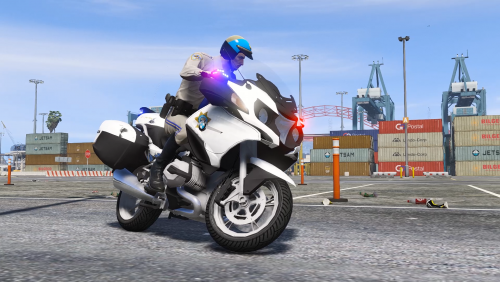 What I would like to see one day is the older version of that BMW R1200RT. Once time permits, hopefully somebody will take on the task. :)
- 23 comments
- 4 reviews
-
Not from me. I'm perfectly fine with what I see. What I would like to see one day from somebody is what you see in that picture - the older version of what Thehurk did (BMW R1200RT).
-
Wonderful updates to what I'm seeing here. Just added the updated skins to the bike. Keep up the great work! :)
-
You may have to contact the folks at Rockstar Games if you're having issues with just trying to get into GTAV without RPH and see if they can provide some assistance.
-
 There is no .ini file for Code Red Callouts. If and when that particular call comes up, just don't accept it.
- 329 comments
- 53 reviews
-
-

- 1
-
-
You're quite welcome! Just saw it and the skins look amazing. :)
-
http://www.lcpdfr.com/files/file/13865-emergency-lighting-system/
-
When it's fully ready for release, you'll see it on this website. Just gotta be patient, that's all. A lot has to be done "behind the scenes" in order for something to be released with minimal to no problems for the user(s).
-
"I am posting on the Rockstar Support too." Small world. I just did the exact same thing a few minutes ago. I only went to them when I was seeing myself not even getting through the story mode of GTV (without RPH).
-
You're not the only one having that problem. Now I'M having the problem of Rage crashing on the story screen. Though I didn't restart my PC, the only thing I did was to even install an older version (I have the version which goes back to 0.47) and nothing seems to work. Maybe I started it too much? I say that because it WAS working earlier but now - nothing. GTAV Crash Report (Retail Version).txt EDIT: Just restarting my PC - but to no avail. UPDATE: I think something is horribly wrong with GTAV itself because I can't even go through the loading screen if I wanted to play the game without RPH. Crashes just seconds after I choose "Story Mode."
-
Very nice to finally have something for this bike to represent Los Santos County Sheriff and Blaine County Sheriff @BlackNoise but an option I would like to see would be to add the words (Los Santos County) and (Blaine County) under their respective decals.
-
-
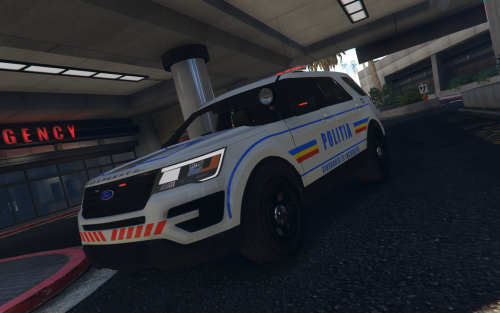 Once you put the vehicle files where they need to be at, go to the .ytd and replace the skin there.
- 8 comments
- 1 review
-
-
- 1
-
-
Then that means the download feature is down - meaning - nobody can download anything that's on the site at the moment. Just have to wait until it's fixed again.
- 8 comments
- 1 review
-
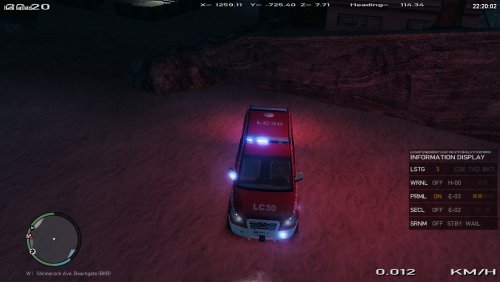 http://www.lcpdfr.com/forums/ Go there for the help you need in making sure this goes into the correct section. What you have here has nothing to do with Grand Theft Auto V but rather Grand Theft Auto IV. Good luck!
 -
http://www.lcpdfr.com/downloads/gta4mods/vehicle-models/ Go to the link I provided for you and download this in THAT section. This section is only for textures pertaining to Grand Theft Auto V vehicles. What you have here is a vehicle model for Grand Theft Auto IV.
-
-
I would like to know if anybody is willing to put together an EUP version of the Texas DPS State Trooper uniforms so I can choose it via the EUP menu (replacing the default highway patrol uniform). Yes, I know that there's already ped textures out there that have to do with Texas DPS but not the EUP version as I see with - well - example: http://www.lcpdfr.com/files/file/14010-massachusetts-state-trooper-eup-uniform/. If I am able to do it myself with what's already out there, how does one perform that task? Thanks!
-
No problem. :) Even if these models DO become ELS compatible one day, I'm not gonna touch ELS - yet (I may change my mind IF it doesn't cause me too many problems). Now if those ELS compatible vehicles had the same template as ALL of Captain14's cars, then I would try ELS. Until then, I'll stick to what I have - which includes Siren Mastery.
-
See if this will work for you: https://www.gta5-mods.com/misc/gameconfig-xml-fix-for-bikers-update I also have Captain14's LSPD, FBI, and Sheriff packs but those don't crash my game when I start it. If what I posted doesn't work for you, then I don't know what else could cause your game to crash when you try to start GTA.
-
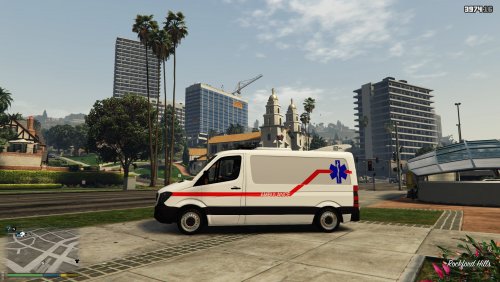 There's plenty of REAL agency skins out there that are "out of place" for a location (whether it's from another country or even another state in the US - seeing Los Santos is based off of LA) and are clearly meant for their respective themes (not being into the Los Santos theme). There may even be REAL agency skins that look like they ARE from somewhere else but (to stay in the GTA theme) will say "Los Santos _______" or "Blaine County _______ or even San Andreas _______."