RanditoCarlito
Members
-
Joined
-
Last visited
Everything posted by RanditoCarlito
-
 I know this thread is old as dirt but I don't know why anyone would model a law enforcement vehicle that's only capable of facilitating a single livery. Makes NO sense whatsoever.
- 87 comments
- 23 reviews
-
I wish...
-
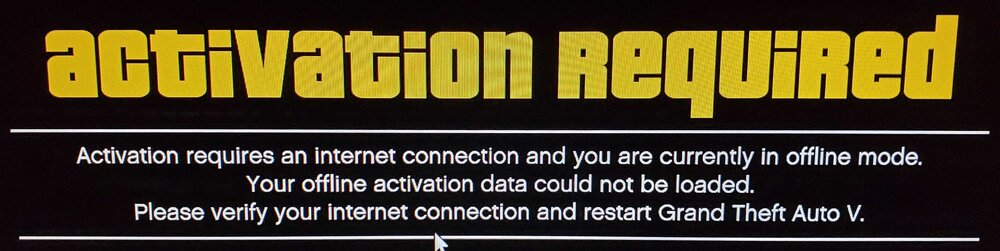
I think a lot of people are having this problem since the new game launcher came down, myself included. I've asked the same question on other sites but have yet to get anyone who knows how to remedy it. My problem isn't getting LSPDFR to work, but rather, getting past the Activation Required message that pops up when launching older versions of the game. I use the folder rename method along with unknown modder's LauncherBypass and its worked great for a long time now... until a couple weeks ago when Rockstar royally effed it all up with their new game launcher. You used to be able to just swap the folder names around to satisfy Rockstar server connection requirements, then swap them back and you could once again play an old version several times before having to do it again, but that method no longer works but some say it still works fine for them. All I know is I can't play old versions of the game anymore and it sucks and there doesn't seem to be any answers for it 😕
-
Anybody know how to get around the new launcher so one can still play their favorite older version of the game OFFLINE in Story Mode (not using LSPDFR)? I'm with Reddington on this... if I can't somehow launch and play my favorite older version of this game then I'm DONE with the whole lot. The only thing I enjoy about GTA5 is being able to play more stable, albeit OLDER, versions of the game. The only time I even connect to RockStar servers is to satisfy their requirement MAKING you do it despite only playing offline. RockStar is way too anal by being so rigid in making people connect online when they only wanna play OFFline. Last year a hurricane came through and we had no internet for nearly a MONTH. At first I was able to play offline maybe three or four times and that was it... no more GTA5 for an entire month despite having PAID for this game. You pay 60 goddamn dollars (when it came out on PC in 2015) and then you can't even use it if your internet gets knocked out for an extended period. Now you can't even use old versions of the game offline. This is such bullshit and only serves to create hatred and discontent for RockStar.
-
-
 Okay, I give up . . . Just where does one acquire "EVL" in order to use the lights on this vehicle? All the sources I read about are either defunct or conveniently missing. Is there any way to convert this model to use something other than EVL? I don't understand the point of supporting a model if there's no light controller for it...
- 60 comments
- 9 reviews
-
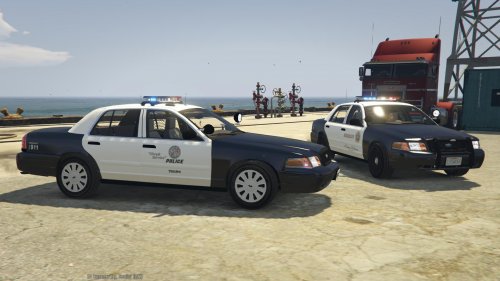
.thumb.png.e88f1892e13ddb98db35e668d465c34b.png) Fantastic vehicle. Only wish the tires weren't so skinny and and could be made thicker, as patrol vehicles typically have a wider tread.
Fantastic vehicle. Only wish the tires weren't so skinny and and could be made thicker, as patrol vehicles typically have a wider tread.- 182 comments
- 44 reviews
-
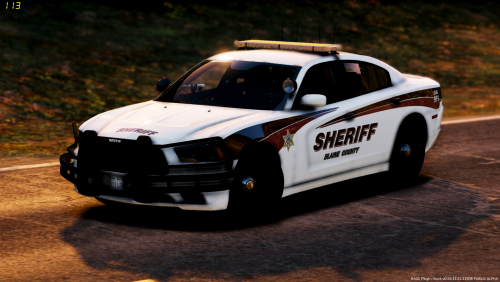 All-blue lighting is my preferred setup because all the local agencies around me use all-blue lights (city police, county sheriff, state patrol, etc). Sometime in the 1980's they changed to red/blue lighting but a few years back they ALL went back to using all-blue, the way they used to be up until the early 1980's. I personally think law enforcement should use all-blue lighting anyway so there's no mistaking who you're seeing up ahead or behind you. Love the vehicles, love the livery, although in my game I changed the burgundy stripes and outlines to green to better match the sheriff's office color scheme commonly used here in Florida. Only noticed one issue. The stock tires look great but are too small and don't make contact with the ground and are slightly elevated above the pavement what looks to be a few inches. I noticed if you changed the wheels to another type this issue goes away but the supplied tires are a tad too small.
- 26 comments
- 8 reviews
-
-

- 1
-
-
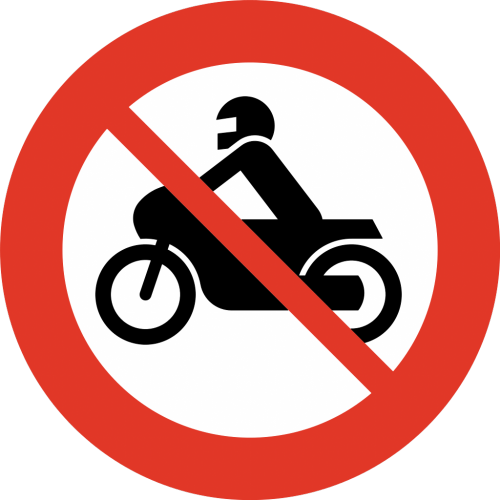 Because the police bike is almost always a royal pain in the ass during pursuits because it is a hindrance and gets in the way of everything by causing you to crash. For those of us who actually PLAY this game this is great thing to have.
- 17 comments
- 1 review
-
-
- 1
-
-
.thumb.jpg.f806c60e0c1d78a95eab5871f9ce94dc.jpg) Excellent quality. Easy installation either manually or using the included oiv installer. Bugs also made one for Ford vehicles and both are a must-have product.
Excellent quality. Easy installation either manually or using the included oiv installer. Bugs also made one for Ford vehicles and both are a must-have product.- 23 comments
- 11 reviews
-
-
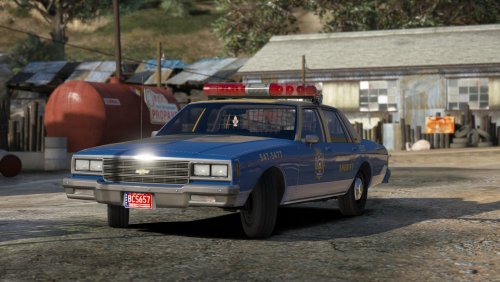 Don't know why it's happening but when I try opening this download I get the error, "Archive is either in unknown format or damaged". I've gotten the same error before on a couple other files but since no one else has mentioned it I could only conclude the problem was on MY end. **UPDATE** It seems WINRAR is to blame, as there are some things it just doesn't open. Now using 7-zip and its no longer an issue 😁
- 26 comments
- 22 reviews
-
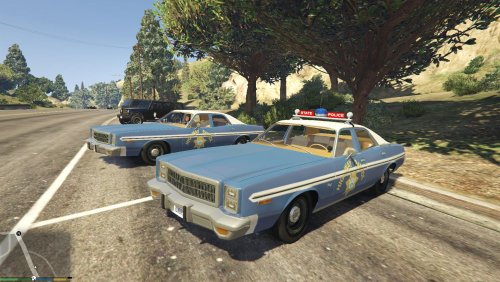 Fantastic vehicle but sadly the one version I was interested in is no longer included (TwinSonic bar). There also used to be another version with twin Federal Signal model 11 "chain-drive" beacons. Interestingly, these two are the most sought after versions, yet strangely, they're the ones they did away with. Go figure... 😐
- 11 comments
- 2 reviews
-
-
.thumb.jpg.4066677156985e22489bfecddc2f6c45.jpg) No, this is not an ELS model. Most, if not all vehicle models offered on this site will indicate whether or not the vehicle in question is ELS or Non-ELS compatible in the 'File Information' area located to the right of each page where it says 'ELS Compatibility'.
No, this is not an ELS model. Most, if not all vehicle models offered on this site will indicate whether or not the vehicle in question is ELS or Non-ELS compatible in the 'File Information' area located to the right of each page where it says 'ELS Compatibility'.- 376 comments
- 81 reviews
-
Don't know if you'll get an answer from Bugs on this but I can tell you I don't know about this particular CVPI but I have 22 liveries installed in another one of his CVPI's and they all show up and work just fine. To your second question, I believe this CVPI takes the place of the 'SHERIFF' vehicle, so it does in fact replace the existing vehicle under that name.
- 376 comments
- 81 reviews
-
.thumb.jpg.54f04afcd6ae69e17f1388b62a696d8b.jpg) Too bad you can't actually install this vehicle. Every time you try it says, The archive is either in unknown format or damaged. Regardless, you CAN'T open it. Bugs' other CVPI (V1.4OSS) is the same way and numerous people have been reporting it for well over a YEAR now but apparently despite knowing it's effed up nobody's bothered to fix it. So as wonderful as Bugs' work may be, you can LOOK at it but you just can't install it. Real nice, eh? It's sad but until somebody fixes this issue NOBODY can use these vehicles so don't even bother downloading them...
Too bad you can't actually install this vehicle. Every time you try it says, The archive is either in unknown format or damaged. Regardless, you CAN'T open it. Bugs' other CVPI (V1.4OSS) is the same way and numerous people have been reporting it for well over a YEAR now but apparently despite knowing it's effed up nobody's bothered to fix it. So as wonderful as Bugs' work may be, you can LOOK at it but you just can't install it. Real nice, eh? It's sad but until somebody fixes this issue NOBODY can use these vehicles so don't even bother downloading them...- 68 comments
- 29 reviews
-
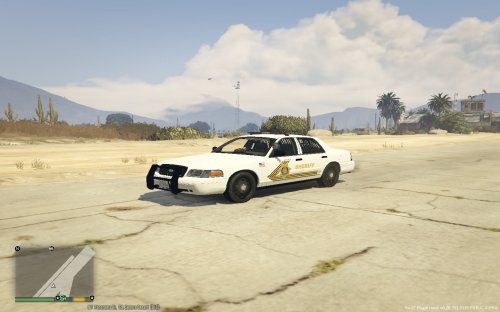 This is a great livery. I've had it for my Chargers but never found one for the CVPI's until now. Thanks a bunch
 -
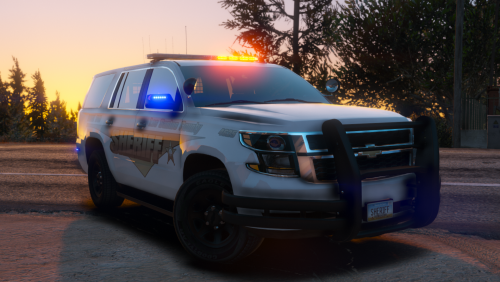 My new favorite Tahoe. LOVE the all-blue option and those badass "all black" wheels. This one's a keeper.
- 11 comments
- 21 reviews
-
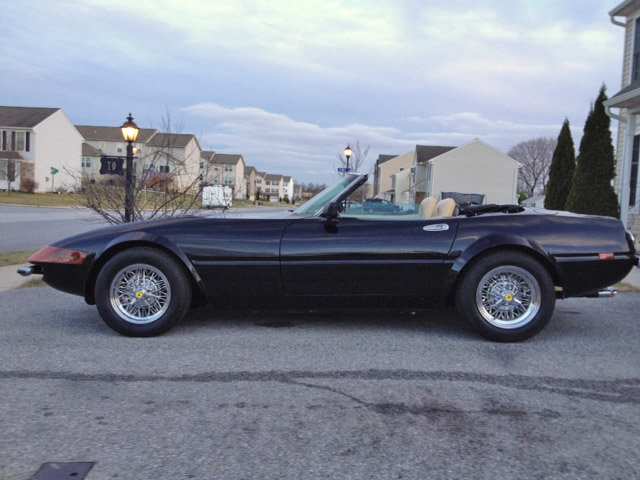
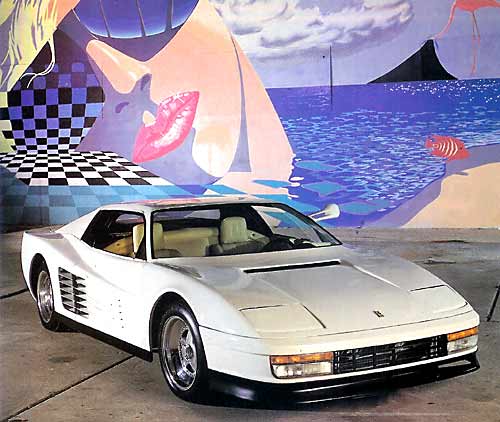
For me it's Miami Vice all the way (the TV series, NOT the movie) with the Ferrari Daytona Spyder and the Ferrari Testarossa. Although the Daytona used in the series was actually a faux Ferrari made using a Corvette Stingray, it's still among my favorite Celeb LE cars.
-
-
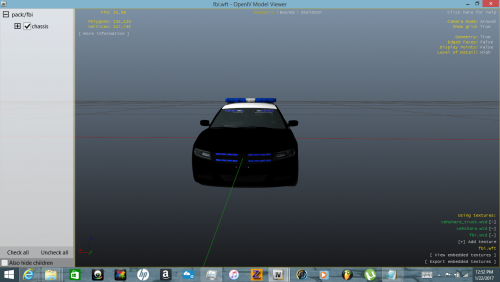 Looks great but there are no instructions of *where* to install the files. I know HOW to install it, just not *WHERE*. I'm sure some folks automatically know where they go but most people don't
 -
-
People seem to just automatically know where to insert police2.wft and police2.wtd but a lot of us (me included) don't know where they go. The instructions merely state to "replace the corresponding files within vehicles.img provided in the package", but just WHERE IS THIS? Bugs' instructions used to tell you precisely WHERE to insert everything but now they seem to only generally reference where things go. I have no clue where these two files go . . .
- 34 comments
- 7 reviews
-


.thumb.png.e88f1892e13ddb98db35e668d465c34b.png)
.thumb.jpg.f806c60e0c1d78a95eab5871f9ce94dc.jpg)

.thumb.jpg.4066677156985e22489bfecddc2f6c45.jpg)
.thumb.jpg.54f04afcd6ae69e17f1388b62a696d8b.jpg)