
NeulandInternet
Members
-
Joined
-
Last visited
Everything posted by NeulandInternet
-
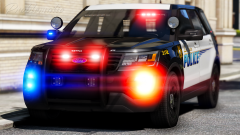 A very slicky picture...
 -
Well, it's pretty ok, but there are german states with better looking police cars and uniforms in my opinion , @matthewforeal :D
-
So what is the Status now? @CaptinLetus And of course a happy new year! ;)
-
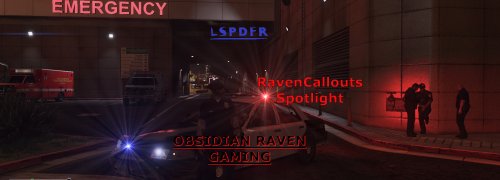 That's an awesome Callout script! I really like the Dead Body in vehicle callout! Like BlueSteelShield I have another suggestion: What about a truck which lost its load? That would be a nice callout in my opinion.
- 22 comments
- 10 reviews
-
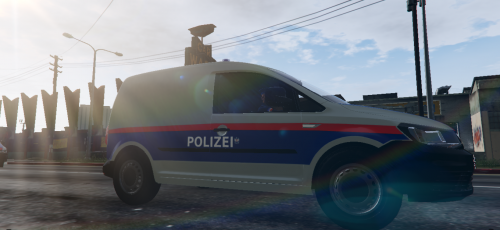 Basic Description: This is an austrian skin for Mohaalsmeer's Caddy. First of all, thanks to @Mohaalsmeer for editing this awesome model making it a police car. And also thanks for providing a Template! Original Model: Here is the original model. Install it first (REQUIRED): https://www.gta5-mods.com/vehicles/vw-caddy-police Information: This car is not used by the austrian police in reallife neither is the lightbar, however I thought an austrian livery would fit well to this car. Installation: Follow the instructions given in the readme file of the original model, then just replace the police.ytd and the police+hi.ytd with the ones provided in the download file. It would be very nice if you could leave a rating or a comment, so I know your opinion on this skin. Thank you! :D
 -
 ALIENS!!!
 -
-
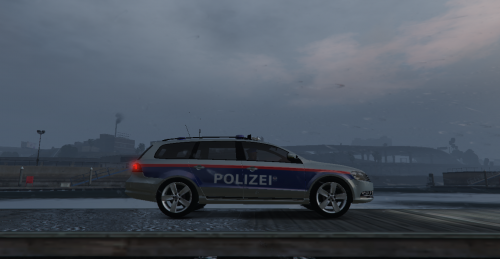 Basic Description: This is an austrian skin for AchillesDK's Passat. This is my first austrian skin. First of all, thanks to @AchillesDKPoliceMods for converting this awesome model to GTA V, I've really been waiting long for this model to finally come to GTA V. And also thanks for providing a Template! Original Model: Here is the original model. Install it first (REQUIRED): https://www.gta5-mods.com/vehicles/2011-volkswagen-passat-estate-danish-police Installation: Follow the instructions given in the readme file of the original model, then just replace the sheriff.ytd and the sheriff+hi.ytd with the ones provided in the download file.
 -
Nothing really has a reason, nobody really has a destination and nothing really has a sense...
-
 I'm on tha hiiighway to prison!
 -
 First you're smoking, then you're drinking coffee. Let me guess, the next screenshot will be you eating a doughnut, won't it?
 -
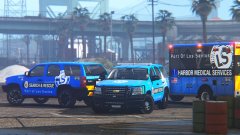 50 shades of blue. And that is awesome!
 -
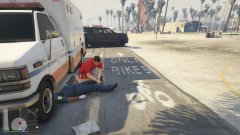 Shit happens.
 -
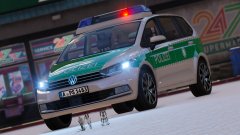 @TopMods Kommen noch eine oder mehrere Versionen mit Frontblitzern raus? Wäre sehr cool!
 -
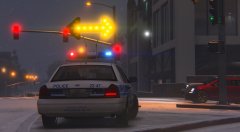 To the next Donut store goooo right.
 -
Then what about Davenport police? I haven't seen these in GTA yet. Or Dodgeville police: Or what about Greenwood Village Police:
-
Oh is it? I'm sorry then. I found one for GTA IV but not for V...
-
What about Boise City police?
-
So many people died this year, George Michael (Wham!) also died recently. :/
-
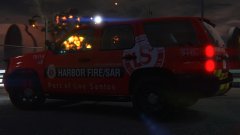 Yeah, that's cool 😎
 -
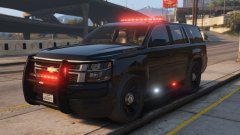 50 shades of red...
 -
Don't worry. Your Skins look great anyways.
-
Are these still considered Battenburg markings? I thought checkerboard would be a requirement?
-
Here it is, The preview Videos are a bit bad (PC issues) , there have also been many updates.
-
That's good to hear, because I already made a german siren pack and a few single ones. Thank you! ;)