




Sgt. Divine Liberty
Members
-
Joined
-
Last visited
Everything posted by Sgt. Divine Liberty
-
 Genuinely nice to not have everyone running the same sirens. This is a much needed plugin. Only wish I didn't have to sacrifice some of the core functionality of ELS for it though. Would be nice if the sirenkill didn't kill the lights as well. I have to either choose between the sirens being on constantly for the sake of the lights staying on, or everyone that rolls code 3 to me turning their lights off when they get out. I also wish tone specific lighting was still kept a functionality, as well as the dual tone functionality. Otherwise a great plugin.
- 81 comments
- 4 reviews
-
-

- 2
-
-
Downloaded a brand new copy of CommonDataFramework 1.0.0.10. A file in my original download must have been corrupted. No more error. Thank you for the assistance.
-
All user groups have permissions, completely reinstalled PR again. Same crash. I'm going to get in contact with them somehow and link this thread. RagePluginHook.log
-
New settings were not generated. The folder remained empty after loading LSPDFR. LSPDFR terminated immediately after attempting to go on duty. RagePluginHook.log
-
Disabled everything but PR, LSPDFR, and RPH. RagePluginHook.log
-
Exact same timeout, this time, like many of the previous ones, it timed out when approaching an NPC and using T to initiate an interaction. RagePluginHook.log
-
with both set to zero, the crash still persists.
-
Unless I have an out of date one. Im using 1.0.0.10.
-
Just menyoo, but I haven't done anything with it's options. The same timeout is occurring even with menyoo uninstalled.
-
I will try the scripts now too. Edit: No change. Same timeout. RagePluginHook.log
-
My only script installed is RoadWorthy. The only DLCs I have installed are EUP, SUP, and a state wide car pack. The same crash occurred even with the mods folder deactivated. Additionally, this one occurred with no peds present, as Franklin, and in a vanilla patrol car.
-
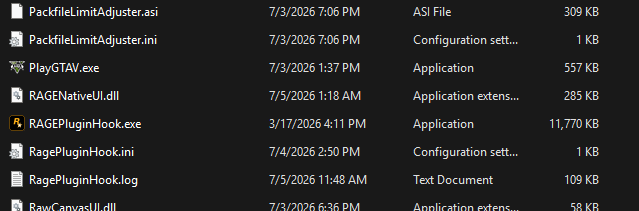
Yes. I have the most up to date RNUI installed. I can get the Miscellaneous Menu to open and function fine, though any actual interactions cause a crash, alongside an eventual crash without interactions.
-
Hello, simply put, PolicingRedefined is causing my LSPDFR to time out and soft crash. I currently have it, commondata and damage framework installed, as well as bluelinedispatch. Every crash I get is caused by a nullreferenceexception that happens when policingredefined attempts to draw from commondataframework, particularly regarding peds. UNHANDLED EXCEPTION DURING GAME FIBER TICK Exception type: System.NullReferenceException Exception message: Object reference not set to an instance of an object. I get these stack traces before LSPDFR forcefully terminates. [7/5/2026 11:48:18 AM.000] LSPD First Response: at CommonDataFramework.Modules.PedDatabase.PedData..ctor() in D:\Dev Projects\GTA V\CommonDataFramework\CommonDataFramework\Modules\PedDatabase\PedData.cs:line 199 [7/5/2026 11:48:18 AM.000] at CommonDataFramework.Modules.PedDatabase.PedDataController.GetPedData(Ped ped) in D:\Dev Projects\GTA V\CommonDataFramework\CommonDataFramework\Modules\PedDatabase\PedDataController.cs:line 43 [7/5/2026 11:48:18 AM.000] at PolicingRedefined.Interaction.Assets.PedAttributes.PedRuntimeData..ctor(Ped reference, EPedMood pedMood) in D:\Dev Projects\GTA V\PolicingRedefined\PolicingRedefined\Interaction\Assets\PedAttributes\PedRuntimeData.cs:line 65 [7/5/2026 11:48:18 AM.000] at PolicingRedefined.Interaction.Assets.PedAttributes.PedRuntimeDataController.GenerateAndRegisterPedRuntimeData(Ped ped) in D:\Dev Projects\GTA V\PolicingRedefined\PolicingRedefined\Interaction\Assets\PedAttributes\PedRuntimeDataController.cs:line 28 [7/5/2026 11:48:18 AM.000] at PolicingRedefined.Interaction.Assets.PedAttributes.PedRuntimeDataController.GetPedRuntimeData(Ped ped) in D:\Dev Projects\GTA V\PolicingRedefined\PolicingRedefined\Interaction\Assets\PedAttributes\PedRuntimeDataController.cs:line 51 [7/5/2026 11:48:18 AM.000] at PolicingRedefined.Interaction.Modules.General.AmbientUnderInfluenceController.AmbientOnDrugsProcess() in D:\Dev Projects\GTA V\PolicingRedefined\PolicingRedefined\Interaction\Modules\General\AmbientUnderInfluenceController.cs:line 81 [7/5/2026 11:48:18 AM.000] at Rage.GameFiber.Main() I don't know how to fix this, as I have reinstalled LSPDFR, PolicingRedefined, CommonDataFramework, BlueLineDispatch, and DamageFramework and I can't get it to stop this null reference. Thank you in advance. RagePluginHook.log
-
Bump. I have still yet to find a solution.
-
Hello. To preface, I don't remember doing anything or adding anything that compromised Scripthook or AdvancedHook or anything regarding the ELS asi. Out of nowhere, I can't activate my emergency lights without the game suddenly closing. No log, no crash message, nothing. It just immediately closes as soon as I toggle my lights. This doesn't affect Non-ELS vehicles, as they function perfectly fine. This also doesn't happen to the ELS vehicles when I remove their VCF files and turn their lights on as non-ELS vehicles. I've replaced my ELS files, my Scripthook files, my Scripthookdotnet. My advancedhook, reinstalled the openiv asiloader, reinstalled the ELS VCFs, and nothing works. I double checked my drivers, restarted my PC, ran RPH as admin, and nothing. There is nothing that I can see in the logs, nothing in the scripthook log, RPH, log, ELS log, or advancedhook log. It doesn't generate a crash report, doesn't generate an error or crash message. It just closes the game immediately when toggling ELS lights. Any help would be greatly appreciated. I genuinely have no clue what caused this.
-
Hello. I am trying to work on my configurations for Ultimate backup, and, because of a lack of coding experience, and because I couldn't be bothered to google this question more than 50 times, because I've gotten to 49 already. I am running in to an issue where I want: To be condensed in to one Ped, but to utilize multiple comp decals to make up for the ranks, and multiple duty belts, holsters, vests, etc., with a couple other configurations just to compensate for the fact that some belts don't go with some vests for realism sake. I tried this years ago with regular LSPDFR backup files, but doing a thousand different peds for each individual configuration is exhausting and I would certainly hope that there is a much easier and less strenuous way to set up a bit of variety in the uniforms. Thank you for any help I can get.
-
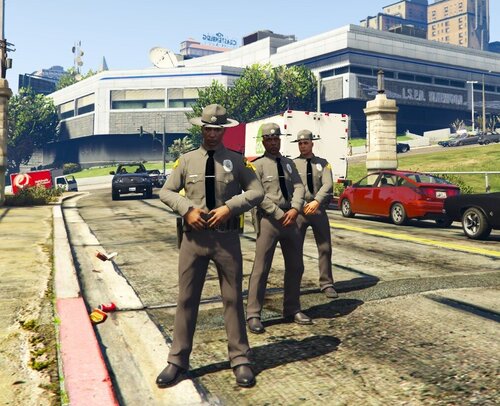 Just a warning, but the colors on the uniform are incorrect. Colors are lighter, on a clay grayish tone. i would look up their uniforms again.
 -
From the album: Portraits
-
Just portraits of on and off duty shenanigans.
-
TrumpJPCDeputyODGreen.jpg
-
 TrumpJPCDeputyMulticam.jpg
-
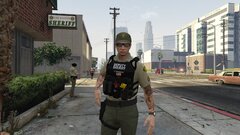 TrumpJPCDeputyBlack.jpg
-
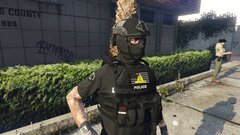 PatrickOpsCoreLSPDBlackPlain.jpg
-
 PatrickOpsCoreLSPDBlackNVGUpNight.jpg
-
 PatrickOpsCoreLSPDBlackNVGUp.jpg
-
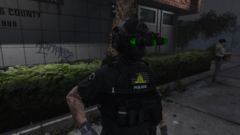 PatrickOpsCoreLSPDBlackNVGDownNight2Edit.png
-
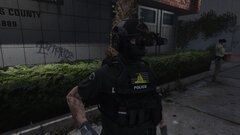 PatrickOpsCoreLSPDBlackNVGDownNight2.jpg
-
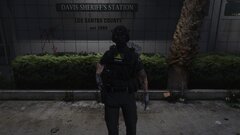 PatrickOpsCoreLSPDBlackNVGDownNight1.jpg
-
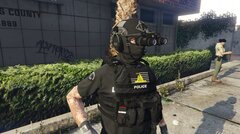 PatrickOpsCoreLSPDBlackNVGDownDay.jpg
-
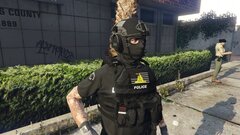 PatrickOpsCoreLSPDBlackEarPro.jpg
-
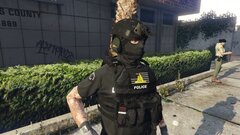 NVGHelmetLSPDPlain.jpg
-
 NVGHelmetLSPDNVGNight2.jpg
-
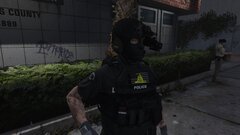 NVGHelmetLSPDNVGNight1.jpg
-
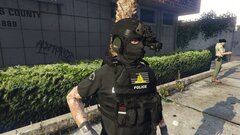 NVGHelmetLSPDNVGDay.jpg
-
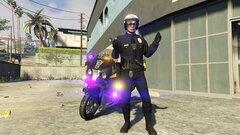 MetroStateBikePose.jpg
-
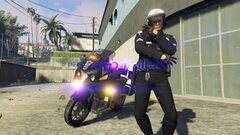 MetroStateBikeDance.jpg
-
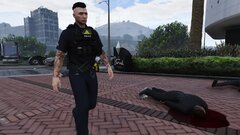 LSPDWalking4.jpg
-
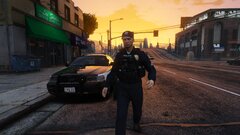 LSPDWalking3.jpg
-
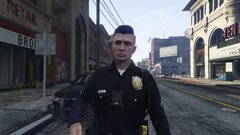 LSPDWalking2.jpg
-
-
From the album: Portraits
-
From the album: Portraits
-
From the album: Portraits
-
From the album: Portraits
-
From the album: Portraits
-
From the album: Portraits

