




ASTTrprDillon95
Members
-
Joined
Everything posted by ASTTrprDillon95
-
That's what I said lol
-
I believe you are getting a "GTA IV FATAL ERROR: Invalid Resource Detected Please re-install the game" error. This means the car you have install is corrupted. I suggest you remove that car from the Vehicle.img and then re-download the car you downloaded. the file you downloaded previously might have been corrupted.
-
The script is coded in such a way that the Number pad is key to operating the Dash Cam. I understand that you want to operate the dash cam. I am too using a Laptop. The only way to use IVDashcam is to have a keyboard with numpad
-
In Zmodeler, use Polygon tool. next click Select>Quadr and select Selected mode. right click and hold and drag over the desired part than you can move it anywhere you want.
-
Re edited mine... I am loving thisone thanks to Michael V.
-
Updated and reorganized my desktop: How did you do that??
-
The ELS lights sped can be edited in the ELS.ini file
-
One way is to edit the vehicle IDE file. Which means you have to change NSTOCK to POLICE. Second way edit the stockade handling line to the CVPI handling line
-
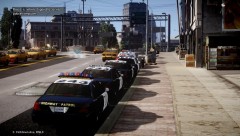 Yes it should be able to. I am running this ENB on an AMD Radeon HD 7690
 -
Change the color in the carcol.dat to police white
-
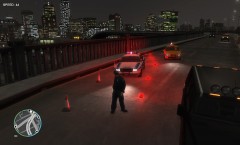 Cool I can't wait to test this and give you a good report!!!
 -
When is the tester version coming??
-
I will update the thread again later
-
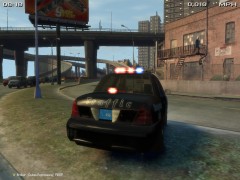 how you like the middle brake light lighting modules??
 -
The First Post have been edited. We would like to Welcome the members of Area 51 Designs on Board Liberty Modding Studios. A51D and LMS have come to an agreement that A51D would be dissolved and their members would officially become part of LMS. At the same time, we still will not take any requests at all. Sorry for the inconvenience.
-
The textures are not released.
-
all mods are not for download anymore. EVI has taken them down.I do apologize on that
-
Thank you lol
-
![[WIP] 2010 Alaska State Troopers Dodge Charger(AST Vehicle Mega Pack)](//s3-gallery.int-cdn.lcpdfrusercontent.com/gallery/album_628/sml_gallery_2982_628_148249.jpg) This will be released still but it will be released in an AST car pack
This will be released still but it will be released in an AST car pack -
You can say that. I have actually spent hour and hours studying videos of the AST lighting set up. My motto is simple. I will only release mods of good quality and realistic set ups. And I release What I like. I want to clear my AST WIPs first.
-
Ensure you have Vehshare files added into the texture browser of Zmodeler
-
Ensure that you have all the textures you used imported in to the WTD file
-
From the album: WIP (ASTTrprDillon95)
Still a wip. More equipment to be included -
![[WIP] 2010 Alaska State Troopers Dodge Charger(AST Vehicle Mega Pack)](//s3-gallery.int-cdn.lcpdfrusercontent.com/gallery/album_628/sml_gallery_2982_628_67877.jpg)
From the album: WIP (ASTTrprDillon95)
Still a wip. More equipment to be included -
![[WIP] 2010 Alaska State Troopers Dodge Charger(AST Vehicle Mega Pack)](//s3-gallery.int-cdn.lcpdfrusercontent.com/gallery/album_628/sml_gallery_2982_628_51543.jpg)
From the album: WIP (ASTTrprDillon95)
Still a wip. More equipment to be included


![[WIP] 2010 Alaska State Troopers Dodge Charger(AST Vehicle Mega Pack)](http://s3-gallery.int-cdn.lcpdfrusercontent.com/gallery/album_628/sml_gallery_2982_628_148249.jpg)
![[WIP] 2010 Alaska State Troopers Dodge Charger(AST Vehicle Mega Pack)](http://s3-gallery.int-cdn.lcpdfrusercontent.com/gallery/album_628/sml_gallery_2982_628_67877.jpg)
![[WIP] 2010 Alaska State Troopers Dodge Charger(AST Vehicle Mega Pack)](http://s3-gallery.int-cdn.lcpdfrusercontent.com/gallery/album_628/sml_gallery_2982_628_51543.jpg)