


Creators: Due to background reprocessing of files, approvals and file security checks may be delayed. Thanks for your patience.


ASTTrprDillon95
Members
-
Joined
Everything posted by ASTTrprDillon95
-
In the modify section, there is a tab that says Attach. click that. Ensure that the extras are all unlinked from the vehicle model. Next click on extra_8_L0, using the attach tool, them move to extra_4_L0. This will link the extra 8 to extra 4 so that it reduces the number of duplicate extra which hinders the export of you model. If you still need more help let me know I am willing to help
-
The model you have download has problems an updated model is scheduled for release soon. The updated car is in tester status which means there are beta testers testing the car now
- 22 comments
- 8 reviews
-
Use the attach tool to attach the extras so you have a main extra. That will solve the problem on duplicate extras
-
Try not to double post. it is against the community guidelines here. Edit your post
-
News Copter view of this pursuit: http://www.youtube.com/watch?v=XeaCEYW7TRk 13.02 shows the spot in the above video
-
Is this still on going?? If it is please add this person in... BayAreaBuggs 6,056 subscribers 606,457 video views
-
Man that's Ugly.... Too bad, None of them take requests at all.
-
Reinstalled and go with a clean vehicle pack. All default cars
-
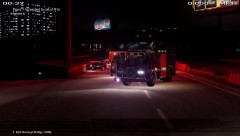
From the album: LCPDFR on Patrol
At 10:50pm today, the LAPD was led on a very dangerous pursuit after the suspect in a Toyota Pirus chose not to stop after the LAPD initiated a traffic stop. The chase lasted for 40 minutes with the CHP joining in the pursuit as things got out of hand with shots being fired from the suspect's vehicle. The chase started at East Holland area and moved to Bohan and back on to the East Borough Bridge later where it ended. At East Borough Bridge, the suspect collided with a CHP Cruiser. WHen the collision happened, the suspects ditched the cars and led officers on a foot pursuit. However, once both suspects were in custody, a tragedy happened. An explosion occurred killing 4 officers near the explosion. An investigation on scene concluded that after the collision, the CHP cruiser caught fire which led to the explosion. More to come.... - KCAL9 -
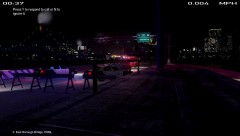
From the album: LCPDFR on Patrol
At 10:50pm today, the LAPD was led on a very dangerous pursuit after the suspect in a Toyota Pirus chose not to stop after the LAPD initiated a traffic stop. The chase lasted for 40 minutes with the CHP joining in the pursuit as things got out of hand with shots being fired from the suspect's vehicle. The chase started at East Holland area and moved to Bohan and back on to the East Borough Bridge later where it ended. At East Borough Bridge, the suspect collided with a CHP Cruiser. WHen the collision happened, the suspects ditched the cars and led officers on a foot pursuit. However, once both suspects were in custody, a tragedy happened. An explosion occurred killing 4 officers near the explosion. An investigation on scene concluded that after the collision, the CHP cruiser caught fire which led to the explosion. More to come.... - KCAL9 -
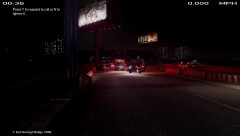
From the album: LCPDFR on Patrol
At 10:50pm today, the LAPD was led on a very dangerous pursuit after the suspect in a Toyota Pirus chose not to stop after the LAPD initiated a traffic stop. The chase lasted for 40 minutes with the CHP joining in the pursuit as things got out of hand with shots being fired from the suspect's vehicle. The chase started at East Holland area and moved to Bohan and back on to the East Borough Bridge later where it ended. At East Borough Bridge, the suspect collided with a CHP Cruiser. WHen the collision happened, the suspects ditched the cars and led officers on a foot pursuit. However, once both suspects were in custody, a tragedy happened. An explosion occurred killing 4 officers near the explosion. An investigation on scene concluded that after the collision, the CHP cruiser caught fire which led to the explosion. More to come.... - KCAL9 -
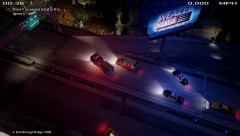
From the album: LCPDFR on Patrol
At 10:50pm today, the LAPD was led on a very dangerous pursuit after the suspect in a Toyota Pirus chose not to stop after the LAPD initiated a traffic stop. The chase lasted for 40 minutes with the CHP joining in the pursuit as things got out of hand with shots being fired from the suspect's vehicle. The chase started at East Holland area and moved to Bohan and back on to the East Borough Bridge later where it ended. At East Borough Bridge, the suspect collided with a CHP Cruiser. WHen the collision happened, the suspects ditched the cars and led officers on a foot pursuit. However, once both suspects were in custody, a tragedy happened. An explosion occurred killing 4 officers near the explosion. An investigation on scene concluded that after the collision, the CHP cruiser caught fire which led to the explosion. More to come.... - KCAL9 -
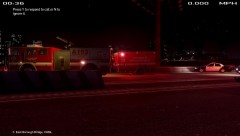
From the album: LCPDFR on Patrol
At 10:50pm today, the LAPD was led on a very dangerous pursuit after the suspect in a Toyota Pirus chose not to stop after the LAPD initiated a traffic stop. The chase lasted for 40 minutes with the CHP joining in the pursuit as things got out of hand with shots being fired from the suspect's vehicle. The chase started at East Holland area and moved to Bohan and back on to the East Borough Bridge later where it ended. At East Borough Bridge, the suspect collided with a CHP Cruiser. WHen the collision happened, the suspects ditched the cars and led officers on a foot pursuit. However, once both suspects were in custody, a tragedy happened. An explosion occurred killing 4 officers near the explosion. An investigation on scene concluded that after the collision, the CHP cruiser caught fire which led to the explosion. More to come.... - KCAL9 -
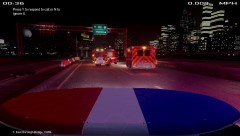
From the album: LCPDFR on Patrol
At 10:50pm today, the LAPD was led on a very dangerous pursuit after the suspect in a Toyota Pirus chose not to stop after the LAPD initiated a traffic stop. The chase lasted for 40 minutes with the CHP joining in the pursuit as things got out of hand with shots being fired from the suspect's vehicle. The chase started at East Holland area and moved to Bohan and back on to the East Borough Bridge later where it ended. At East Borough Bridge, the suspect collided with a CHP Cruiser. WHen the collision happened, the suspects ditched the cars and led officers on a foot pursuit. However, once both suspects were in custody, a tragedy happened. An explosion occurred killing 4 officers near the explosion. An investigation on scene concluded that after the collision, the CHP cruiser caught fire which led to the explosion. More to come.... - KCAL9 -
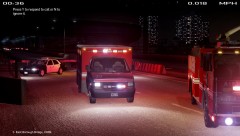
From the album: LCPDFR on Patrol
At 10:50pm today, the LAPD was led on a very dangerous pursuit after the suspect in a Toyota Pirus chose not to stop after the LAPD initiated a traffic stop. The chase lasted for 40 minutes with the CHP joining in the pursuit as things got out of hand with shots being fired from the suspect's vehicle. The chase started at East Holland area and moved to Bohan and back on to the East Borough Bridge later where it ended. At East Borough Bridge, the suspect collided with a CHP Cruiser. WHen the collision happened, the suspects ditched the cars and led officers on a foot pursuit. However, once both suspects were in custody, a tragedy happened. An explosion occurred killing 4 officers near the explosion. An investigation on scene concluded that after the collision, the CHP cruiser caught fire which led to the explosion. More to come.... - KCAL9 -
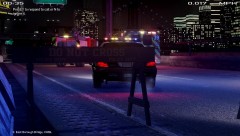
From the album: LCPDFR on Patrol
At 10:50pm today, the LAPD was led on a very dangerous pursuit after the suspect in a Toyota Pirus chose not to stop after the LAPD initiated a traffic stop. The chase lasted for 40 minutes with the CHP joining in the pursuit as things got out of hand with shots being fired from the suspect's vehicle. The chase started at East Holland area and moved to Bohan and back on to the East Borough Bridge later where it ended. At East Borough Bridge, the suspect collided with a CHP Cruiser. WHen the collision happened, the suspects ditched the cars and led officers on a foot pursuit. However, once both suspects were in custody, a tragedy happened. An explosion occurred killing 4 officers near the explosion. An investigation on scene concluded that after the collision, the CHP cruiser caught fire which led to the explosion. More to come.... - KCAL9 -
-
I had that problem as I stated. It seems you might need to re install the whole EFLC and ensure that it is updated. I don't get this at all now. GOt with an EFLC without any car mods installed. If you still get this problem, ask Rockstar for support.
-
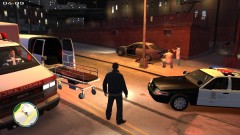 Nice LAPD CVPI there bro....
 -
COOL!!! I like the part where it goes: HOLY SHIT!!!!
-
Ok this problem has occurred many many times for me... it seems that it is some glitch going on and It happens even when I start a new game. The only way I know of solving this problem is to remove any saved file and re install the whole of EFLC and this problem happens a lot on EFLC. however after I switched my graphic card to a better one (I have two GPUs in my laptop), this has stopped. However certain things like what Sheriff Van Dyck said has occurred countless times and it's very weird. The only way I can think of is to ask for support from Rockstar.
-
Use SparkIV to remap the keys. When you you close the notepad, hit save when it prompts you. Then hit the save button on sparkIV itself
-
![[WIP] (UPDATE) 2011 Alaska State Troopers Unmarked Crown Victoria Police Interceptor](//s3-gallery.int-cdn.lcpdfrusercontent.com/gallery/album_628/sml_gallery_2982_628_89868.jpg) The car is currently in tester status. Which means the vehicle will be released soon. And do take not that there will be 2 files available for download. One of the file is a high poly model and the other file is a low poly model. Will keep you updated.
The car is currently in tester status. Which means the vehicle will be released soon. And do take not that there will be 2 files available for download. One of the file is a high poly model and the other file is a low poly model. Will keep you updated. -
Remap the ELS info panel key. Whenever the trainer is install, even with the keys disabled, m wouldn't work.
-
Another possible cause: Corrupted Save file


![[WIP] (UPDATE) 2011 Alaska State Troopers Unmarked Crown Victoria Police Interceptor](http://s3-gallery.int-cdn.lcpdfrusercontent.com/gallery/album_628/sml_gallery_2982_628_89868.jpg)