




ASTTrprDillon95
Members
-
Joined
Everything posted by ASTTrprDillon95
-
EDIT: took the test again since that was a few days ago:
-
 I sense it. And I am ready for it.
 -
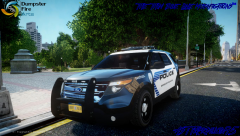 This Vehicle model has not been released
 -
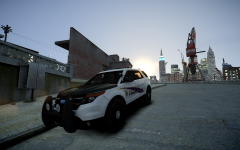 Sorry for being a dick... but I know too much about the AST. If you wanted to go fro realism, it would be better if you got a 2013-14 Interceptor Utility. Because they dont use a 2011 one. The rambar is a bit huge.... And is that a Code 2 RX2700 or a Code 3 21TR??
 -
-
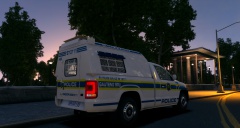 Now that's class.....
 -
 It's the front parking... and anyone is allowed in there?? And it was meant for the Deputies to look at those cars....
 -
From the album: LCPDFR on Patrol
These two vehicles are rumored to be part of ACSD's 2014 Fleet that will be unveiled next week. The 2014 fleet will start their service in 2 weeks time. Deputies of the ACSD has been under going training for the use of the new vehicles. News reporters were seen at the ACSD's HQ today snapping images of the vehicles and were spotted asking Deputies questions on the vehicles. However, no answer was given to all their questions. It seems that the Deputies were instructed not to talk to the press about the new fleet that has yet to be unveiled. When Sheriff Chuck Worris stepped out of the HQ to leave for home, reporteers crowded around him for answers to their question regarding the 2014 fleet. However, Sheriff Worris remained tight-lipped regarding the matter. More to Come. Weazel News 2014 -
-
-
 LOL I typed whatever I could think off...
 -
-
 Domestic never goes right lol This case however, the suspect had a murder charge included to this domestic charge. The other party died... thus Domestic gone wrong
 -

From the album: LCPDFR on Patrol
-
-
From the album: LCPDFR on Patrol
-
-
-
From the album: LCPDFR on Patrol
-
-
-

From the album: LCPDFR on Patrol
-
-

From the album: LCPDFR on Patrol
-
More than 24 hours in to the Search and Locate Operation. NO sign of Malaysia Airlines MH370 UPDATE: Malaysian Authorities say 22 aircrafts and 40 ships are in Search and Locate mission. Malaysia Defence Minister have contacted international agencies to aid in this mission to locate MH370. The Federal Bureau of Investigations has also been contacted to assist in investigations. The National Transportation Safety Bureau is sending a team to assist in investigations as well. Authorities are verifying a possible lead that both Civilian and Military radar have record of MH370 turning around. At this point in time that is not confirmed. Chinese Authorities say they have received news of debris being spotted. However Malaysian Authorities say they have not been given any news of debris spotted,


