t0y
Members
-
Joined
-
Last visited
Everything posted by t0y
-
 havent seen those two groups but i do use flickr and pcw a lot, thanks for those groups tho i will check them out
 -
Yup, also trying to find better pics of a slicktop cvpi, first going to do this other state.
-
Im planning to do a tahoe or two, and idk about the caprice there aren't any DEV caprices out there.
-
-
Yes, I will add then when it's released
-
-
Finished the portland pack! Now onto the port of portland
-
-
 He's German, They are weird over there.
 -
Probably not until LC comes out Negative
-
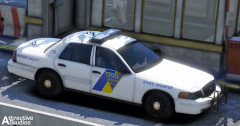
So haven't updated this in a while, I believe I am done with Portland not sure if I should release though, and I have started working on New Jersey PPB POPD NJSP
-
From the album: t0y's Projects
Still a bit to do, but it's coming along nicely. I hope.© Attractive Studios™
-
-
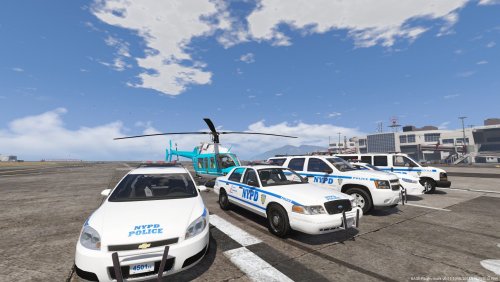 Hi NoManLand, I want to preface this by saying as a New Yorker I always appreciate some NYPD but there are some major inaccuracies and errors that should be addressed in this pack. Some things I weighed less in the review because there wouldn't be a way you could find that information but I will also attach pictures for you to fix them, and some are just modeling errors or inaccuracies you couldve seen on google. Although im from NY, I am obviously no expert so please call me out if I get something wrong on here. (CV) First of all for modeling issues. The model comes with the generic SA plates, that can't be edited by the livery which, especially for the NYPD is very troubling to say the least. Playing with an NYPD car with basically California plates isn't that great. Second, LODs :( https://gyazo.com/2358ba4dd12793891df34f4c353326d0 That is for L1, no interior equipment, no modules on the lightbar, half the pushbar missing, the lights have no LODs, etc. Especially for the exterior gear you should make at least L3, and if for some reason you don't want the interior to be insane LODs L2 would suffice. Also with LODs, at L1/MED you can see the tops of the lighting, and some black thing. https://gyazo.com/ad4af31a1314f66f6837d0eca0fd372d For accuracy: The interior is veryy inaccurate. This is something you could've easily done with dev models already released. With the quick search of "NYPD car interior" I found some very helpful pictures. Even though they may not be crown vics or whatever cars you are doing they do use basically the same interior setup for all of their new cars. https://gyazo.com/f983114c4910749cb45c4bb0947f21c0 The lightbar, the modules are SUPER tiny. In real life the modules should be almost touching each other, while yours have almost the whole space of the light between each module, and the modules themselves are very tiny. The font and the text of the message board on the back of the lightbar are also both inaccurate, another major thing is the lights are LEDs in your model. The NYPD and other departments with this lightbar obviously use rotators thats basically what the SLR is. For all of these you can simply look at some pictures on google, or of them responding. For the livery, it is actually pretty good, but behind the unit number on the sides of the cars it says "17" that small number is actually the year of the car, and should be next to the trunk number on the CV, so they should both be 11 since its a 2011 vic. Also you can see in videos and pictures of the NYPD vics responding they use the two thinner lights on top of the grill area, not the two you used next to the ford logo in the grill, with what looks like no modules. (FPIS) For the fpis, basically all of those apply, really messed up LODs, inaccurate interior etc. But also on the livery is says "13" next to the unit number, which as you credited it is underwood's 2016 FPIS. For basically everything else all the same applies. No or messed up LODs, the lightbar(s) are pretty inaccurate. For the transport van: They use rotary lights in the back, not LED, again and def. not a Whelen Justice Mini. On top of that the rear font is really off, idk why the license plate number and the unit number are different and the interior????? It's the same setup as every sedan, how would it be prisoner transport. I wouldn't expect a custom cage or anything in the back from any modeler, but if you know how to use 3DS max I would expect at least some seating in the back and hopefully a more accurate interior. Also I noticed on ALL your grill lights there arent any modules, and for the van the emissives are outside of the grill. https://gyazo.com/bb3ffd1229240e2fac2e924fc53872a4 Anyways yeah, I feel like you couldve put a lot more effort into this pack especially since there are a lot of resources for accuracy even on google or YouTube, and with your access to 3DS. I even told you most of these things a few days ago when you were posting on your WIP page but you chose to ignore it, seems sloppy to me. 1.5/5
- 23 comments
- 14 reviews
-
-

- 11
-
-
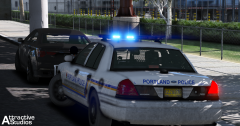
From the album: t0y's Projects
© Attractive Studios™
-
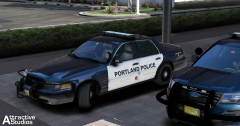
From the album: t0y's Projects
2011 CVPI B/W Setup 2016 FPIU w/ a 2013 lighting setup... awkward, very limited on dev models.© Attractive Studios™
-
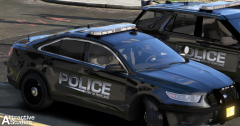 Yeah, a lot of people are doing Portland lol, but I like it.
 -
From the album: t0y's Projects
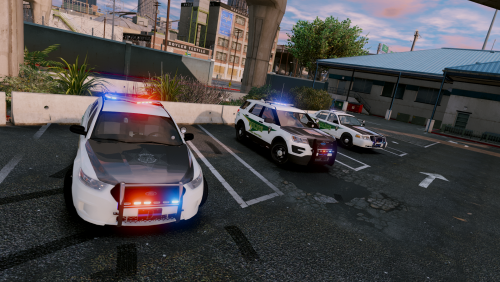
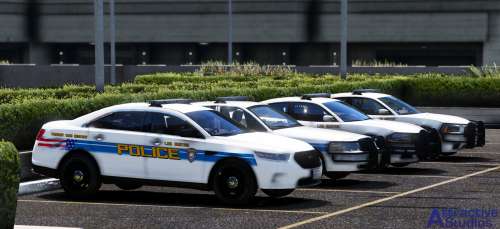
Ok.... New Album. 2016 Ford Police Interceptor Sedan 2016 Ford Police Interceptor Utility Port of Portland police department with the new Black scheme, also mounted with clear RX2700 lightbars, and Fedsig spotlights.© Attractive Studios™
-
WIPs, Screenshots, Modifications, Models, Liveries.
-
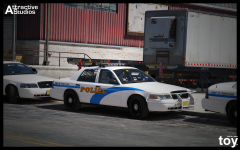
From the album: Projects
© Attractive Studios™
-
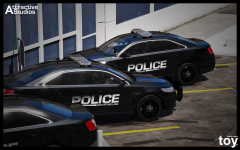
From the album: Projects
© Attractive Studios™
-
-
aren't you going to sleep
-
-
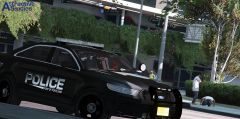 lel
lel