t0y
Members
-
Joined
-
Last visited
Everything posted by t0y
-
 thx father
 -
-
 You spelled line wrong :(
 -
 @Slendis took the screenshots. He uses MVGA and some Shaders mod, and maxed out settings.
 -
-
-
From the album: t0y's Projects
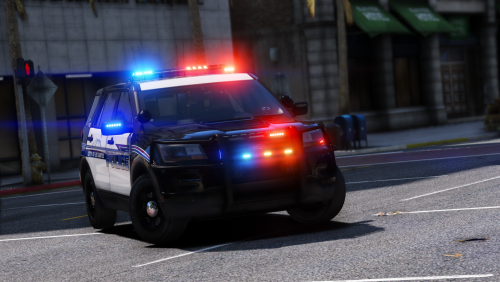
Changed some things up: Fixed spotlight materials, wheel textures, and replaced the PB450 with a GoRhino, did the same with the slicktop. Screenshots by @Slendis because my game is ugly again all of a sudden.© t0y, Slendis
-
-
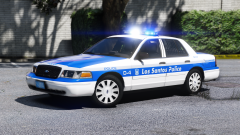 Oh yea I was noticing the lack of Hubcaps in Canada. lmao
 -
 no u
no u -
lmao, thank you. And I think hubcaps are very hot.
-
From the album: t0y's Projects
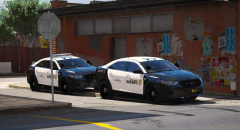
So I took a little break from BCSO and made this cutie... Livery by @BradM PLS GO LOVE HIM thx also screenshots by @Slendis go love him too I GUESS© t0y
-
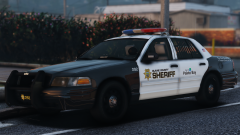
So here's an update. I completed the Sandy Shores Police pack, and I am in the process of the BCSO pack. The SSPD pack is going to be a Sub Department of the BCSO, so they will have similar setups as I mentioned before. Currently the vehicles I have done: BCSO - 2011 CVPI Marked - 2011 CVPI Slicktop - 2011 CVPI Unmarked - 2012 Silverado - 2013 Impala - 2013 Tahoe - 2014 Charger SSPD - 2011 CVPI Marked - 2011 CVPI Slicktop - 2013 Tahoe Marked - 2013 Tahoe Slicktop (Thats it for the pack) And I will be adding: BCSO - 2008 Suburban (Maybe) - 2015 Tahoe - 2016 FPIS SSPD None Yup :) Check my Gallery for images of all of those.
-
lmao ty :) no u
-
From the album: t0y's Projects
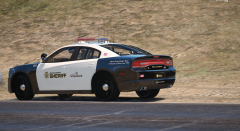
Added unmarked CVPI, and 2014 Charger. 2014 Charger doesnt have Parks or CS liveries because I dont think they would use such a fancy car for those units :D Other than that yea, still adding a lot more!© t0y
-
So im having this weird issue, ive asked every modeler I know and no one knows how to fix it. On this dodge charger, the rear door arent there, and the brake pads dont turn, and all the lights stay on the entire time. When I turn on ELS nothing flashes except the doors, I went through the trainer and found out they flash as extra_7 and 9. I have also tried every fix I could think for example: - I deleted the base, and in a new scene I merged the equipment onto a fresh base from the installation. - I restarted ZModeler, and I reinstalled it. - I isolated all the extras/lights and made sure nothing was attached to them that shouldn't be including the dummies. - I re exported it several times. - I made a new scene and merged the whole file on it, then re exported. - I used a new VCF, and put it in a different slot. - I used a charger I had made before that worked, deleted the equipment, and merged the new equipment onto it, then re exported. What ive come up with is it has to be an issue with the gear, because the same base has worked previously on other models ive done, and the parts seem to be registering as lights. Ive had this issue a few weeks ago with Murphy's vic, but I made a new scene with a fresh base and merged the equipment on then re exported and it was fixed. BTW I am using Bugs' 2014 charger base. Thanks. Here's what it looks like in game: https://gyazo.com/ebfed284c87b3d7e7ca99c714f757122 Let me know if you need any pictures of my hierarchy or anything. PLEASE HELP! This is one of my favorite models ive done :D
-
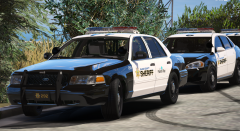 thanks lol
 -
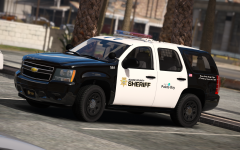 Meh. I like underwood's tbh but idk. And thank you :)
 -
lmao ty
-
Im adding a 2014 Charger, 2016 FPIS, and some other stuff
-
-
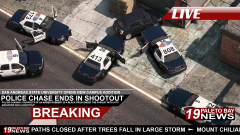 Too many. Slander.
 -
Incorrect. I am
-
Ladies. OpenIV is officially back. Rockstar Games has contacted OpenIV and I believe the C&D has been reversed. An update has gone out to users that have OpenIV and the "Uninstall Later, Uninstall Now" option has been removed! We've done it.
-
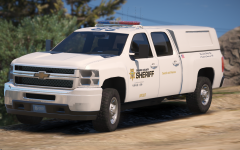 Hmmm. I may do a Motor Carrier Enforcement livery that would be similar to the one right now but with MCE on it and stuff. Thanks :D