




AlconH
Members
-
Joined
-
Last visited
Everything posted by AlconH
-
There is a way to use the siren in non-police slots, I'll try and find you a link to the thread. You can change the bodyguards to look like police, just change the character selected at the top of the menu.
-
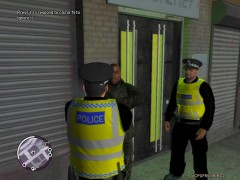 Man these are beautifull!, I'll definitely download if the they get released.....
 -
@Powler, do you have LCPDFR installed? Also, please provide as much detail about the error message as you can, what does it say if you click more info? What OS are you using?
- 82 comments
- 26 reviews
-
Is it possible to stop the wraparound rambar from spawning and just having the small / one and the car without it?
- 21 comments
- 9 reviews
-
-
Realistic Time Cycle
-
I really don't think it's a good idea to ask, it will arrive when it does, don't ask it'll just piss em off.
-
I'm sorry everyone, there was an error in the Readme, instead of "overlay.exe" it should be "ALPRSystem.exe"... This modification doesn't affect your game at all as it is a completely seperate application. Those experiencing problems logging in/creating a new account The project folder should be next to the ALPRsystem.exe, the project folder is missing if you are receving the error message of not being able to find a path. You need to make sure you extract both the folder and the ALPRsystem.exe to the same place. Removing the mod When you first installed the mod, you moved a file called "Commandline.txt" to your main directory, if your actual game is crashing, you can try to delete that. If your game still crashes, then it is not a problem caused by my mod. NOTICE - PLEASE READ! Due to the way the program works, the game has to run in windowed mode (As in you can see the taskbar, and the frame around the game). This is necessary for the overlay to work because without it being as it is, you will have to ALT+TAB to the desktop and you will crash your game. When you are not using the mod, you can stop the frame from being shown and play in fullscreen again. just remove "Commandline.txt" from your GTA directory (.../Grand Theft Auto IV) and then restart your game.
- 82 comments
- 26 reviews
-
-
The image must be a .png and 2048x2048. Open up SparkIV, Open "Textures", then select "Loadingscreens.wtd" and replace the files inside. Then save and your done!
-
I've submitted a new version, but I have to wait for it to be approved by a moderator before you can download it, I'll let you know once it's uploaded.
- 82 comments
- 26 reviews
-
Make sure that you login and you see the black screen BEFORE you open GTA. Then once in game, don't try to operate it using your mouse, ALT+TAB out and then just hit enter.
- 82 comments
- 26 reviews
-
-
Thanks! +1 Does it make ELS look good?
-
Anyone got a Link? EDIT: Come on slimory, I'd love you forever! (no homo intended) Even if you just send it via PM, I won't give it to anyone else
-
Anyone got any suggestions for realistic timecyc's and Visualsettings that make ELS look good? Thanks -Tom
-
You need .net 4 and also C++ (If you have LCPDFR, then you already have these) Make sure you extract the project folder and have it in the same place as the ALPRsystem.exe @St.Kizza, that is unfortunately required for the overlay to work.
- 82 comments
- 26 reviews
-
Sorry, only scanned it. Rather than the removing read-only from the GTA IV folder, open it and open the "common" folder. Then remove the read-only from the "data" folder alone.
-
1) Make sure your GTA directories are not readonly, especially the COMMON and DATA folders. 2) Also ensure you are running the installer as an administrator.
-
You try to edit it in zmodeler and it'll say "Model Locked"
-
@Darkskullex - Send me a link to the logo you want and I'll make you a separate version with it in. Thanks everyone for the fantastic comments!
- 82 comments
- 26 reviews
-
Please use the search feature on the site before posting. 1) Make sure your GTA directories are not readonly, especially the COMMON and DATA folders. 2) Also ensure you are running the installer as an administrator.
-
-
-
Guys, See here for the answers to your questions:

