



JClem
Members
-
Joined
-
Last visited
Everything posted by JClem
-
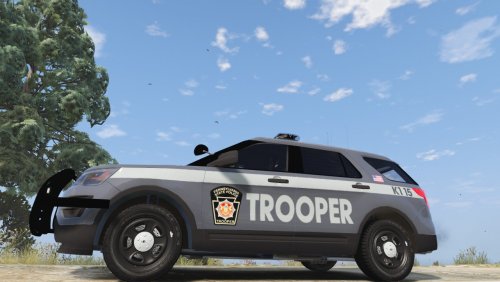 The Crown Victoria is in there already, as is the Ford Explorer. (CVPI was out-phased right when the new livery took place.) The PSP doesn't use chargers. At least not marked ones😉
- 3 comments
- 2 reviews
-
 We've got more than meth 💀💀💀 Dead
 -
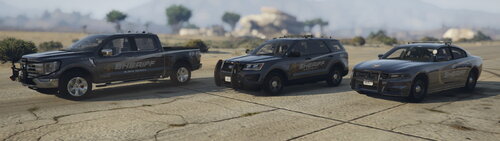 FYI, it says on the last pic (BLAIN) County Sheriff. Otherwise, great job
 -
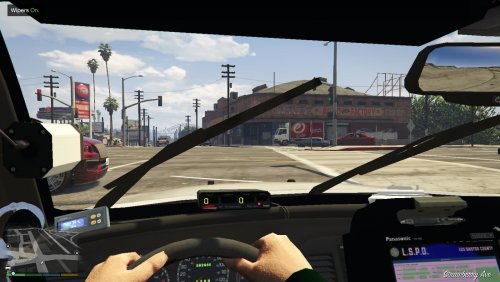 Aye. Sadly, ELS doesn't support that and an update doesn't seem to be in the works
- 49 comments
- 22 reviews
-
No worries. There are plenty of slicktop CVPIs out there for ELS, if that's what you're looking for then you shouldn't have a problem finding one
- 49 comments
- 22 reviews
-
You can't with the ELS version; the removable accessories are extras on the non-ELS model so you can swap them out for whatever setup you'd like. However, ELS treats the lights on the vehicle as extras and simply toggles them on and off at selected intervals. So for example, if you installed the non-ELS version with ELS running and turned on the lights, you would see a bunch of stuff freaking out all around and inside the car. Hope this helps. -JClem
- 49 comments
- 22 reviews
-
 Wow, 62 pages of comments/support as of right now. It's been a long while since I've been on here haha. Maybe this is just me being too optimistic/delusional, but I seriously pray that ELS gets an update when 0.4 comes out. I realize it probably won't happen, but it would be Christmas in July (or whenever 0.4 gets released)
- 2,698 comments
- 239 reviews
-
Likewise; I'm waiting for 0.4 to re-up LSPDFR and start policing again. Can't wait!
-
Now if only ELS would get updated...
-
 Six Star Response has caused problems for some people in the past, I took it out of my game and it ran fine after that. The backup.xml in layman's terms tells LSPDFR which cars to spawn where, and what response chance per car in that area. So if you're in the airport, there may be a 25% chance you'll have an LSIAPD Stanier respond as backup, a 30% chance you'll have an LSIAPD Granger, etc. It's been an eternity since I actually looked at my game files but if you go to your root GTAV folder and search backup.xml in the top right corner it should find it for you. Replacing the addon vehicles is just like replacing any other vehicle, simply find the vehicle files' locations in the rde sub-folder and replace the .ytd and .yft files, then replace any .meta files you need to. There's plenty of youtube tutorials on vehicle replacements, it becomes second nature after a while.
- 1,521 comments
- 85 reviews
-
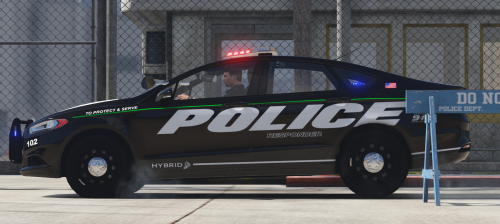 So I'm running into a bit of an interesting and annoying problem. With cars that have solid brake lights (this, post-2014 Chargers, Dart, etc.) activating ELS turns the headlights and the brake lights off completely. In the case of this particular car, at LSTG3 only the right light is lit while the left one is completely dark. Also, when ELS is not active, the only parts of the lights that are lit are the sections overlapping on the trunk. I have VisualV installed. Any suggestions or ideas as to what's causing this? @heuuu
- 46 comments
- 13 reviews
-
-
Hello everybody, Here's my second livery pack,based on the Pennsylvania State Police. For those who may be unaware, PSP is currently undergoing a livery change so I've taken the leisure to include copies of both liveries for you guys in case you prefer one to the other; I personally love them both. (There are only the white versions of the CVPI, 2013-15 FPIU, and the Chevy Express; there aren't any of those cars being produced with that livery so I didn't make one.) There's both SASP and PSP versions in here, so whether you prefer lore or IRL you're covered. If anybody else wants to add in some better screenshots then by all means, go for it! I don't intend to make any more skins for this pack, but if you want to see another car done in either of these styles, I'll gladly add it! Link to reference pictures: http://www.policecarwebsite.net/fc/statepdcars/pasp.htm READ THE README. 2016 FPIU - @t0y's Portland PD pack 2011 CVPI, 2013-15 FPIU, and 2013-17 FPIS/Taurus - https://www.gta5-mods.com/vehicles/los-santos-county-sheriff-pack
- 3 comments
- 2 reviews
-
-

- 2
-
-
There's lots of different entries with color value. Which section is it under? I edited the ones under "police/sheriff" and now it shows up as LED env lighting and the pods don't spin. I also couldn't find a siren settings 13 section in the carcols. It's my first time editing a carcols file, sorry if I'm asking stupid questions :/ Edit: I appear to have found the sirensettings section (id value="13") but the same result happened; steady burn, forward facing pods with LED env lighting
-
I'm looking to have an all-blue rotary light bar setup for my BCSO fleet. I've got everything down except ELS's environmental (env) lighting; that remains red and blue no matter what I do. I've changed the colors in the .xml files for the cars to all blue, and nothing changed with the env lighting. Is it possible to somehow change ELS's rotary env lighting to all blue? If so, how? It's worth stating that I'm using RobertTM's Las Vegas Metro PD-inspired pack, which includes carvariations and carcols files. Thanks for your time. -JClem
-
 Everything says it's unknown. GTA is updated, as is RPH and of course LSPDFR. I've had this issue in the past and could never figure out why, then it just randomly started working again and now it's back to being broken. I've tried running as admin, nothing changes. In fact I think it runs itself on admin all the time. Using version 0.6.2.1
- 136 comments
- 30 reviews
-
@Nwaps My inner optimist has me hoping that work will be able to resume on this relatively soon. However, Pennsylvania State Police recently changed their livery up. Is it safe to assume that, should you decide to continue with this amazing project, we should expect the new livery?
-
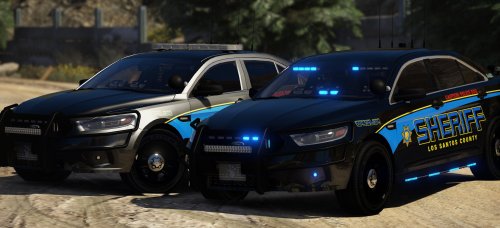 Dude you're awesome @Gump, been looking for a K-9 unit for BCSO for a while and this is perfect!
- 66 comments
- 31 reviews
-
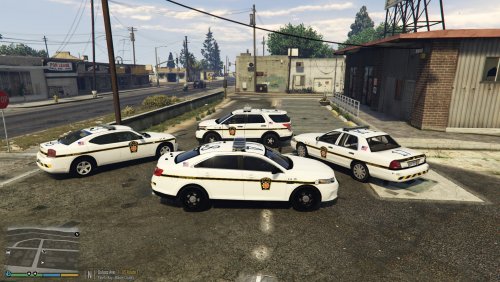 @wolfemyster Any chance of there being an update to this that will include the new grey PSP livery?
- 9 comments
- 5 reviews
-
-
I need help; the OIV builder isn't working. When I hit Build on the OIV creator, it pops up with an error message. The message says it's an issue with my registry, that assembly binding logging is turned off. I never turned it off, and I have no clue how to fix this. It gives me a path to follow but that path doesn't exist. I haven't played LSPDFR in months because 3.0.1 did this to me back in late May, and I figured this update would fix it. I would like very much to get LSPDFR back up and running with RDE, but I'm lost here.
- 1,521 comments
- 85 reviews
-
Common sense should dictate that RDE is one of, if not the very first, things you install after LSPDFR. Just like anything else, you put the big stuff in first and then add small things. Plus they literally tell you that they recommend having a clean GTA install, and the description of the mod itself says to have a clean mods folder. It's not their fault that you didn't read any instructions or back your files up; the two most basic rules for modding.
- 1,521 comments
- 85 reviews
-
-
- 1
-
-
From what I've gathered from the RDE WIP thread, the team seems to be relatively close to releasing RDE 3.1. Nothing is confirmed as far as I'm aware yet, but if I had to speculate 3.1 isn't that far away.
- 1,521 comments
- 85 reviews
-
-
- 2
-
-
As far as I know, EUP 7.5 is incompatible with RDE 3.0.1. I'd just use EUP 7.4 for now.
- 1,521 comments
- 85 reviews
-
-
- 1
-
-
People already have, I imagine. It's been said through a quick google search that you'll be able to find something, although personally I've never had to look.

