vix
Members
-
Joined
-
Last visited
Everything posted by vix
-
Happy to finally see some progress! Over the last week, I've been working on a client-side UI for FiveM servers. It works in conjunction with Lt Caine's Luxart Non-ELS Lights & Siren script to replicate Hazard M3 Slic Controller commonly used by Australian emergency services. This week has been the first time I've ever worked with Lua, and so it's been quite a learning curve. There's still I don't much know, but so far I've managed to have the UI react correctly to activated lights, specific siren tones, and horn. Thought you guys might appreciate it :) Excuse the poor graphics, running the server locally while running FiveM on the same machine takes its toll. That's also why I filmed using my phone, as opposed to a screen recorder aha. Still heaps of work to go, but I couldn't resist sharing the progress I've made so far. https://www.youtube.com/watch?v=TyFoyoylPzg
-
-snip-
-
I wouldn't get your hopes up, I know it must be frustrating, however BxBugs123 has since moved from a directorate position to a developer position, and therefore I highly doubt they'll ever actually make an archive available. HSG really has transitioned from a downloads site into a community site for our FiveM servers, and majority of the attention goes towards those efforts. Additionally, both internal and external development staff of HSG (including Bugs) have been on some extended leave. Sorry mate, but it honestly may just be a lost cause. Good luck with it all fellas.
-
They actually look pretty good, just the difference in shading/colours of the shirt and the pants throw me off a bit.
-
@Sgtnicko - Just gonna be real with you here, no. I've recently acquired the role of Fire Lieutenant on BxBugs' FiveM server, and I've dedicated all of my game time to that role. I haven't opened GTA single player, or even LCPDFR.com for that matter, in months. I've seen Darkmye put some work into doing his own, and anyone who wants them, I will gladly pass off my modified files, however I simply do not have the time or motivation to continue this project. I apologize, however the Fire Department has become my priority, and I expect it will continue to be into the future. UPDATE: The project will be taken over by @Sgtnicko
-
Wrong. It's clearly a dildo transportation truck. Mac has quite the collection, you should see it sometime. Then again, the way I hear it, you already have, haven't ya? #BrosBeforeDildos I hardly need to say what the prize would've been. ;)
-
I am working through each archive one at a time, opening the view-able files and making decisions about whether or not I would like to change something. If so, then I export the view able dictionary file, open it in a texture toolkit, export the textures I wish to edit, create a duplicate file, edit the texture, re upload it to the texture toolkit and then re upload that file to the directory in OpenIV. At the moment, it's just a case of working solo so that I can keep track of everything. When I need help, I'll make a post on this thread.
-
I have made quite a few edits, just haven't gotten around to releasing pictures due to other commitments, holidays, etc. Stay tuned on the main thread. It has sparked a lot of interest. I've already started getting permissions to include enhanced models and scripts for the project, so you can expect the contributors and credit list to be quite extensive.
-
Isn't it just Arial Bold/Black? Pretty sure it talks about it in the NSWPF corporate branding policies document.
-
Huh. My mistake, I was not aware of their services prior to today and simply made assumptions based on a quick reading.
-
Implementing features such as that take time, and to support a platform as large as this one, would require paid services which needs to be accounted for in their expenses, and it may not be financially viable (just a hypothesis). If you would like to suggest it, I'd suggest putting it in the suggestions forum for the website so they can evaluate it. ;)
-
We lost power here also. I was still awake at the time, and no power, meant no fans or aircons, which was truly heartbreaking, I must say.
-
If our state loses power again I swear to god
-
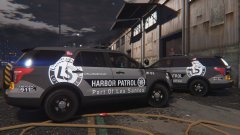 Looks good lad.
 -
Merry Christmas all. Hope you all had a great day.
-
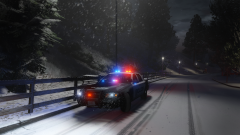 Puuuuuuuurty
 -
Have you tried increasing your screen resolution options?
-
G'day and welcome! Merry Christmas from Australia! I found out about LCPDFR about just over 5 years ago now, and I am very glad I did. You will enjoy your time here, and will make some great mates. Everyone here is very welcoming and will be sure to give you a big hello and introduce themselves. This community is forever changing and new mods are being released every day (so you'll never have an excuse to be bored!) If you need a hand with your game, there are plenty of people that are more that willing to help you out. ;) Enjoy your time here as I know you will.
-
Have you installed the latest patch? (https://support.rockstargames.com/hc/en-us/articles/235650888) Looks as though it may be a compatibility issue (from what I can see), perhaps something related to AdvancedHook. Oh, and FYI - you can put error logs in spoilers. If you don't know how to use spoilers, here is a short video tutorial. Good luck!
-
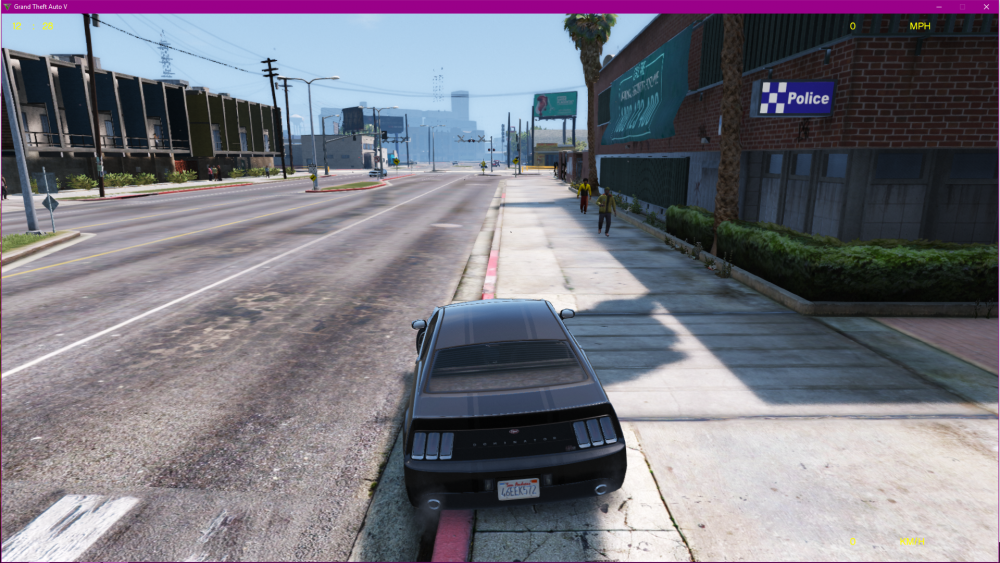
That's a good idea. I'll update the request to 3-5 people for voices. I'll write you down and send you a message when I am set to start getting the audio recorded. As for the last question, I have no idea. @Darkmyre would probably know the answer. In related news, I've started work on the transformation of the police stations...
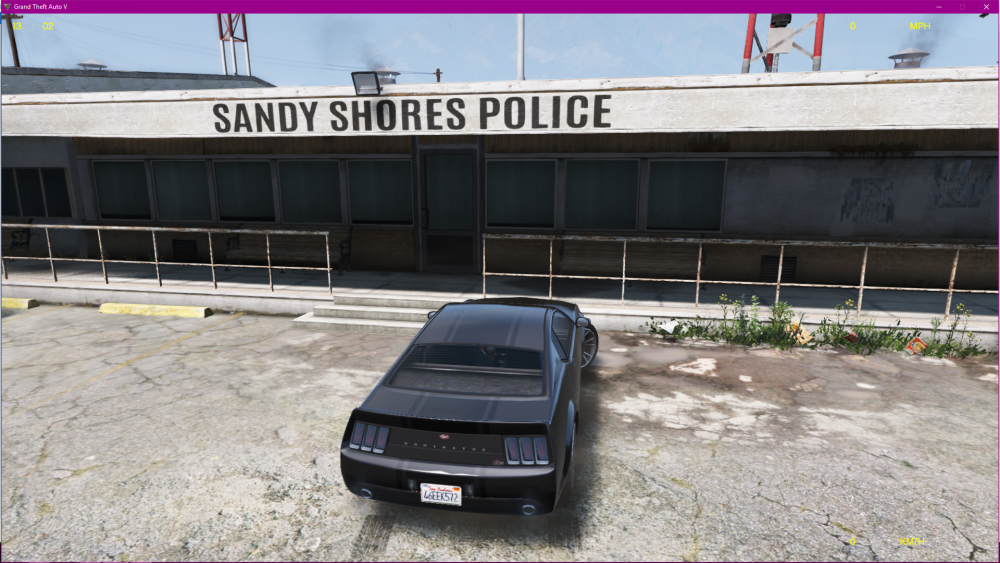
-
I AM LOOKING FOR ~5 x Australian voice actor (male or female, preferably 18+) w/ a decent microphone For the purposes of recording multiple variations and adaptations of the dispatch audio found in game to suit the Australian radio norms. If your interested, contact me. You will be credited as a contributor to this project. Cheers mates ;)
-
Assuming you do not have any mods in, I'd recommend verifying the integrity of the game cache (see instructions below). If you do have mods in, try removing them until you get a stable game, and then by elimination, determine the mod causing the issues. For retail versions: Hit "Start", "Run", and type "cmd" without the quotes. Hit enter. Type "cd c:\Program Files\Rockstar Games\Grand Theft Auto V" without the quotes in the cmd window that pops up. Hit enter. Note: If you’ve installed the game to a different directory, enter that directory instead. Type "GTAVLauncher.exe -verify" in this window (no quotes again) and hit enter. For the Steam version: Right click the game in the “Library” tab. Click “Properties”. Click the “Local Files” tab. Click “Verify integrity of game cache…” Good luck.
-
Nice videos mate! I just subscribed to you, and will be sure to keep tabs on your new videos as they come out. Keep up the good work!
-
I don't know what to do with this information
-
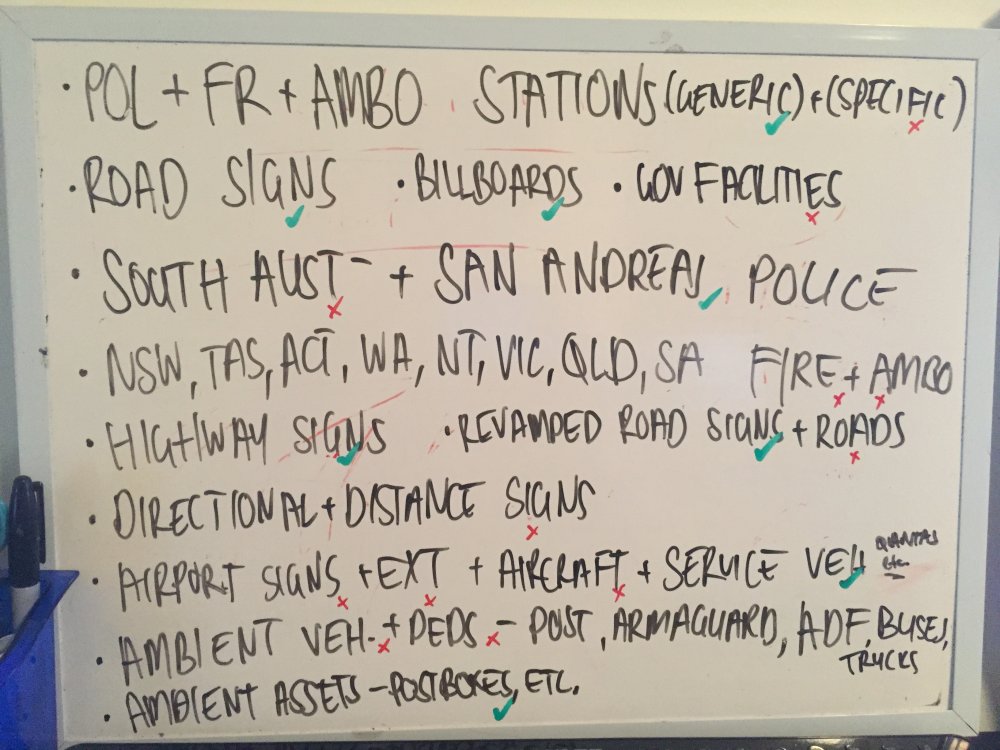
I've got a board of all the things I am planning to complete before release. These are things that I'm going to do, hence why only South Australia and San Andreas Police are listed, since others will contribute police material from other states. There are some things on here I have not talked about prior, so if you can decipher my handwriting, you might see some surprises of things I'm working on that you might not have expected/thought of. The red x's mean I am yet to start working on it, while the green ticks mean I have started working on it (but have not necessarily completed). Have a look.