sixium
Friends of LSPDFR
-
Joined
Everything posted by sixium
-
 A W E S O M E
 -
This topic has been moved to the appropriate forum. Please post in the correct location in the future.
-
Congrats on the new card, looks wayyyyyyyyyyyyy better
-
-
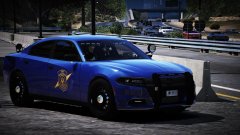 I need this charger in my life
 -
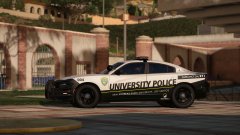 Ding ding ding, we have a winner =D Kudos to you Belly haha, I knew you would know.
 -
Kudos to whomever finds the livery from which I drew inspiration from =D
-
From the album: Los Santos Views
Go team! -
-
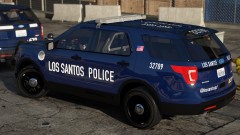
From the album: Los Santos Views
Hubba hubba -
Bye toy. You've gone from making EMS skins to making great cars in a very short amount of time. A great accomplishment.
-
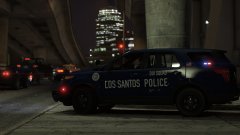 Yeah, that's what I was thinking...
 -
Sort of... =( I made all the textures for the wheel cap black, but it really just turned it into "black chrome" so still looks like chrome in light.
-
From the album: Los Santos Views
DATS DA SOUND OF DA POLICE SPD -
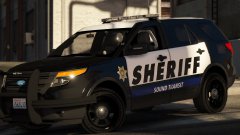
From the album: Los Santos Views
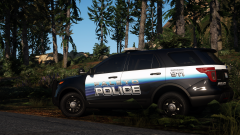
King County Sheriff's Office Transit Police collection, including King County Metro Transit Police and Sound Transit Police (in new and newer livery styles). Dunno how to make the Sound Transit livery lore-friendly though, maybe "Metro Transit"??? Are there two transit agencies in Los Santos? Because they're King County, I made them truly faithful to their real-life counterparts (like usual). 99+% accuracy in fonts, placement, and details, including the best WA-state license plate I've ever done, completely hand-made. You might recognize the KC Metro livery, but I've made tweaks since. Lore-friendly versions will be coming (some already done, as you've probably seen). FPIU by thegreathah. Enjoy. And thanks to Belly for re-inspiring me to pick back up my King County skins. =) -
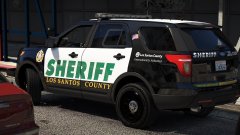 These will be released eventually.
 -
-
From the album: Los Santos Views
K C S O -
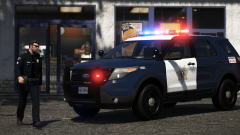 Is Seattle next? *wink wink nudge nudge* =P
 -
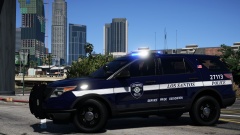 Seattle!!!
 -
-
Stealth780, please re-read the guidelines at the top of the Vehicles Modification Showroom page. The purpose of the showroom is to show off your mods. This thread is closed. If you have mods that you have created and want to show, feel free to start a new thread in the showroom. "Showrooms allow you to create topics for all of your Work In Progress or Released modifications for GTA V. Please do not create threads here unless you are actively working on a new modification that will at least be released on this site, or are ready to release one. Please do not create threads about other people's work - use the Discussion forum for that. You may double post as required to post significant updates to your creations." If you feel this topic has been closed in error, please report this post.
-
-
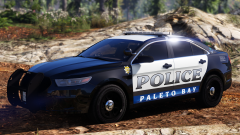 Shoreline!
 -
Your thread has been moved to GTA IV Development Suggestions and Requests. Please read the Showroom Style Forums announcement before posting in the showroom forums.