


NewbCrazy
Members
-
Joined
-
Last visited
Everything posted by NewbCrazy
-
Is it possible to get all of them? ...I like police cars....
-
 Ive tested it with the Assistance Required callouts on RPH .45, and they worked fine. Havnt tested it with the Noise Complaint, however. The only issue with RPH .45 with this plugin are the dialogues - They will get cut off since in RPH .46 they increased the amount of characters you can use.
- 166 comments
- 75 reviews
-
Normal time...? I dont know.. maybe like a minute? I would say somewhat good time...
-
Use whichever one you want - I think I went with the 2x, but not sure.
-
New version of what...? Use the latest version of everything you install for GTA V.
-
Try this gameconfig: https://www.gta5-mods.com/misc/gta-5-gameconfig-300-cars
-
 Excuse my ignorance, but how do i combine your carcols with BEL to create the nice flash patterns on this vehicle, but not remove the nice flash patters on other vehicles?
- 48 comments
- 14 reviews
-
In my experience, if you got in VH and forced the noise complaint, it should trigger the one close to you. As for the actual radius, I have no clue.
-
What file are you trying to locate?
-
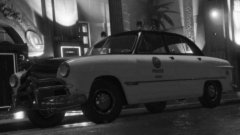 That. Is. Gorgeous.
 -
Dont reinstall your mods folder... waste of time if you have a good amount of vehicles in there. When you say everything is working properly other than your Sheriff CVPI, does this mean that it spawns, but lights dont work? It doesnt spawn at all? Elaborate.
-
Okay. You might have followed the readmes, but either the carvariations.meta or vehicles.meta was screwed. Do this - Make sure that this is how your carvariation file looks (Yours wont be the same.. just make sure your carvar has <Item> and </Item>, and other common things carvars should have): Also, make sure this is how your vehicles.meta looks (Again, wont look the same.) Make sure there is no spaces inbetween the <Item> or </Item> as this will crash the game. Make sure that the Item's are in brackets. Make sure they look like mine do - the slightest error in these files will cause the game to crash.
-
A little bit more info would be nice - Did you mess around with any carvariation or vehicle meta files? What new did you install with OpenIV?
-
Sorry if this was asked before, but will ELS work just fine with an add on vehicle?
-
 I feel really stupid for not being able to do this despite watching videos on how to, however when I go in game, I keep getting an error "On line 84, Character 3." Can anyone help me out? Heres my entire VehicleSirenSetup.xml:
- 51 comments
- 13 reviews
-
-

- 1
-
If you go back to the first page, there are multiple videos to show other things. Also check out GravelRoadCops youtube channel to see videos from like a year ago demonstrating ELS and other functions. (Rereading the entire thread might be of some good, as well)The boat crashing is fixed. And i do believe he plans on adding more callouts for hit and run as well as the noise complaint. So far the noise complaint has generated 0 crashes, so hopefully development is going smoother than ever.This is the latest development...He also said, "If It gets passed" or whatever, and something tells me it didnt (And i think we can all say why i think this)Thanks for letting us know. We already caught this and its being fixed right now. :p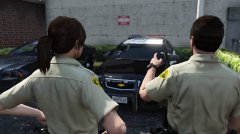 Is this unreleased? :3
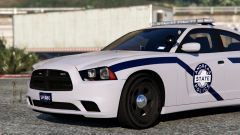 Whose charger is this? Or is it unreleased? Its a beauty.Did you drag and drop the carvariations.metas? If so, this is sure to break your other vehicles, because what happens is the carvariations you dropped in replaces the current one. This is why when you add new carvariations, you drag the one in openiv to the desktop, open the new modded one, and put in the part of the new carvariations into the old one, that way it doesnt replace anything.
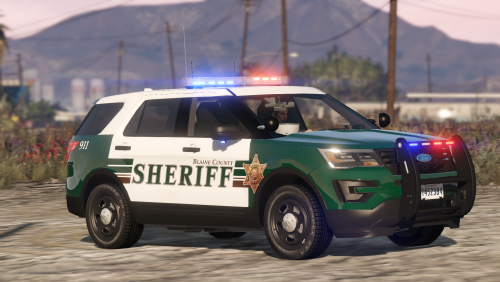 Surprisingly, i found a fix. Go into your vehicles.meta, and like 5 lines down you will see AudioHash. I changed mine to this: <audioNameHash>SHERIFF2</audioNameHash> That added all the sounds i needed. Hope i helped. Go into the carvariations for the vehicle you installed this to (If you installed it into sheriff2 slot, go to the sheriff2 carvariations. No, i cannot tell you where they are located. :)) Change the sirensettings to 1.
- 77 comments
- 32 reviews
-
-
- 1
-

