


NewbCrazy
Members
-
Joined
-
Last visited
Everything posted by NewbCrazy
-
.thumb.jpg.6c80ecc7060134b39a0d153a8d09ac1f.jpg) My rear windows lights also dont work. Installed using the open iv installer. The top red and blue lights on the rambar also flash white, with red and blue showing at a certain angle. If anyone could tell me what sirensettings they use to make this car work, thatd be great.
My rear windows lights also dont work. Installed using the open iv installer. The top red and blue lights on the rambar also flash white, with red and blue showing at a certain angle. If anyone could tell me what sirensettings they use to make this car work, thatd be great.- 107 comments
- 24 reviews
-
Please link the cruise control mod you are using.
-
I suggest doing this: Firstly, read the readme that SHOULD be included in the mod. If no readme is included, well shame on the mod author, and skip this step. Secondly, try reading through the comments and see how people have installed it. Thirdly, are you on an unsupported RAGE plugin hook version? By this, are you on a version that the script is not compatible with? (It might be compatible with version 45, but you might have version 46 installed? Or if its an older version it might be compatible with an early version of RPH) If the mod is not supported, well plain and simple you cannot use it.
-
Update: The Assistance Required callout is currently the only callout implemented in this pack available to the testers. As a tester myself, and with permission from the Developer, I can tell you this: Assistance Required is a very fun callout to take. It is in depth, has multiple scenarios, dialogue is pretty realistic, and the callout itself is stable. There are currently 2 different Assistance Required callouts in 2 different locations. Being im not the Developer, I cannot give anything more than a broad overview of the mod, so any questions should be directed to LowRid3R. Expect future updates, as this is being thoroughly tested and developed!
-
Heres the video im talking about: https://www.youtube.com/watch?v=gCAuilz1nbs
-
Or you just didnt watch the right video. Jeff Favignano shows how to install everything to do with this mod in an hour, its well worth watching. I did install it once before... but it wouldnt load. Once i took it out, boom, it loaded just fine and dandy, and to this day its not in. http://prntscr.com/cp4ar7
-
when i installed the SDK folder, i couldnt play. Try uninstalling only the SDK folder.
-
Before you reinstall, did you include the SDK file from ragepluginhooks download folder?
-
Look closely!
-
I have yet to see this: People Graffiti'ing a building (be creative ;p) A kidnapping in progress (or possible kidnapping/suspicious van) where a person is trying to lure people in a van. Perhaps spawn a van with someone in the back trying to be like "Come here kiddo" and spawn a hipster young looking dude? (again be creative ;P) Or even try to get a person actually grabbing a person and trying to throw them into their vehicle. Or, just use your own ideas for this one. I dont know..
-
To pull over a car, go behind them and hit shift, which will blip them as the vehicle you will pull over when your lights are on. Then, after you hit shift, turn on your lights, and boom, they will pull over.
-
I drop mine in the latest, which is mpvalentines2
-
Well, there should be atleast one there... Hm. Try googling to see if you can find out where they are. Or, just download one of BxBugs' vehicles and use his carvariations, i guess.
-
For something like this, Youtube is the place to show you where to find carvariations, and how to edit them. I will try my best to help you out. 1) Locate the carvariations for the car you are modding. For example, if you installed a police car that didnt come with them, look into the dlc packs (Not patchdays, the other ones), drag the carvariations to your desktop, hit Ctrl F and type in Police, then search. To find the carvariation files: GTA V > mods > update > x64 > dlcpacks > any pack between mpapartment and mpvalentines2 should have carvariations > dlc.rpf > common > data > drag carvariations to desktop 2) That will most likely take a few minutes, keep looking. Once you find it, scroll down until you see Siren Settings (Should be the last thing you see before the start of a different vehicle) (By last thing, i dont mean scroll all the way down to the bottom of the file. Different cop car settings are in the same file. <Item> separates the different cars) (That was probably confusing. Sorry if it was) 3) Most cop cars use siren settings 1 and 2. So, in the siren settings you just found, change the siren setting to 1. Then, go back into open iv, hit edit, and drag the modified carvariations into open iv. 4) Go in game. If the file works, great. If not, change the siren settings to 2. 5) If 1 or 2 doesnt work, well have fun looking through all the siren settings. I think it goes up to 20.. Not 100% sure though. If this doesnt help, just search on youtube how to edit carvariations file in gta v. Hopefully a video there can help you.
-
Install all vehicles to your latest patchday folder, which should be patchday 11
-
 Sirensettings 7 works fine. What i meant is that instead of the lightbar being all nice and actually a lightbar, it looked like an mx7000 lightbar that had the spinny things in it. Also, the lights on the sides were funky and didnt work well.
- 14 comments
- 4 reviews
-
In the same amount of time it took you to type that, you could have answered his question. The answer is, yes. Change police to sheriff, police2 to sheriff2, etc. Go in the vehicles.meta and change the first 2 police to sheriff. Only do the first 2 police lines, though. Go in the carvariations and change the name from police to sheriff. If you cant understand what im saying, search it on youtube. Youtube can explain it better in video then i can in words. Hope i helped at least a bit :)
-
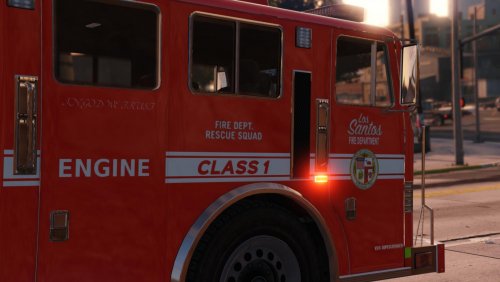
Well i gave it a try and the carcols look nice, but the firetruk lights arent fixed. Sirensettings please? ;)
- 14 comments
- 4 reviews
-
No, I didnt think it was a mandatory thing, plus i dont want it to screw up my other carcols.
- 14 comments
- 4 reviews
-
Can anyone tell me what the sirensettings is? Mine are so screwed up for firetruk
- 14 comments
- 4 reviews
-
If you still need another, message me. Im up for helping out.. but i dont know anything about any developing software or APIs.
-
 I want it, I want it! Dont mind me.. just admiring those pictures...
 -
Ahh easy one. Go to your GTA directory > Plugins > LSPDFR and fine the .ini for policeradio In it, look for "Observation Window=true" or something along those lines. Change "true" to "false" and you're good to go!
-
Yes.
-
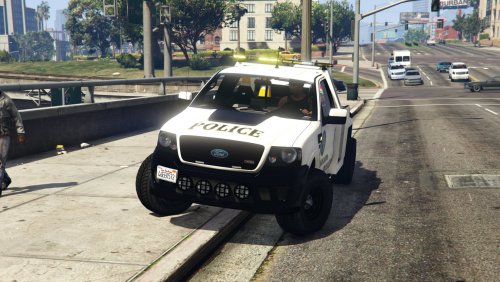 Can anyone tell me what to add to the vehicles.meta for towtruck 2 to make this compatible with Siren Mastery?
- 19 comments
- 5 reviews

.thumb.jpg.6c80ecc7060134b39a0d153a8d09ac1f.jpg)

