
Awesomeo16
Members
-
Joined
-
Last visited
Everything posted by Awesomeo16
-
Heya! Surprised there isn’t a thread for this yet. The source code for Grand Theft Auto 5 was leaked onto the internet a little earlier today. Obviously, don’t post it here. I’m sure it goes against some rule or just the general wishes of the moderation staff but it is definitely there if you look for it. I figured this warranted a discussion about what it means for the future of GTA 5 modding, as this is essentially giving all of the very creative chefs in this community access to the full kitchen so to speak. Apologies to staff if this discussion isn’t kosher, but this is probably one of the biggest things to happen in the modding community in years and I figured a chat about it was more than appropriate. Again, don’t post links here.
-
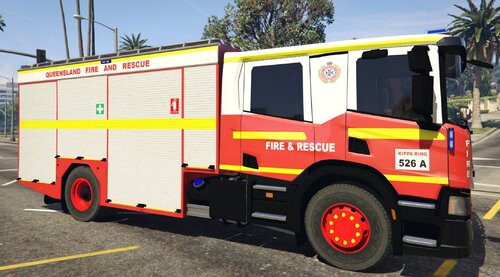 Nice man that's my local station! Weird to see it on here lmao
 -
 This is one of the best packs I've ever seen for realism. Great work with all of the agenices, highly recommended for anyone looking to do a Los Angeles based LSPDFR. This plus Real California Architecture is just spectacualr!
- 132 comments
- 7 reviews
-
-

- 1
-
-
 There was this idea floating around a few years ago, looks like it never got released but the demonstration video seems to have EMS functioning fairly well. Great mod btw! Really keen to see where you go with this.
- 633 comments
- 59 reviews
-
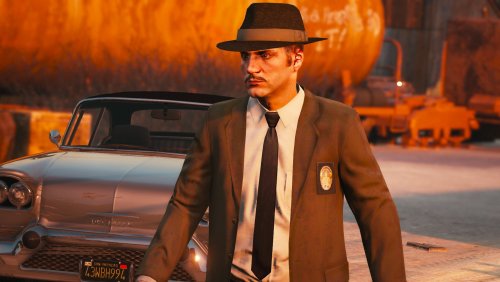 Fantastic for retro patrols and goes great with Lundy's vehicles. Reminds me of LA Noire 10/10
- 2 comments
- 3 reviews
-
-

- 2
-
-
-
 Hmm, maybe you could do it like the original EUP law and order? Where the lspdfr install downloads a txt file with links to media fire (or some other site). If not, I guess I'll go back to drag and dropping all of these in because I've been waiting for someone to finally put real agencies into EUP since it released
- 23 comments
- 4 reviews
-
Is there a chance you could create a mega pack with all of the California/real life agencies that you are making and include an OIV package for an easy install instead of having to go through a slow drag and drop process like it is now?
- 23 comments
- 4 reviews
-
 There it is. Have been looking forward to this update for ages, fantastic update. Can't wait for the 'Serve and Rescue' to be approved!
- 637 comments
- 75 reviews
-
-
.thumb.png.76a1191bfab63bc82cad8f72f8e4dcb4.png) It adds new charges and citations. It also adjusts the fines and points lost to California law
It adds new charges and citations. It also adjusts the fines and points lost to California law- 17 comments
- 10 reviews
-
-
- 1
-
-
 You probably need to get a mod like Make Visuals Great Again or any other mod that changes the carcols file. This should make lights be quite bright and shine off of surfaces etc.
- 965 comments
- 158 reviews
-
Did you put the VCFs in? If not find them in the CHP download, and put them inside the pack default folder. This is located inside the ELS folder in the GTA 5 directory
- 965 comments
- 158 reviews
-
Wouldn't this be called Hit and Run?
-
And there are some mods that fix the street names. Most notably RSR_Commander's Real Location Names mod or Desmond 98's sign replacement mod
-
It's currently a WIP
-
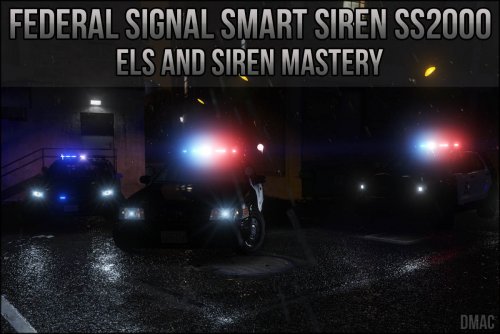 Fantastic siren. Now all I need is a Fed Sig UI for siren mastery and my immersion will be complete.
- 34 comments
- 5 reviews
-
-
- 1
-
-
-
-
Can anyone here make a Smart Siren UI for Albo1125's Siren Mastery? I think this would look good and up the immersion for anyone using a Federal Signal siren.
-
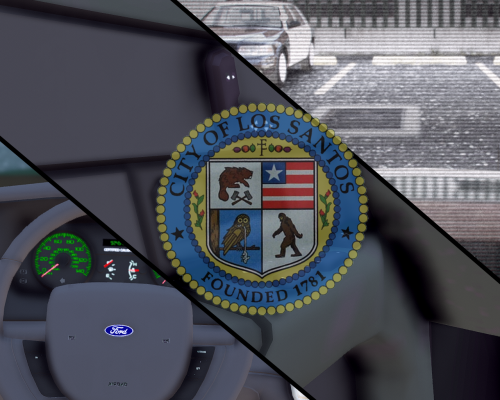 If you have MoreControl V you can double tap Y (F for keyboard) to keep the door open
 -
 Add the bike text to the top, like this <?xml version="1.0" encoding="UTF-8"?> <CVehicleModelInfoVariation> <variationData> <Item> <modelName>policeb</modelName> <colors> <Item> <indices content="char_array"> 134 134 156 156 </indices> <liveries> <Item value="true" /> <Item value="false" /> <Item value="false" /> <Item value="false" /> <Item value="false" /> <Item value="false" /> <Item value="false" /> <Item value="false" /> </liveries> </Item> <Item> <indices content="char_array"> 134 134 156 156 </indices> <liveries> <Item value="false" /> <Item value="true" /> <Item value="false" /> <Item value="false" /> <Item value="false" /> <Item value="false" /> <Item value="false" /> <Item value="false" /> </liveries> </Item> <Item> <indices content="char_array"> 134 134 156 156 </indices> <liveries> <Item value="false" /> <Item value="false" /> <Item value="false" /> <Item value="false" /> <Item value="true" /> <Item value="false" /> <Item value="false" /> <Item value="false" /> </liveries> </Item> <Item> <indices content="char_array"> 134 134 156 156 </indices> <liveries> <Item value="false" /> <Item value="false" /> <Item value="true" /> <Item value="false" /> <Item value="false" /> <Item value="false" /> <Item value="false" /> <Item value="false" /> </liveries> </Item> <Item> <indices content="char_array"> 134 134 156 156 </indices> <liveries> <Item value="false" /> <Item value="false" /> <Item value="false" /> <Item value="true" /> <Item value="false" /> <Item value="false" /> <Item value="false" /> <Item value="false" /> </liveries> </Item> </colors> <kits> <Item>157_massacaro2_modkit</Item> </kits> <windowsWithExposedEdges /> <plateProbabilities> <Probabilities /> </plateProbabilities> <lightSettings value="1" /> <sirenSettings value="13" /> </Item> <Item> <modelName>btype3</modelName> <colors> <Item> <indices content="char_array"> 5 2 0 156 26 </indices> <liveries> <Item value="false" /> <Item value="false" /> <Item value="false" /> <Item value="false" /> <Item value="false" /> <Item value="false" /> <Item value="false" /> <Item value="false" /> </liveries> </Item> </colors> <kits> <Item>148_btype3_modkit</Item> </kits> <windowsWithExposedEdges /> <plateProbabilities> <Probabilities> <Item> <Name>Standard White</Name> <Value value="20" /> </Item> <Item> <Name>White Plate 2</Name> <Value value="20" /> </Item> <Item> <Name>Blue Plate</Name> <Value value="20" /> </Item> <Item> <Name>Yellow Plate</Name> <Value value="30" /> </Item> </Probabilities> </plateProbabilities> <lightSettings value="2" /> <sirenSettings value="0" /> </Item> </variationData> </CVehicleModelInfoVariation>
- 93 comments
- 36 reviews
-
-
- 1
-
-
Yep, I've given up at this point as it just crashes my game everytime I load it. It's a great model but I'm going back to the vanilla bike until someone uploads the carvariation file (because apparently my dumbass can't make it work)
- 93 comments
- 36 reviews
-
-
- 1
-
-
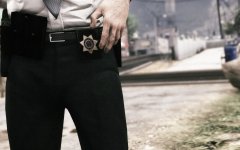 I can finally recreate the Striketeam from The Shield
 -
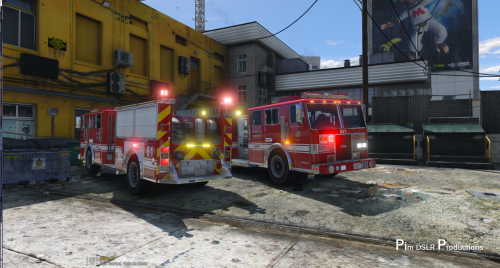 @SteelPolice223 Installation of model: (OpenIV) Go to: (mods)/update/x64/dlcpacks/patchday3/dlc.rpf/x64/levels/gta5/vehicles.rpf and replace all files provided. Install carvariations.meta in: mods/update/x64/dlcpacks/mpluxe/dlc.rpf/common/data and replace the file.
- 58 comments
- 20 reviews


.thumb.png.76a1191bfab63bc82cad8f72f8e4dcb4.png)