


BlackNoise
Members
-
Joined
-
Last visited
Everything posted by BlackNoise
-
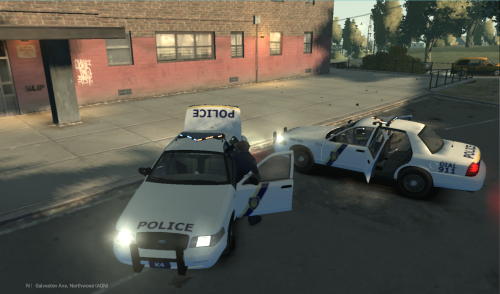 Hey guys! First of all, I want to tell you that this is my first ever release on this site. Just tell me if I'm forgetting something or doing something wrong :D I was bored, so I went to one of my favorite websites, policecarwebsite.com. Here, I found a rather nice police look, the look of the Philadelphia Police Departement. I hadn't seen a skin like that for GTA IV, and most certainly not with the LCPD logo's on it. So, here it is :D! The Pennsylvania inspired LCPD skin for the Ford Crown Victoria Police Interceptor. Included are 4 skins; a patrol unit, a Strike Force unit (great for 'noose'), a Dog Unit and a Highway Patrol unit. I strongly recommend the model linked below for it. Just download the CVPI included .rar. Anyways, I hope you enjoy. I'm planning on making the skin for multiple other vehicles. If you want me to make one for a specific vehicle, or a specific skin, just ask :D. -Daniel

