


BlackNoise
Members
-
Joined
-
Last visited
Everything posted by BlackNoise
-
Hi DaWoodz, Just send me a PM and I'll do my best for you :-) -Daniel
-
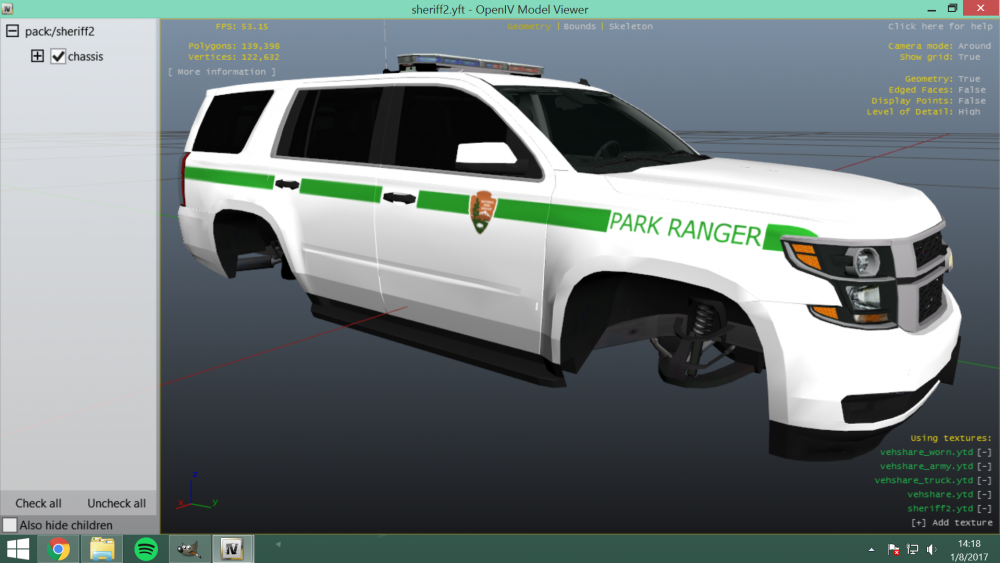
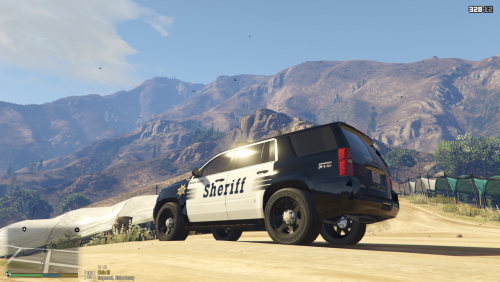 Hiya guys, So, I love the lakes, never been there, but always have loved them. But there is something else called 'Tahoe' that I absolutely LOVE. And @Maurice97 happened to share this love with me. He created the ELS Tahoe, I responded with this. Behold: The 2015 ELS Tahoe Skinpack! The cars are all based on various departments. They are listed here. LSPD: Based on the LAPD. I've used as much in-game logo's and decals as I could find. Some had to be made myself LSSD: Based on the LASD. Again used as much in-game logo's. BCSO: Based on the Ventura County Sheriff's Department. Thank you, @Desmond98 for the suggestion. Park Ranger: Based on the Yellowstone National Park Rangers. Thanks for the suggestion, @ToastinYou I am planning on adding a lot more. You can always suggest or request something in the comments. See the planned features below: - K9 Units - Different Neighborhoods - Improvement of the Ranger Enjoy the mod! Daniel
 -
Started working on it, I love the real life car, too bad that there are not that many pictures of :-)
-
Thanks! I think I'm basing the skins on these vehicles :)
-
It's true, GTA IV was way more easy. Glad I could be of service, have a nice day.
-
Found out that the skin's got a mip-map level of 11
-
Hi all, I am, as some that read the post know, making a skin pack for the 2015 Tahoe. I was planning on doing every department known in the game, so that means that I am also making a Park Ranger model. So I was browsing 'policecarwebsite' for a while, and I did not really find a department that caught my attention. Do any of you like to see a specific Park Ranger skin based of a real life department? Let me know :-) Yours faithfully, Daniel
-
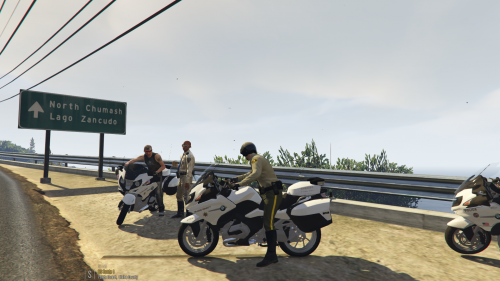 Finally, you come up with a good country, mine :-P I'm kidding, of course, I think I might like the States more than the Netherlands... I'll look into it, maybe I'll actually include that bike in these files :-)
 -
Ah, yes. Patchday, simply, is the folder where all updated files are located. Every time Rockstar creates a new patch, a new patchday folder comes out. Let's keep it simple, we don't need to fully understand what Rockstar does by these files, but what you do need to understand, is that you should always replace your files in the most recent patchday folder. You've downloaded a file, let's say a police car that has been made for the police3 slot. The folder you've downloaded comes with 2 files (sometimes 3): The police3.yft and the police3.ytd. Launch OpenIV and select 'Grand Theft Auto V'. If your OpenIV loaded up and you can see your main GTA directory in it, proceed to the next step. Press the key combination 'Ctrl+F3'. When you press this, a window comes up. In here, type 'police3.ytd'. (without the accolades of course). There will be multiple locations in which that very file has been found. Click the location with the Patchday {and then the highest number}. OpenIV will warn you, at the top of the screen with a red bar. It says that you are editing a file outside of the mods folder. (If you don't see this, you're already in your mods folder). Now that you've located the files that you want to replace, just copy the files from the downloaded and extracted folder, and check if your copy of the new car has been successfully replaced. You can check this by simply double-clicking the Police3.yft file. If your downloaded car shows up, it's all good. Press the key combination 'ctrl+R', and the pop-up window will ask you if you want to defragment the file. You click 'defragment' and wait until OpenIV completes it. Now you're done. You can safely close OpenIV and launch the game. If you spawn the Police3 car, you will see your newly replaced car!
-
Thanks! I will look into it tomorrow
-
It is 4k. I don;t know anything about MipMap Settings... It's set to 1 here by default. Should I change it?
-
Check the new screenshot out! Your suggestion is done!
-
Hiya all, I recently made a topic regarding my new skin pack for the 2015 ELS Tahoe. I'm making a lot of progress with the skins, and I was wondering if I could find anyone that wants to beta test them. I request the following of you; - You must know how to install a vehicle - You must know how to install liveries - You must be able to test out the game - You must be able to make screenshots of decent quality - You must be available to deal with frequent new versions or new skins - You must be able to give nice feedback Anyone interested can post a comment down here, and I will come back to you. Regards, Daniel
-
I planned the skins to be fictional, with a look based on the LAPD skins. I think I am going with your idea for the BCSO, thanks for the tip!
-
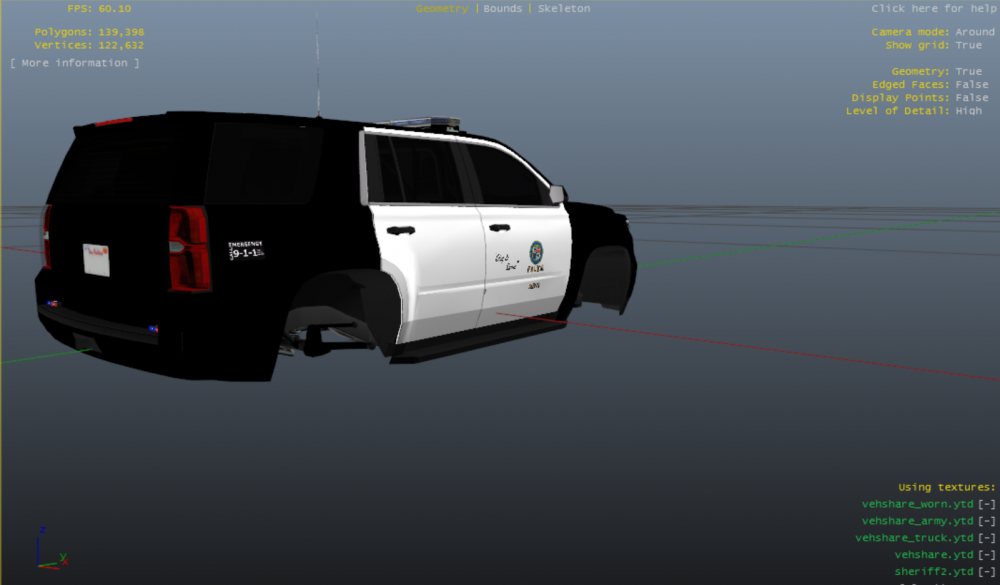
Hi, guys! Update: Finished the beta versions of the models just a moment ago. I will update the first (beta) version today. So I was browsing the new mods section the other day and I found out that @Maurice97 released its 2015 Chevvy Tahoe (ELS Version). I decided to go in immediately and I started working on a large-ish skin pack. The skins will be based on the real LAPD, LASD, CHP etc. That means that you can expect the first skins tomorrow. I'll upload some progression screens to show you guys what it's going to look like. Anyway. post comments to let me know what you think about it. Also, I'd love to hear requests and suggestions! BETA TESTERS NEEDED: Daniel Progression Screenshots:
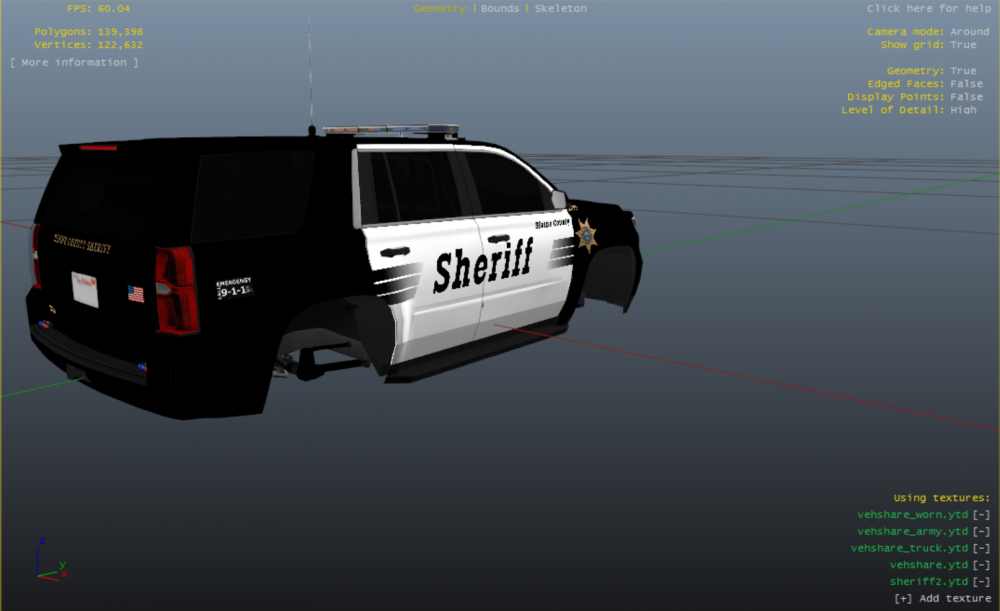
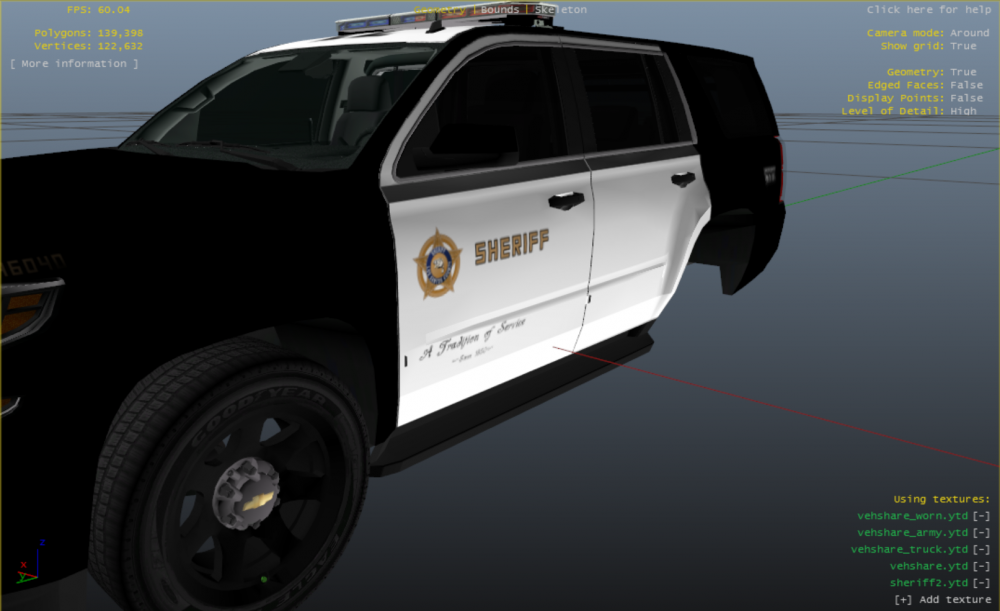
-
No problem buddy, I like giving these detailed explanations :D Let's see 1) The '{x}hi+.ytd' files are as followed: Some developers make a less detailed or a less high-quality version of the skin, so that if you are far away from the vehicle, your computer does not need to render it in full quality. This gives your computer less lag and makes it perform well fps-wise. I am not completely sure why you should keep the police3hi+.ytd, but if I'm right (correct me if I'm wrong, people with more knowledge) you could just delete it. 2) What exactly do you mean by files of the car? The most car packs contain the following files: - README - ALWAYS read the readme. It's basically a note from the developer which gives you some more (mostly critical) information about the vehicle. Most of the times you could find an installation guide there. Also, it gives you information on what you need to change in the handling file. If it doesn't say anything about the handling file, you do not have to change anything. - Templates - You don't need these if you just want to play the game with the car. Templates let you create liveries and skins for cars. A lot of fun, when you have way too many time, like me :-P - Car files (yft, ytd) - This is the part that you have to pay attention to. These files have to be replaced in the proper RPF archive. You can ONLY do this using an editor like OpenIV. Read my post above on how to quickly do that or search up a tutorial on youtube or google it. If you find yourself stuck, I can, of course, give you a step-by-step tutorial! Just met me know :) I hope I answered your questions and made it clearer for you. Yours sincerely, Daniel
-
Sure! I can give it a shot! Just tell me which car's you'd like them on and I'll start right away!
-
Oh, how I want that too... My father owns the older version of the 1200RT. Too bad I don't own ZModeler, otherwise I'd gave it a shot :-P
-
Hi! I am more than happy to provide you with some 4k skins. I can only make them for existing vehicles, as I have no experience with modelling. But the liveries will be fine! Respond to this comment or send me a private message if you are interested in working together! Yours sincerely, Daniel
-
Thanks you! Any suggestions for further updates?
-
Went with your advice. Thanks for the tip buddy! And as always; feel free to let me know if you have any comments on the model!
-
Hey! Thanks for the tip! I've got a small question for you; do you think that I should make this circle around it to make it look more like an actual sticker? I'm having some doubts about that... anyway; I'll work on the models this afternoon, so expect them in about 3 hours! Daniel
-
Hi FinalAnswer, It indeed is the wrong spot, no problem! I'll try to explain to you why what you do won't work. Rockstar has made the models, of course. The first time they uploaded the models was in a really early patchday. Every time that they improved the model, they put the file in another patch day folder. So let's make a little scenario here; Rockstar made GTA V. They put the police3 car in the patchday3 folder. After a few months, they found out that they had a little bug in the rear bumper and on the steering wheel. They updated the model and decided that they would update it in the next patch. So the new patch came out, let's say patchday6. They put it in the folder and tadaah: New update. Rockstar has coded this; the vehicle file in the latest patchday is the one used. So it will load the vehicle from patchday6, not patchday3. Bottom line: What you did is put the vehicle in an archive, good job, but there probably is another file that overrides that model. What I suggest is pressing ctrl+F3 in OpenIV. Search for the vehicle name in the search box. That will search all files with that name in the GTA V directory. Search for the file in the latest patchday, and make sure you copy that patchday to your mods folder, and replace it there. Your model will load and you are wiser about how GTA was made! Any further questions; please contact me! Your sincerely, Daniel
-
Awesome! Thanks, buddy! If you have any improvements or tips, I will, of course, take them in consideration!
-
Check out version 1.1.0 :-). I've taken your tip very serious and I used the tip in the model. Thanks again!




