


Sgt.Person
Members
-
Joined
-
Last visited
Everything posted by Sgt.Person
-
Title basically says it all. How do I model an ELS police car? I've had this thought for several days now but I've always forgotten to ask. I know the basics of modeling in Blender but that's it. I can't do any real good models at this moment, but maybe someone can teach me? =) And then aswell, how to get the car ELS compatible or make an ELS lightbar? And the last thing I need to know, what is the best program except 3Ds Max? Thanks on advance. ~Sgt.Person
-
-
I am using SNT, ELS v5, some car mods for LCPDFR and some gun mods. That's basically it.
-
Nice video =) And nice truck aswell, where did you get it?
-
Hello guys, I've had this problem that when I sometimes call for police or noose backup and press ALT+B or N, whatever, well then the game minimizes and I can't open it again so I have to exit it by CTRL+ALT+DELETE. I am using RC2. Is it that the mod is not 100% stable or is it something else? Because this is really getting on my nerves. ~Sgt.Person
-
I like the skin, but can you please link or us say the name and author of the model aswell? Because it's really hard to find just the right one so I can use this skin on it.
- 5 comments
- 1 review
-
xD Seriously though, this was fcking weird xD I wish something similar would happen to me xD
-
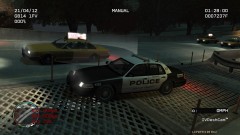
A bunch of random/cool pictures from when I am on patrol around Liberty City.
-
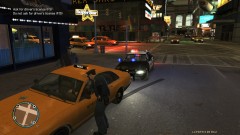
From the album: Sgt.Person's Police Archive
Officer Person pulls over a reckless driver.© Sgt.Person
-
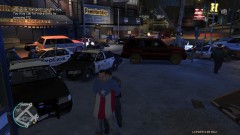
From the album: Sgt.Person's Police Archive
Officer Person tries to pull over a vehicle for speeding while they take off. Officer Person was able to get an end to the chase after 5-7 minutes. After that the driver pulled out a gun and opened fire, he was shot and died instantly. The other 2 people in the car was arrested though. Their time in jail is still unknown.© Sgt.Person
-
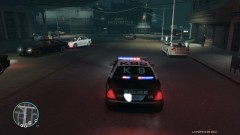
From the album: Sgt.Person's Police Archive
Officer Person prepares for the nights patrol shift.© Sgt.Person
-
Are they X-Mas Trees? They don't really look like they are pumped up with lights. Nice pack though.
- 126 comments
- 54 reviews
-
-
My favourites are XL-2 and XL-3 on Primary and CL-2 and CL-3 on Secondary. It just looks amazing =)
-
This is epic! :D And welcome back =)
-
EPIC STUFF RITEEEEE HERE! Cj24, you've done it again! Downloading right now :D
- 25 comments
- 11 reviews
-
Already knew about this, but it sure is awesome and useful :D
-
 Yea, it's a nasty one! I'll PM you the download link, okay?
 -
 Yea, it's a nasty one! I'll PM you the download link, okay?
 -
Okay. Thanks for the help =) Okay, thanks. I was not sure where to post it.
-
EPIIIIIIIIIIIIC :D Can't wait :D
-
Hm, this seems nice. Gonna go ahead and subscribe to you for further videos :D
-
I laughed my a*s off when he stepped on it and drove towards you and screamed "I'm gonna smash you up!" xD Nice though, and weird xD
-
(If I have posted this in the wrong section then move it=) Hello guys. I need help with my ELS. I want to change the light that is emitted on the ground from mostly Red and White to Red and Blue only. I've seen people have it and people say I should fix something in the ELS.ini but I just don't understand how I should do it. If anyone can help me then I would be really happy :D Thanks on advance =)
-
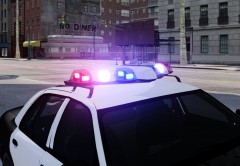 Sweeeeet :D
