


Joe C Wilson
Members
-
Joined
Everything posted by Joe C Wilson
-
 I have removed those folders from the latest update and deleted them from my PC. You can edit the custom folder files, such as "outfits_bcso_eup.xml," by changing component number 1 from 90 to 101. This slot should correspond to the old-style camera. For Ultimate Backup, locate "comp_beard" and change the value from "91" to "102." The EUP Peset Outfits also use the same slot ID of 102. I used to include both the old-style and new-style camera configuration folders, but I find it overwhelming to keep them both updated. Managing the extra configuration folders has become too much for me, as this mod is just too massive to ensure that each playstyle is up to date with the latest version. Also, it's worth noting that editing XML files in Notepad++ will save you a tremendous amount of time. I utilize the replace function with regular expressions in search mode, which saves me so much time. This allows me to replace all instances of a specific string of text at once. Just remember to save the file and keep it open in Notepad++ in case you need to undo all changes quickly—simply press 'Ctrl + Z' to undo.
- 944 comments
- 23 reviews
-
Done. In a future update, I will make sure to adjust certain camera mounting positions for specific uniforms, such as detective suits. Manually editing each file one by one would take too long and lead to more brain fog. In the meantime, I've included the antenna folder for those who want to use both options while I work on updating the configurations sometime in the future.
- 944 comments
- 23 reviews
-
If you prefer cameras over antennas, I can change that. It might take me a couple of days to go through all the files again, but it’s no big deal.
- 944 comments
- 23 reviews
-
I missed some folders while fixing the canine backup units yesterday. Kindly redownload version 7.3 if you have installed it already, and replace it with the 7.3 hot-fix. If you have any other feedback or suggestions for EUP Backup Configurations, please let me know. Thank you!
- 944 comments
- 23 reviews
-
Some of the best of the best
-
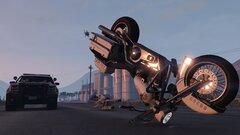
From the album: LSPDFR GTA 5 Enhanced
-
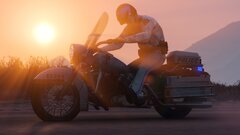
From the album: LSPDFR GTA 5 Enhanced
-
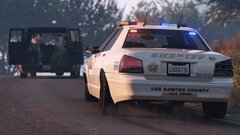
From the album: LSPDFR GTA 5 Enhanced
-
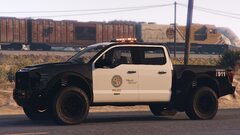
From the album: LSPDFR GTA 5 Enhanced
-
-
-
-
-
-
The Del Perro PD patrol vests are done! Once Rockford Hills PD patrol vests are finished, then there will merely be park rangers and sheriff departments left to finish, including NOOSE. What an improvement already! Can't wait to share the update with you guys!
- 944 comments
- 23 reviews
-
I have finished adding patrol vests for the following departments: 1) Los Santos Port Authority 2) Los Santos Airport Police 3) Los Santos Police Department 4) Los Santos Metro Division I've added protective glasses to all SWAT uniforms. I thought about including balaclavas, but the mask clipping issue from single-player mode remains unresolved. If that bug gets fixed, I might update the uniforms. There are only eight more departments left to equip with patrol vests, and I’m excited to share this big update with all of you. The following departments still need vests. Please let me know if you have any suggestions or feedback on EUP Backup Configurations. Thank you! 1) Del Perro Police 2) Rockford Hills Police 3) Park Rangers 4) Game Warden 5) State Parks 6) LS County Sheriff 7) Blaine County Sheriff 😎 NOOSE Police
- 944 comments
- 23 reviews
-
-

- 1
-
-
-
-
-
-
-
-
-
Important notice: While working on the updates for version 7.3, I discovered and resolved the issue of canines not appearing when called as backup. This will be addressed in the next update. If you have any other suggestions or feedback, please let me know. Thank you. The addition of vests for the airport police is nearly complete, except for the EUP Menu. Soon, you will likely notice how different the game feels with patrol vests for both you and the NPCs. I must say, it’s going to be well worth it in the end. The Port Authority and Airport Police will soon receive new patrol vests. Additionally, the following departments will also be equipped with the new vests: LS Police, Del Perro Police, Rockford Hills Police, Park Rangers, Game Wardens, State Parks, LS County Sheriff, Blaine County Sheriff, and NOOSE Police. Please note that I am equipping these vests with antennas instead of body cameras; however, you can easily swap out the antennas for cameras on the vest itself if you prefer. To add some variety, I am combining the body camera folder with the new patrol vest config folder because I am removing the old camera style folder, along with the no-hat option that included body cameras. In the new 7.3 update, there will be three configurations for you to choose from: 1) Original Version - This is the standard design intended for the game. 2) LAPD Duty Belts - This folder focuses on changing the LSPD duty belts to match those of the LAPD. 3) Vintage Sheriff Uniforms - This folder modifies the Blaine County Sheriff's Office uniforms to a vintage brown color. Personally, I enjoy using this configuration from time to time, as it pairs well with vintage sheriff vehicles. Each of these folders contains four configurations: 1) Body Cameras 2) No Hats - This option removes all hats except for helmets. This was primarily created to prevent clipping issues for female characters with long hair, resulting in a cleaner appearance. 3) Standard Uniforms - This configuration excludes body cameras, removed hats, and patrol vests, providing the regular fitted uniforms you would expect while on patrol. 4) The New Patrol Vests - This is self-explanatory. I hope this clarifies what is offered and reduces any confusion. I have decided to limit the number of extra configurations, as having too many has become excessive and confusing. It’s easy to mistakenly edit the wrong folder when there are so many to manage. I believe it’s time to tidy up the mod and reshape it to align more closely with its original vision. I appreciate your understanding regarding this decision, and I look forward to the new update coming soon.
- 944 comments
- 23 reviews
-
-

- 1
-
-
Hi, everyone. I'm starting to work on updates for EUP Backup Configurations. If you have any specific requests for additions or changes, please let me know. I have several ideas I'd like to incorporate, so I welcome your feedback and suggestions. Here’s a brief overview of what I plan to change in EUP Backup Configurations: 1. Make all SWAT and NOOSE units appear more tactical (a suggestion from the community). 2. Refresh and modernize the LSPD subdivisions' clothing (also a community suggestion). 3. Edit the LSPD Metro Division uniforms to create a clearer distinction between patrol uniforms and K9 uniforms (this is part of my planned implementation). 4. Add patrol vest configurations for all departments that utilize vests (another planned addition). 5. Increase K9 backup options for SASP, NPS, etc. (this is also part of my plans). Please note that due to the extensive nature of the extra configuration folders, I have decided to discontinue support for two specific folders: one with body cameras without hats and another with old-style body cameras. The reason for this decision is straightforward—there are too many files to edit, and the usage of these folders is quite limited. However, I will keep them in the download as optional configurations for anyone who wishes to reference them for their own XML edits.
- 944 comments
- 23 reviews


