


Joe C Wilson
Members
-
Joined
Everything posted by Joe C Wilson
-
 I don't set liveries because most people, including myself, change their cars in the long run, and I personally rotate out my car packs every 3 to 6 months.
- 944 comments
- 23 reviews
-
-

- 1
-
-
I think as many as you want, but you have to make sure all the vehicle chances together equal no more than 100%. I recommend setting each number to an even number so that you can make it easier to ensure each car spawns fairly. So if you only want 4 cars to spawn, I suggest setting the number to 25% and so on.
-
Off the bat, I can tell you that two out of the three clothing packs you linked are not EUP uniforms. Additionally, my EUP Backup Config does not depend on replacement peds, such as s_m_y_sheriff01 or s_m_y_cop_01. You will need to utilize the default Ultimate Backup or modify my configs if you want to use those specific peds and adjust the component settings accordingly. I suggest sticking with the original Ultimate Backup since it requires fewer files to edit for your intended use. There's no reason to install EUP Backup Configurations if your only intention is to use RCMP and VCPD. I haven't used replacement peds in quite some time, but it should appear like this; <Ped chance="25" comp_shirt="2" comp_accessories="3" prop_hats="1" prop_glasses="4">S_M_Y_COP_01</Ped> If you want to enable props like sunglasses or watches, simply add this line below the previous one: <Ped chance="25" random_props="True">S_M_Y_COP_01</Ped> That being said, I am not aware of which slots are assigned to which specific uniform parts from the clothing packs you mentioned. You can utilize simple trainer and access the clothes menu to locate the number you require, which is usually found under accessories 2. Lastly, if you plan to change the default backup menu settings, locate the agency_eup.xml file. I hope this guides you in the right direction.
-
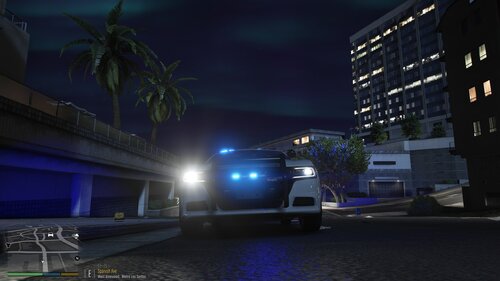 If you have installed a car model or car pack and noticed that the vehicle's headlights shut off when you activate the emergency lights, you can resolve this issue by following these steps: 1. Locate the carvariations.meta file. 2. Change the light settings value to 1. For added compatibility, especially if it is a replacement vehicle slot (like police or police2), you may also want to set the siren settings to 13. The most common carvariations.meta file can be found in the following directory: mods/update/x64/dlcpacks/mpchristmas2/dlc/common/data In the carvariations.meta file, make sure to include the following lines: ```xml <lightSettings value="1" /> <sirenSettings value="13" /> ``` This should fix the issue with the headlights turning off. Note that the police and police2 car variations are hard-coded and cannot be changed unless you manually add them to a new DLC Pack folder, such as mpchristmas2. An example for the police car slot is as follows: [Click to reveal spoiler tag]: Pasted content
 -
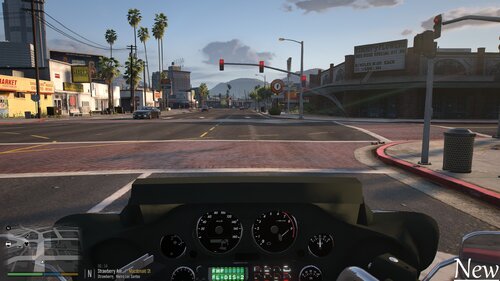 If you've recently replaced the default police bike with the Electra Glide or installed it as an addon and are experiencing issues with the camera obstructing your view, there's a simple fix. By installing a modified meta file over your existing one, you can enhance your camera's range of view while riding the Electra Glide. To implement this solution, locate and open the vehicles.meta file, find the entry for either the police bike or the addon vehicle, and replace the relevant text with the updated information. <cameraName>FOLLOW_BIKE_CAMERA</cameraName> <aimCameraName>BIKE_AIM_CAMERA</aimCameraName> <bonnetCameraName>BIKE_PCJ_POV_CAMERA</bonnetCameraName> <povCameraName>BIKE_PCJ_POV_CAMERA</povCameraName>
 -
GTA 4 LCPDFR #31 - Vehicular Manslaughter | LCPD '08 Suburban via @YouTube
-
Some of the best of the best
-
.png.868fa9d24562cd57daabd0da0951d406.png) Screenshot (185).png
Screenshot (185).png
-
.png.1b72f7f9f7ccb2d83fe572cb299003b0.png) Screenshot (181).png
Screenshot (181).png
-
.png.54dc78bfa9bd8d2c0fefc88f871c4581.png) Screenshot (180).png
Screenshot (180).png
-
.png.bde404896607988d0644eddc39c2d4ad.png) Screenshot (179).png
Screenshot (179).png
-
.png.591b97ef2c17ed7d9329f73c03dc0757.png) Screenshot (178).png
Screenshot (178).png
-
.png.8af11bf31d0a9c11d50ab91c85a93ef2.png) Screenshot (177).png
Screenshot (177).png
-
.png.0bd8a69a2dc58d86394a7f99a7915fe7.png) Screenshot (130).png
Screenshot (130).png
-
.png.c66b0548484a355fec4991e59483f48c.png) Screenshot (128).png
Screenshot (128).png
-
.png.6e4a4345181192bb26361151700bc1e4.png) Screenshot (79).png
Screenshot (79).png
-
.png.da1110bcdf8b56025fbf818cd87d12f2.png) Screenshot (78).png
Screenshot (78).png
-
.png.3c79e80a3047a50eba80297971eacd62.png) Screenshot (77).png
Screenshot (77).png
-
.png.ae9277c43ce8db0c6b3c5ecb7f65b151.png) Screenshot (38).png
Screenshot (38).png
-
.png.3f6e5d3266b9f7c77f341c827df96731.png) Screenshot (36).png
Screenshot (36).png
-
.png.4ede7cadc268e5d2974ae34c6ec0ebca.png) Screenshot (32).png
Screenshot (32).png
-
.png.52e53524b79b4be4e135615183cac424.png) Screenshot (31).png
Screenshot (31).png
-
.png.eec04ee99d16468fef3f198119a3e2d2.png) Screenshot (30).png
Screenshot (30).png
-
.png.d1e1f979a4fd36ebe2530eddc9ce2f6e.png) Screenshot (29).png
Screenshot (29).png
-
.png.2a074cf8699d8b994e98d746e2a19a3a.png) Screenshot (28).png
Screenshot (28).png
-
.png.49987a27168da0b68b06c04381da7001.png) Screenshot (25).png
Screenshot (25).png
-
.png.20e069cc5e57b84cc01bc38a79a74835.png) Screenshot (13).png
Screenshot (13).png
-
-
-
-
-
-
-
-
-
I'm gonna go out on a whim and guess it's that ambient escaped suspect event from the LSPDFR ini file.
-
This EUP Backup configuration only includes vanilla vehicles. If you want to use the new DLC cars, you can find their names here. Simply add them to the duty selection EUP file and the agency EUP file if you want them to spawn as backup vehicles and be available for selection in the menu.
- 944 comments
- 23 reviews
-
No, but if the next EUP update ever comes out for free, I will certainly make it compatible.
- 944 comments
- 23 reviews
-
-
- 1
-
I vaguely remember that they reopened their website during the summer, presumably under new management, but now they are closed yet again? Seems odd. Nothing personal to MU, but 90% of the time I was on there, whether it was before their 2022 shutdown or recently, I only saw Medic's vehicles or liveries being featured, and maybe 10% of community contributions. In retrospect, it honestly feels like it was just another site for people to download their mods on, with Medic using it as his own mod archive. You couldn't open MU without seeing a Medic car, and I gave up trying to find new mods to use because I kept seeing the same thing over and over again. I am not surprised, for lack of better words, that MU is dying out.
I guess the stations xml file was duplicated when editing. I'll take a look at EUP Menu, but I am pretty sure I updated them already. Also, what folder exactly hasn't been updated?- 944 comments
- 23 reviews
GTA 5 LSPDFR #97 - Shoot To Kill | LSSD '14 Charger via @YouTubeSome of the best of the best-
 20251104203149_1.jpg
-
 20251104203043_1.jpg
-
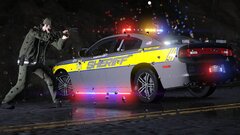 20251104201725_1.jpg
-
 20251104201641_1.jpg
-
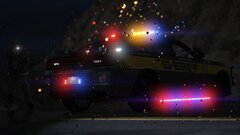 20251104201552_1.jpg
-
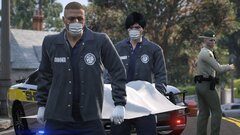 20251030212742_1.jpg
-
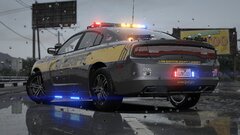 20251007221548_1.jpg
-
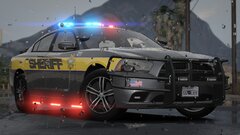 20251007221404_1.jpg
-
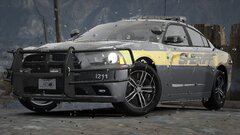 20251007221303_1.jpg
-
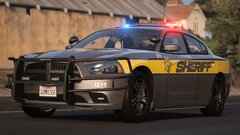 20251007221144_1.jpg
-
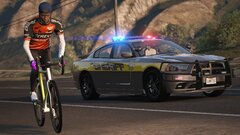 20251007221112_1.jpg
-
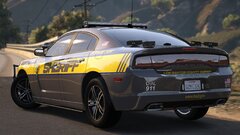 20251007220922_1.jpg
-
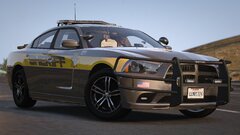 20251007220751_1.jpg
-
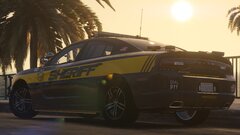 20251006184351_1.jpg
-
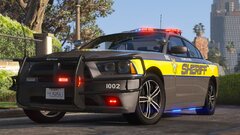 20251006184018_1.jpg
-
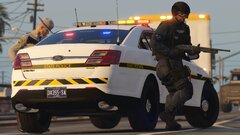 20251004180457_1.jpg
-
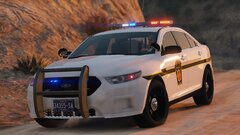 20251004180024_1.jpg
-
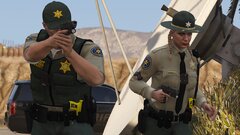 20250911163128_1.jpg
-
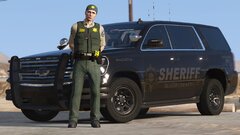 20250911162620_1.jpg
-
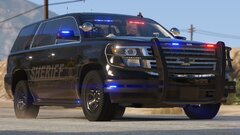 20250911162526_1.jpg

.png.868fa9d24562cd57daabd0da0951d406.png)
.png.1b72f7f9f7ccb2d83fe572cb299003b0.png)
.png.54dc78bfa9bd8d2c0fefc88f871c4581.png)
.png.bde404896607988d0644eddc39c2d4ad.png)
.png.591b97ef2c17ed7d9329f73c03dc0757.png)
.png.8af11bf31d0a9c11d50ab91c85a93ef2.png)
.png.0bd8a69a2dc58d86394a7f99a7915fe7.png)
.png.c66b0548484a355fec4991e59483f48c.png)
.png.6e4a4345181192bb26361151700bc1e4.png)
.png.da1110bcdf8b56025fbf818cd87d12f2.png)
.png.3c79e80a3047a50eba80297971eacd62.png)
.png.ae9277c43ce8db0c6b3c5ecb7f65b151.png)
.png.3f6e5d3266b9f7c77f341c827df96731.png)
.png.4ede7cadc268e5d2974ae34c6ec0ebca.png)
.png.52e53524b79b4be4e135615183cac424.png)
.png.eec04ee99d16468fef3f198119a3e2d2.png)
.png.d1e1f979a4fd36ebe2530eddc9ce2f6e.png)
.png.2a074cf8699d8b994e98d746e2a19a3a.png)
.png.49987a27168da0b68b06c04381da7001.png)
.png.20e069cc5e57b84cc01bc38a79a74835.png)

