CiscoFan
Members
-
Joined
-
Last visited
Everything posted by CiscoFan
-
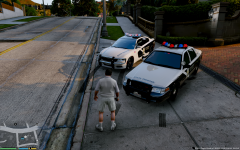
I could have someone whip up an LAPD styled cruiser for the replacement of police3.
-
 great to see you back to modding
 -
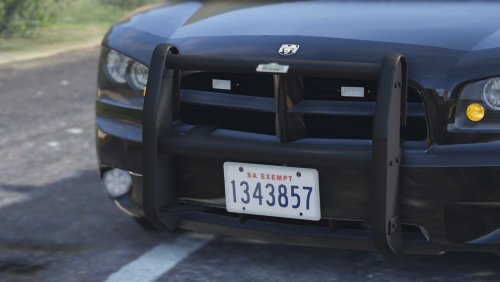 that is not Go Rhino, it looks like a Setina PB-450.
 -
How about this? http://www.amazon.com/Corsair-Gaming-Sabre-Weight-Optical/dp/B01APA8D2G/ref=sr_1_2?ie=UTF8&qid=1464971316&sr=8-2&keywords=gaming+mouse+corsair
-
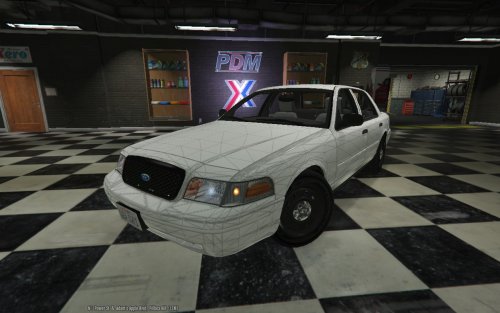 it is possible
 -
the ones with the older dials?
-
I have fixed it, I renamed my game back to Grand Theft Auto V and then I installed Visual C++ 2013, I want a moderator to close this.
-
5
-
6
-
You need to turn up the shader quality.
-
5
-
-
4
-
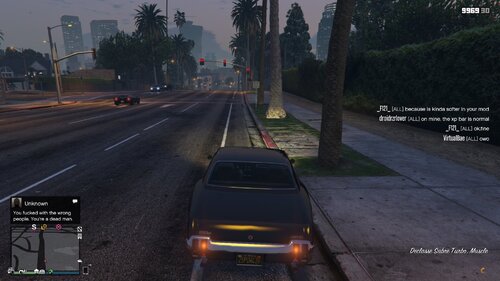 This brings back the original HUD (heads up display).1. Open OpenIV 2. Enable Edit Mode 3. Navigate to /GTA V/Update/Update.rpf/x64/patch/data/cdimages 4. Copy minimap.gfx, minimap.ytd,player_switch.gfx and replace them. 5. Copy graphics.ytd to x64a.rpf/textures. 6. Copy hudcolor.dat to update/update.rpf/common/data/ui. 7. Copy hud_reticle.ytd to update/update.rpf/x64/patch/cdimages/scaleform_generic.rpf/. 8. Copy hud.ytd to /update/update.rpf/x64/patch/data/cdimages/scaleform_generic.rpf. 9. Copy frontend.xml to update/update.rpf/common/data/ui/frontend.xml 10. Copy pause_menu_header.gfx andpause_menu_header.ytd to update/update.rpf/x64/data/cdimages/scaleform_frontend.rpf 11. Copy player_switch_prologue.gfx andplayer_switch_stats_panel.gfx to update/update.rpf/patch/data/cdimages/scaleform_generic.rpf. 12. Run GTA V! This has the original files as well. Credit goes to Vitalik2187836 on GTA5-MODS.com for taking out the faded portion of the minimap CHANGELOG Removed Faded portion of minimap Working on the minimap.rpf files (waiting for software) Added old gen radio wheel and weapon wheel with proper icons but don't purchase the railgun or hatchet. Fixed known bugs that users reported. Fixed the bug where the sniper scope wasn't transparent. Added screenshots Added old pause menu header Added old Stats area of hud Added Next Gen Blips Updated Instructions. UPCOMING: Previous Gen Minimap ydds VIDEO: https://www.youtube.com/watch?v=FML0_c5iM-s
- 1 comment
- 2 reviews
-
-

- 2
-
-
I renamed my original download to Grand Theft Auto V F*cked
-
On 10Mb/s internet, that will take about a day or so.
-
I did check the files through steam and launched it this morning and it still gave me the same error. And the BSOD I was getting in Windows 10 was a KERNEL_AUTO_BOOST_LOCK_ACQUISITION_WITH_RAISED_IRQL.
-
Negative on that I think @Prophet is next
-
Hi everyone, this is the first time I have ever asked for support. I am having issues launching GTA V. I had it working in Windows 10 but I started getting blue screens of deaths this morning, so I decided to reinstall Windows 7 Professional, got all my drivers, and programs installed, joined it to my Active Directory domain (my save is on that.) I then decided to launch GTA V several hours later. I kept getting that error that is mentioned in the title whenever I launched through Rage Plugin Hook, even without it, it gave me the same issue. I am also in the process of checking files, seeing which ones are affected by the reinstall. Thank you for the support
-
I am not ready for a final exam
-
I agree, Take-Two Interactive are douches.
-
They say this one is not built with Rockstar's GTA Online code.
-
I love that movie! I guess I am your wingman now :D
-
The once great FiveM is still being continued in Russia under the name MultiFive. It is on this site: http://gta5m.net/forum/
-