


Reddington
Members
-
Joined
Everything posted by Reddington
-
From the album: Red's LSPDFR chaos
-
-
Modding Discussion & Information.
-
You can get it here, however support for 0.3 is not offered. If you run into problems, you'll need to figure it out on your own or use some fan run LSPDFR Discord for help.
-
Alright, thanks.
-
-
Are you using ultimate backup? of normal LSPDFR backup?
-
From the album: Red's LSPDFR chaos
-
It will still happen, when you least expect it. 😛
-
My record is sitting at 9. It's aggravating enough by itself, but it makes you want to punch the screen when you type EXACTLY as it shows, but it still says "wrong". Not my fuckin fault you made the captcha so damn hard to see. I know it's not Cyan's fault, and I perfectly understand needing it, but I have never had this much trouble with a captcha before.
-
Any chance of a case by case option to disable this? For example, look at my file: That is not appealing, and adds unneeded scrolling. If not the option to disable, maybe allow the author to minimize it by default? Or is this an unavoidable part of having it enabled?
-
From the album: Red's LSPDFR chaos
-
From the album: Red's LSPDFR chaos
-
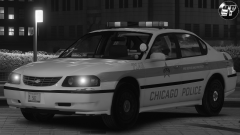 Whose pack? This looks really nice.
 -
Didn't reply sooner because I was waiting to see the result, but no dice. Still having issues, but they aren't as prevalent. The main problem I'm having now is with images not loading, as LostBoyLazarus pointed out. The CDN is odd, because I click on the site now, it work fine, I click on the site again and things aren't working as they should. Basically, the issues are now on and off randomly. [Edit] Speak of the devil. This was showing fine for me before, now it's like the image can't load. (in Firefox still)
-
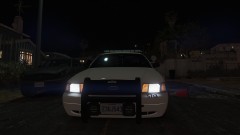
From the album: Red's LSPDFR chaos
-
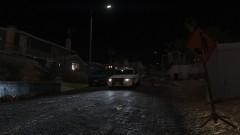
From the album: Red's LSPDFR chaos
-
This might of been an LCPDFR thing, I'm not entirely sure as I never played it, and I don't remember if it was in IV or not. However, in my time playing GTA V and LSPDFR, I've never seen cars pull over beside a hooker and she gets in as an ambient event. I've only seen it done during callouts.
-
All graphics mods, ENBs, etc are different. Some might produce a better result that suit 50% of people, while the other 50% hate it. Meanwhile, another graphics mod may produce a slightly less than amazing result that 50% like, while 50% hate it, and to those 50% it is the best graphics mod. My point is, NO ONE likes and wants the same thing, and depending on people's system, person B's game might not look like person A's game and they are running the exact same graphics mods. It 100% comes down to personal preference, there is no better or worse.
-
Disabled it, but no go. In Opera, when going to the login page, I'm still getting the error EX0, leaving only IE which thus far has had zero of these problems. Considering there is an issue in 2 browsers but not the third, it might be something to do with how the browsers connect to the site. I'm still using the same https connection that I have been. This might still be something with the CDN, I just don't know what or why.
-
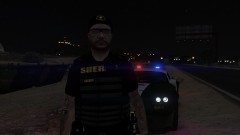
From the album: Red's LSPDFR chaos
-
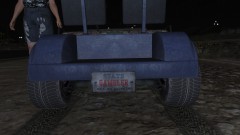
From the album: Red's LSPDFR chaos
-
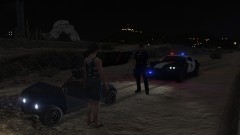
From the album: Red's LSPDFR chaos
-
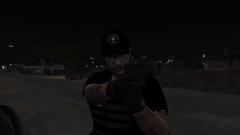
From the album: Red's LSPDFR chaos
-
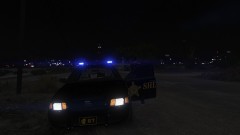
From the album: Red's LSPDFR chaos


