


Reddington
Members
-
Joined
Everything posted by Reddington
-
I use Assorted Callouts, never been asked to downgrade. If you're unable to get these plugins to work, or having crashing issues, created a thread in the 0.4 support section.
-
I'm using Traffic Policer and Smart Radio without issue. You don't need Arrest Manager if you use StopThePed.
-
Yes, if they are updated. However, I believe most of the essential mods are up to date. I'm rocking the latest version and not having any issues.
-
You cannot revert LSPDFR versions.
-
That's strange, but as long as it's working once spawned via trainer.
-
 It's extremely rare to see a pack that incorporates all jurisdictions. The name says "Ultra pack" because it actually is. All of the cars are beautiful, but my favorites are Park Ranger and State Patrol. They just look so good!
- 215 comments
- 38 reviews
-
-

- 1
-
-
Put the modded police4 files in the very newest patchday, which is the highest numbered one. I think patchday 20? 21? Can't remember off the top of my head, whatever is the highest number.
-
What slot is the other car installed in that has no livery? and what does it spawn as, a purple/broken texture?
-
What exactly is the issue? Does it not have any liveries at all, or are you trying to add multiple liveries? If you're trying to add multiple, what The Loot said is correct. However, if you have no livery at all on the car, what he said doesn't apply here.
-
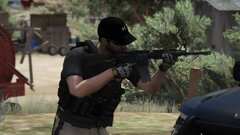 Link to the gloves, please!
 -
K9 mod is definitely a must have if you enjoy having a bork bork make life easier on you and nom the bad guys so you don't have to chase them. 😂 These are all the must haves I use every time I have to re-mod my game. Some of these might not seem like they are directly LSPDFR related, but they do help with the RP overall. ELS CompuLite EUP StopThePed UltimateBackup Traffic Policer Spotlight Vehicle Keys (lets you lock and unlock your car) Interaction+ Smart Radio No reticle Sitting mod (just lets you sit down on things) Stance (lets you actually crouch instead of hunching over like you have Scoliosis) Stop Reversing While Breaking No On Crash Explosion (you know, the stupid crashing upside down and your car blows up immediately) MoreLicensePlates Bait Car - if there's an up to date working one, which I don't think there is currently. Heli Orbit Plugin ALPR lite Fuel mod BetterEMS isn't needed if you have STP. BetterEMS's intent was to make the EMS actually do something useful, which is also what BJ did with his mod as well.
-
I assume you're starting RagePluginHook like normal? Clicking on the icon and letting letting Rage start the game? If yes, that no longer works with the shitty new R* launcher. You need to either a) Launch Rage and GTA V at the same time b) Start GTA. Once the game window opens, alt tab out and start Rage. You can also wait until the game gets to the home screen where you choose online or singleplayer. After hitting singleplayer, alt tab out and start Rage. or c) Load into singleplayer. Once you're in, alt tab out and start Rage.
-
I assume you're taking the meta line from a working model, such as police5, and just copy pasting, right?
-
Double check your install with these plugins, make sure you installed them right and are using the right keys to open them.
-
I've not been able to figure this out as well, but I believe it's part of how the author set it up. There are some models where stage 3 just turns off headlights, so you'll have no headlights at night when responding. I don't believe this is something we can fix. As per wig wags, it might be the same thing where it depends on if the author set it up that way. I have plenty of vehicles, such as ambulances, which don't have any wig wags while set to 0.
-
His pack also has +hi.ytds that you need to replace textures in as well.
-
It could be that one your ScriptHookV scripts s is out of date, thus breaks when SHV tries activating it. Temporarily remove all your scripts that run off SHV.
-
You would take an existing line, copy and paste it, then change the name. Here is a carvariation line. Just change the name and it's good. Try doing a manual install of the car.
-
pranger carvariations or meta? It should've installed flawless if you used an installer. What car did you install?
-
Try a fresh install of LSPDFR+
-
Delete Computer+ and do a reinstall.
-
Have you tried removing all of your LSPDFR plugins and callouts to verify if it's a plugin issue?
-
The vanilla carvariations file is encrypted and only usable if you know how to change the file type to edit it. However, you can add your own carvariation line in another dlcpack. For example, in mpchristmas2, there is a carvariations file. You can edit that one and add in new entries for pranger and other police slots. For the vehicles.meta, which vehicle are you trying to edit? I assume pranger? When I'm editing the default law enforcement slots, I only edit one meta, the one located at mods / update / update / common / data / levels / gta 5. Editing that one works and overrides any other location for me.
-
Unfortunately, CTDs won't show anything in the log. Have you tried changing from F2 to something else?
-
There is a Discord, but it has primarily served as a VOIP/coms server for the guys when they game, 'cause everyone needs a private server so they can hop on mic. 😉 I do know their plan was to eventually make it public. My guess is that with the new mod RDR site and the behind the scene stuff, if the server does become public, it won't be for a while. (This has been said previously in another thread by either Sam, Will or Cyan, excluding the "my guess" portion")

