


Reddington
Members
-
Joined
Everything posted by Reddington
-
Do you have a mods folder? Have you ever changed any of the cars before? If the answer to both those questions is no, check this topic - also check it if you haven't modded cars at all -
-
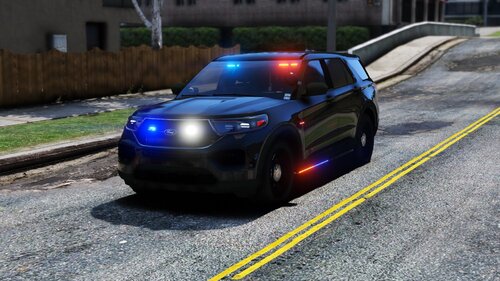 No, at least not on the vehicles I tried. He has a lot of room with the extras, so he probably could add optional ram bars if he wanted.
- 89 comments
- 16 reviews
-
In that case, I'm going to go ahead and close this topic. We require that requests be uploaded and publically available. My recommendation is to check out the fivem community, as I'm sure they have a section for this. If you feel this topic has been closed in error, please report this post.
-
Will these skins be uploaded and public for others to use?
-
I love the variety of cars, love the liveries, love just how good the rear facing lights look and love the side and back runners. My biggest turn off is that you have all the lights connected to each other, and you haven't utilized ELS to the full extent. No sectional or warning lights - which cancels out the ability to just have rear facing lights, and no takedowns, which could've worked with the light bar. Personally, I don't like the front facing white lights in the light bar. If that was attached to the "warning" lights, it could be disabled, adding more customization for us. I'm almost positive there was still room in the extras to utilize sectional and warnings, so it just feels like wasted potential. I really hope you eventually come back and re-do this pack, taking full advantage of ELS. Also, so you're aware, the all blue option only partially works. It changes some lights, but not all. You're missing buenolights2 and emerglights. Since you said you're not going to be doing anything else with this pack, I can get those images blue if needed, just PM me and I'll send them over for you to add.
- 89 comments
- 16 reviews
-
-

- 2
-
-
I found that weird as well. Makes me wonder if their system doesn't include a valid license or if they do it just to give dispatch something to do. Yeah, Bejoljo's ALPR is really nice.
-
-
Your topic has been moved to GTA V Support, this is not LSPDFR related. Please post in the correct location in the future.
-
Something of interest that we see, they have E-ticketing. You can scan driver's license and registration, cutting down on computer/paperwork. I wonder if this will eventually become a standard practice. Seeing how the ALPRs work in the real world was fun. Would be amazing if we could have that specific system in LSPDFR.
-
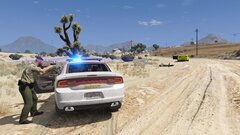
From the album: Red's LSPDFR chaos
-
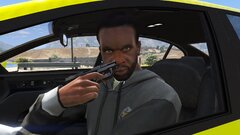
From the album: Red's LSPDFR chaos
-
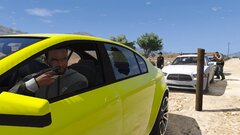
From the album: Red's LSPDFR chaos
-
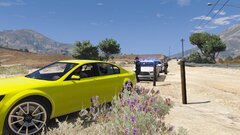
From the album: Red's LSPDFR chaos
-
This topic has been moved to the appropriate forum. Please post in the correct location in the future.
-
Add-on cars can be used as replace vehicles, just rename the vehicle files and ELS VCF to pranger
-
There's a few Park Ranger vehicles and liveries out there, but I recommend the vehicles in this pack.
-
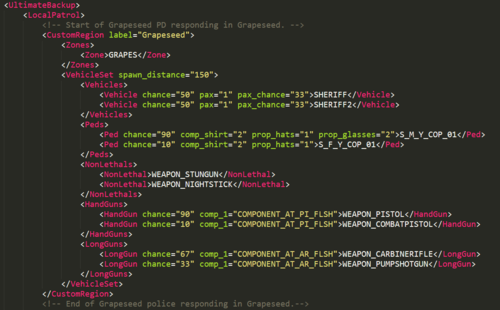 This is a simple edit of the defaultregions.xml and customregions.xml that allows the following departments to respond in conjunction with the parent agency (EG LSPD, BCSO, etc) when calling for localpatrol backup. - Sheriff responding in the city - Metro police responding in the city - Sandy Shores Police responding in Sandy Shores - Paleto Bay Police responding in Paleto Bay - Grapeseed Police responding in Grapeseed Once the download archive opens, you will be greeted by three folders that contain defaultregions.xml. Pick the one you'd like and install. Then drag and drop the CustomRegions.xml and your chosen defaultregions.xml into the location described below. **Important:** You will need to edit! Specifically, vehicle names and the peds. You can add more vehicle lines as needed, just make a new line and change the name. I have added comments in the XMLs that help you know where to begin editing and when to stop. If you need further help, please post in the comments. You must have Ultimate Backup!! - https://bejoijo256.wixsite.com/bejoijo/post/ultimate-backup To install the XML - Open your GTA directory / Plugins / LSPDFR / Ultimate Backup. Drag and drop. A few things to note: - I recommend you backup your original XMLs just in case. - I may include a SpecialUnits if the need arises. - The result ends up looking a lot better if you use add-on cars to fill in for Metro, Sandy Shores PD, etc. Here's my guide for installing add-ons - - As of right now, I am not including State Trooper/Highway Patrol due to the fact that they are basically the same thing as far as Ultimate Backup is concerned. However, I can include a version separating them into two departments (this way you can use different peds) if requested. - I recommend messing around with the customization just to learn. 🙂 Huge thanks to @TreadRed for pointing out a huge flaw in my plan for this file and helping to correct it. In case you need suggestions for certain vehicles to fill the slots, here's some that I use: Metro, County and State Patrol - Highway patrol - Sandy Shores police - Paleto Bay Police -
 -
.png.edb331d42766b243c77008a5621c7dea.png) State Trooper. State Police, same thing mostly. 😛
State Trooper. State Police, same thing mostly. 😛 -
The VST livery is one of, if not my favorite.
-
.png.6fb008357ebbffa9e8ec6bcaac54e7a7.png) Sexy fleet, my only recommendation would be a few more undercovers and slicktops.
Sexy fleet, my only recommendation would be a few more undercovers and slicktops. -
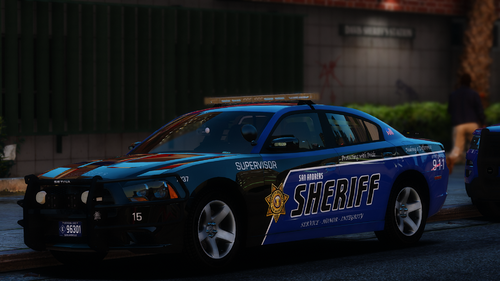 Well, this is awkward. I didn't even see "2016 Mustang" 'cause I was looking for 15. *Slowly walks out the back door*
- 48 comments
- 12 reviews
-
No worries. 🙂
-
-
Did you use a mods folder? if so, you can just go into the vanilla folder and drag and drop.
-
I believe this is an LOD thing. Does it happen with all cars?

.png.edb331d42766b243c77008a5621c7dea.png)
.png.6fb008357ebbffa9e8ec6bcaac54e7a7.png)
