




Scottvdken
Members
-
Joined
-
Last visited
Everything posted by Scottvdken
-
 I think it may have been my UB config. Tried again with no luck, then tried without copying over the UB files and it appears to be working. Thanks!
- 738 comments
- 58 reviews
-
Not sure what I might be doing wrong here. Plugin appears to load fine, when I go on duty I get the popups showing it loaded, but no keys work, and the settings folder does not populate. I removed the conflicting keybinds from LSPDFR, and removed all of Beljojo's plugins.
- 738 comments
- 58 reviews
-
 @Tom3k. Ah, ok - I only saw 9.4 links in the discord after subbing. I'll look for 9.5
- 368 comments
- 17 reviews
-
-

- 1
-
-
Hi, love the config - but playing with EUP 9.4 I have some sheriff units spawning with parachutes. Seems like any with armor have a parachute.
- 368 comments
- 17 reviews
-
-
- 1
-
-
There you go, a more knowledgeable person! Thanks Charlie, can I ask out of curiosity how did you recognize that? I'm always looking to better understand the logs, since I find myself combing through my own quite often 🙂 EDIT: Ah, never mind - I see it now

-
It may not be finding the correct dlclist.xml. I use this tool to organize and compile my dlclists in one place. Can you please link the model you are trying to install?
-
Is this a clean install or did you make edits to something prior to the crash? I'm far from an expert at reading logs so I'm sure someone more knowledgeable will weigh in, but usually when I get an error like this it's because I made a mistake when editing an .xml

-
Sorry, you're still giving very little information. What car did you try and install? Where did you try and install it? Are you using a mods folder? Have you installed addon cars successfully before?
-
I would love this. I've pulled over dozens of people with active warrants. I think maybe, MAYBE one of them has run.
-
 Ok thanks - I'll be patient then. I have this plugin installed along with all my other police plugins, but I have yet to see a call generated from this plugin. I installed it a few days ago.
- 365 comments
- 20 reviews
Hi, these don't seem to be generated automatically? I have to manually start from the menu?- 365 comments
- 20 reviews
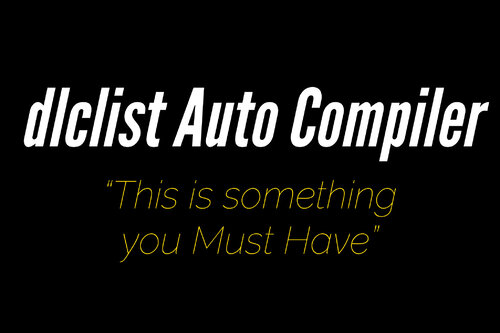 Why am I only now discovering this?? If you're anything like me and have an addiction to addons, this is a must-have. Absolutely flawless way to organize your dlclist. Bravo.
- 3 comments
- 2 reviews
-
-

- 1
-
No idea unless we know what you did. Somehow you broke the game files. Did you install an add-on? Was LSPDFR working previously? Have you taken any troubleshooting steps on your own? First step would likely be to disable your mods folder and see if the game loads, but again, hard to know without knowing what you possibly did to break it in the first place.There is not an automatic install. Manual install is not hard, and is the best way. Did you read through the installation instructions? https://www.lcpdfr.com/lspdfr/how-to-install/Have you installed vehicles before? What have you tried? What went wrong? This is precious little information for anyone to help you....See that GIANT red message at the top of OpenIV in your earlier screen? It means the folder you are currently in is not located in the mods folder. You don't have anything in your mods folder because you haven't put anything there. Once you're in the folder you want to edit, click the 'Copy to mods folder' button. I would suggest watching some videos on Youtube - there are many.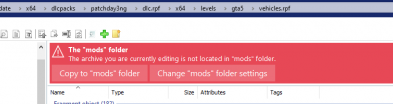 Do they require ScripthookVdotNet? If so I would double check your install. Like Stranger said though, it's hard to help without knowing what you are trying to install.Good lord, didn't even realize this topic is more than a year old. People need to start making their own threads 😄
 Nice! Looking forward to trying it again. It was a great plugin, just a few too many crashes (seems like it didn't like it when too much stuff was going on and it tried to spawn an event). Keep it up!
- 346 comments
- 43 reviews
First post. Not a full log, but still pointing to issues loading any ASI, which leads me to suspect ScripthookV is not functioning correctly.Here is a good replacement for those featuresAre you sure you are running the latest version of ScripthookV? That's the one responsible for loading the script, which your log shows is failing.Just FYI, once you understand how the VCF works it's not hard to set up the light patterns however you want. Check out the video below, I'd also be happy to answer any questions. One of my favorite things to do is set up ELS VCF's 🙂I see errors pointing to FBI Callouts and Wouters callouts. First step would be to try removing those (although I use Wouters callouts without issue).


