


SoarHawk
Members
-
Joined
-
Last visited
Everything posted by SoarHawk
-
That’s true I didn’t even think of that. Tried removing the trainer, no luck 😕
-
That’s what I thought, but I’ve never installed either of these. It’s very odd. Maybe I’ll try just uninstalling my trainer for a second and seeing if that fixes it. I don’t have any vehicle actions plugins installed, but if I did.. I unloaded all of them and the issue was still occurring.
-
Hey everyone, Is there a new feature with Rage or something with this update that causes blinkers to turn on automatically? My game tries to turn them on realistically, but really they just turn on sometimes when I turn my wheel, and then they stay on and do not go off. I have disabled all my plugins, and this is still occurring. I have simple trainer, and tried removing the keybindings for the indicators, but didn't have any luck. I have no idea what is causing this, or how to turn it off. Any assistance would be appreciated.
-
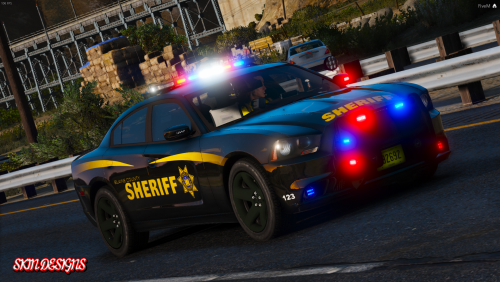 Do you know where he posted that FPIU? I see the section where he posts all the releases but I can’t seem to find it.
- 17 comments
- 1 review
-
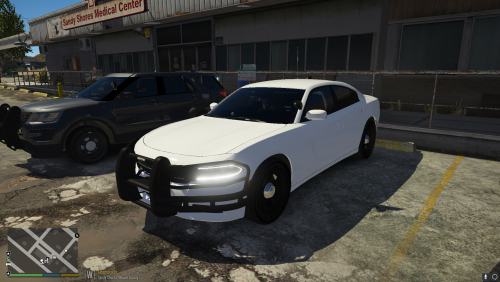 Love this pack. Especially like the lighting setup in the back and how the lights are on the exterior, you don’t see that often. If I had to make one suggestion: I wish you used the newer FPIU model with the updated interior. Other than that, no complaints.. great pack. Also, have you ever considered making a marked pack with a similar lighting setup? I would download it in a second.
- 17 comments
- 7 reviews
-
 Do you ever plan on actually releasing any of your mods?
 -
Also, I'm not sure if this matters, but I currently have ENB installed along with Natural Vision... although, like I said, I've never had an issue before the update.
-
Hey Guys, I recently updated the game to the latest patch and ever since then the strobes (front and back) are not bright at all. Particularly the front. Everything else, including the takedowns, look completely fine as they were before I updated. I cannot figure out what happened. The visualsettings file is exactly the same, and like I said everything looks fine aside from the strobes. You can see the strobes if you look in the headlight, but the headlights themselves and the strobes have no brightness at all. I have tried reinstalling ELS and messing with the visualsettings file a bit, but no luck. Any assistance would be appreciated.
-
Did it fix it?
-
Did you guys ever come across a solution for this? I am having the same exact issue. Certain patterns make my screen flicker at all times of day and night.
-
Hey Guys, Ever since the update I've had a visual issue with ELS where certain light patterns will cause the whole screen to strobe in a darker / lighter pattern. This has never happened before. I have Visual V installed and have tried various visualsettings files including Bright Lights and Better Visuals. I'm not sure why this is occurring and it is extremely annoying and distracting. Has anyone else come up with this issue? And does anyone have a solution? Any assistance would be greatly appreciated.
-
 Love this.. can't wait.
 -
-
They normally get back to you pretty quickly, but reinstalling should clear everything up. Not a problem, sorry I couldn’t help more!
-
That’s very odd. Honestly at this point I would recommend submitting a support ticket to Rockstar.
-
Did you try downloading the launcher like it says in the link?
-
Try downloading the Social Club application directly here.
-
Try pressing the Home button on your keyboard while in the game and bringing up the Social Club menu and signing in from there.
-
This may be a stupid question, but have you tried actually signing in with your Social Club account? To play GTA Online you need a Social Club account and you need to be signed in. If you do not have one, you can create an account here.
-
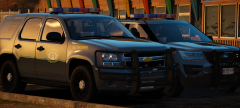 Are you planning on releasing this pack? Cars look amazing.
 -
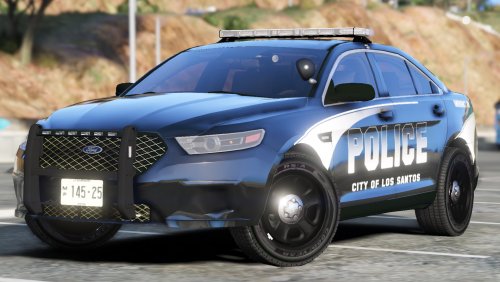 @jcpse Can you please add the new 2013 Explorer? I think it is by BxBugs123 / Matt
- 8 comments
- 10 reviews
-
Great, thank you. Do you think that its a dealbreaker that I didn’t get 4K?
-
Hey guys, I recently ordered a new gaming computer because mine is getting old. Here are the specs: OMEN Desktop PC - 880-150t OMEN 880t by HP Desktop PC 256 SSD + 2 TB HDD storage Black Interior Paint; Side Window; External 3.5" Bay; Liquid Cooling Solution (95w Processor) HP USB Wired Keyboard with volume control McAfee Livesafe (30 day) BU ICTO UMA Z370 32 GB memory WLAN RT 8822 ac 2x2 +BT 4.2LE WW Office Trial No Optane Windows 10 Home Dual NVIDIA® GeForce® GTX 1080 8G SLI 750 W Platinum efficiency power supply ODD DVD Writer 9.5mm Tray 8th Generation Intel® Core™ i7-8700K My question is, I want to take as much advantage of this computer as I can... I actually bought a screen with it and realized it wasn’t really that good of a screen, so I purchased another one. I was also looking at higher end screens with 4K resolution and such, however a lot of them had a lower refresh rate and had reports of dead pixels and light bleeding. Will this new computer work well and take advantage of the computer I bought? If not, what screen would you recommend? The new one I purchased can be seen below: https://www.amazon.com/gp/product/B0711T4RDF/ref=od_aui_detailpages00?ie=UTF8&psc=1 Any assistance would be greatly appreciated. Thank you in advance.
-
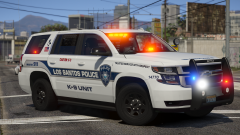 This is gorgeous. What model is it?
 -
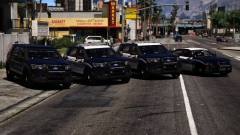 Awesome looking vehicles. Will they be released?



