




Brad Philips Townley
Members
-
Joined
-
Last visited
Everything posted by Brad Philips Townley
-
Could you please link the video so I have a better idea of what Jeff said? It will help me help you.
-
I can't find the keybinds for turn signals in Simple Trainer to change the keys. I'm trying to change it because the K key for the right signal interferes with ELS.
-
 1. This meta can go anywhere or..? 2. From a distance the lightbar on the CVPI looks like it's floating Nice work overall.
- 84 comments
- 28 reviews
-
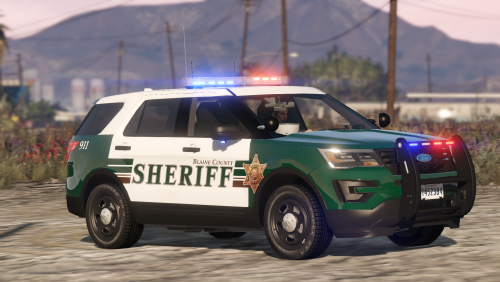
.thumb.jpg.53e6566fc11617e23f7fb13f2792cbbe.jpg) To put this in the Sheriff slot, do I just rename the VCF to Sheriff or is there something inside the file I also have to change?
To put this in the Sheriff slot, do I just rename the VCF to Sheriff or is there something inside the file I also have to change?- 132 comments
- 63 reviews
-
Disregard what I said earlier. It turns out to have been a random, isolated crash.
-
All the police files are located in x64e according to the search
-
I put the files in folders that don't contain the original files, so the game should be tapping back into the untouched x64e folder.
-
No, all mods are installed into my mods folder.
-
The .metas have not been edited for these vehicles. Also, if I take the vehicle files for the modded car out, the game decides to crash. I found the unmodded files for Police in x64e if that helps. If I remove my entire mods folder, nothing changes.
-
First off, you can't update the game with a mods folder. You have to get rid of it and rebuild it after the update.
-
What about if we haven't got a copy of GTA IV?
-
Is it crashing while it loads? Is just LSPDFR crashing?
-
I'm using the cable at the moment
-
My Xbox 360 controller is starting to die on me, and I have a PS3... So I downloaded Motioninjoy and installed, but it doesn't pick up the PS3 controller. The 4 player indicator lights on the controller just blink infinitely. Help?? UPDATE: When I click "Game Controller Panel," the controller is shown, but MIJ still says no controller connected.
-
yes, no dice. I've also tried Bugs' CVPI. Same issue. @Bxbugs123 @TWISTEDSCOPES
-
Well since the last update Police4 hasn't even been touched, but I tried using TWISTEDSCOPES' new ELS pack. I made a topic since Police4 isn't in the pack and the issue is still happening with it.
-
Whenever I try to spawn Police, Police3, or Police4, both Rage and Simple Trainer tell me invalid model name. Police3 and Police4 were in Patch13 and didn't work there, so I've moved 'em around a bit but still no dice. Police4 hasn't been replaced yet after the update. Policeb, Sheriff and Sheriff2 all spawn fine.
-
Using a trainer, go to the Vehicle Component menu, and enable all components.
-
I'm considering installing this gameconfig for more addons. However, it has several variations, such as 1x traffic and 2x peds. Does this mean I can add that many times the base vehicles as addons, or does this just increase vehicle and ped traffic?
-
-
 @Black Jesus when I download this pack, I get this error (screenshot below). After X'ing out that page and going into that download, the sole file is a police.yft file.
- 77 comments
- 32 reviews
-
I had this issue and uninstalling and reinstalling didn't work. I had to delete my entire GTA V folder and reinstall.
-
I was looking through a vehicles.meta file and found an entry for "POLICE3_OLD." I can't seem to find any vehicle files for it, just the .meta entry, so I'm just curious what it is.
-
I'm on the latest version of Scripthook. Unless ScriptHook stopped giving fatal errors about its version, although I'm pretty sure it is updated
-
I'm having the same issue, but I have both these files in the main directory.


.thumb.jpg.53e6566fc11617e23f7fb13f2792cbbe.jpg)
