




Brad Philips Townley
Members
-
Joined
-
Last visited
Everything posted by Brad Philips Townley
-
-
I have both a modded and clean copy of the game on my PC. My modded copy crashes when driving at high speeds - whether in a modded or regular vehicle. This does not take place in the clean copy, or, strangely enough, when flying. Anyone know a cause?
-
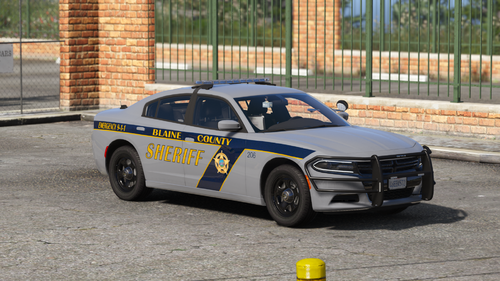 You have to copy the Update folder into your mods folder. Creating a mods folder does just that, creating a folder. Nothing else. I'm a little confused... it says "Addon DLC," yet the files are replacements? If that's the case, you should remove the "Addon" from the title. Misleading.
- 20 comments
- 8 reviews
-
 YouTube. Everything seems to be working great with the exception of the Silverado, which appears to have some LOD issues. But I think that might be because I put it in the Sheriff2 slot? Not sure. I put one of the chargers in the Sheriff slot and it doesn't have any LOD issues, so I'm not sure what's going on with that.
 -
I installed this blank DLC so I can have all my car files (including Metas) in one place. With that said, I have disected a few car mods which included their own DLCs and noticed that their own carvariations.meta and vehicles.meta files contain "State2" for every other entry. What is the purpose of this? Is it necessary to keep when copying/pasting the Metas?
-
-
-
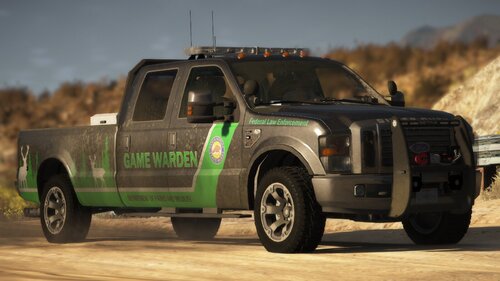 Looks good and drives fine, but it shakes violently when I'm not in it for some reason.
 -
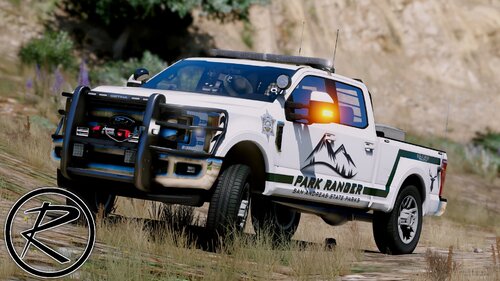 Well now I'm confused. I have the F250 in my game but downloaded it as a standalone file only a couple weeks ago...
- 52 comments
- 13 reviews
-
I have several add-ons that I use with LSPDFR. Is there a way to get them to spawn naturally for AI/NPC patrols?
-
-
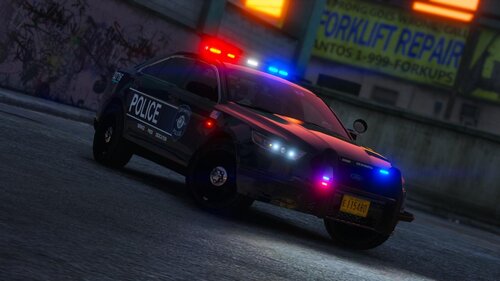 I agree... I drive a vehicle with visor lights IRL and where they are in the FPIU would obstruct my view.
- 53 comments
- 13 reviews
-
-

- 1
-
-
Something funny happened when I did that. I changed it to _mods and the game loaded; I changed it back to "mods" to confirm and the game crashed, changed it back to _mods again and it continued to crash. I am rebuilding the mods folder as we speak.
-
Anyone?
-
My Mods folder is suddenly crashing my game and I don't know why. I just got this PC about a month ago, installed some mods that night, and have not touched my Mods folder since. It has been working fine until today, when it suddenly decided to crash the game. I am going through the folder trying to determine the mod causing the problem, but do not understand why the crashes would be coming on suddenly. Why wouldn't the game crash a month ago when I installed everything?
-
When you say "upon loading character," do you mean right when you go on duty?
-
You have to use the "quote" button or @ other users when you reply to them, otherwise they don't get notified when you reply. That is why I am just seeing this now. When you say "it did not work removing the dlc addons," what do you mean?
-
I downloaded an add-on pack that includes a police motorcycle. I would like to edit Ultimate Backup so that both PoliceB and the add-on bike respond when I call for a bike or state patrol. I have added vehicles to backup before, but those slots already had multiple vehicles - I just edited the spawn chances and model names. But when there is only one vehicle and no spawn chances or anything, I'm not sure how to write it in. Anyone know how to do it?
-
 It seems like a nice model. However, I'm confused as to why such a simple installation would be made into an OIV package. Almost seems that something is being hidden.
- 133 comments
- 36 reviews
-
The site seems to be automatically marking notifications as read. There have been multiple replies and comments to my posts and comments that I never new about because the notification icon was never displayed. When I go into the notification menu, the notifications are there, but are somehow already read. The only thing I can think of is that the site is marking them as read on its own.
-
This is about GTA V as it is a vehicle mod. It is not LSPDFR-specific. You can install the pack without having ever heard of LSPDFR. Now, did you install the pack in your Mods folder?
-
Never seen this window before and I have no idea what any of this text means. There is no way to minimize it. Rage says "waiting for game window" indefinitely. Help??
.thumb.png.d394be45402cd6a9ffebc17b28859b08.png)
-
I started to install RDE but changed my mind and decided to hold off for a bit. I deleted the RDE DLC in update>x64>dlcpacks and removed the RDE entry from dlclist.xml, but some remnants remain. For example, military units are still spawning on 5 stars. What else am I missing?
-
The game works fine until I pause it, at which point if I unpause it then try to do anything, it completely freezes and I have to sign out of or shut down my PC to exit. Rage isn't generating logs for this.
-
*Facepalm* I know that, my point is I don't want a police bike in the game -- I also don't like using Add-ons


.png.2660f771b4f315780bed7ae6f9cfd334.png)