BradM
Members
-
Joined
-
Last visited
Everything posted by BradM
-
-
 @SoarHawk @HolyOrangeJuice Could you guys maybe reference a car that you like the look of the lights during the day so I could check it out? I've compared my lights to a few other vehicles with the same textures and they look pretty much the same in my game. And it's the same emissive textures and settings as my LSPD pack so they shouldn't be different. But I'll try editing the lightbar glass maybe it's a very tiny bit too opaque or something. Also HolyOrange I think the ELS pattern is 40 for what you're looking for. But that's only the solid patterns for siren tone 3. If you mean for when it does it on siren tone 1 you'll have to change the pattern from 84 to something else, because that's all part of one pattern. @Doug1637 Thanks man looks good with the all blues
- 207 comments
- 94 reviews
-
I'm not sure what you mean, the hi.ytd files are meant to be +hi.ytd. But could you maybe pm me your edited .ytd files with the textures you tried to change to? Maybe I could see what's going wrong. I'm not sure why it would be dim, might be a conflicting graphic mod or something? I dunno. You can edit the emissive textures to see if you can find something that works. Just look for 'emissives' in the .ytd, export it to make your edits. Same as above, you can try editting the emissive textures after exporting the 'emissives' files from the .ytd's and replacing it with an edited one. You could try making it a darker red to see if that helps, but it might make the lighter dimmer during the day. Sounds like ELS or the VCF files aren't installed correctly. Try reinstalling ELS and making sure the VCF files are located in GTAV > ELS > Pack_Default. Also as DudeMan said use the mod Radiance V
- 207 comments
- 94 reviews
-
-
No, sorry. The lightbar itself is set up that way and therefore it can't be changed through the ELS settings.
- 207 comments
- 94 reviews
-
-

- 1
-
-
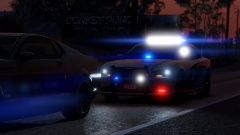
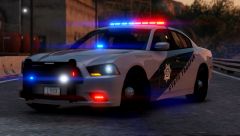
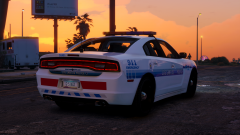
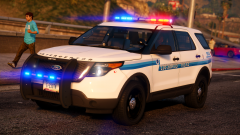
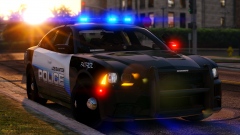
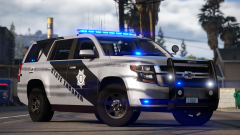
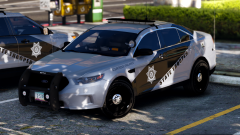
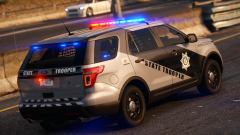
FILE INFO: Please read everything on this page before asking for support. This vehicle pack contains 9 vehicles. 5 patrol, 2 unmarked and 2 K9 vehicles, with the nForce light bars set up to emulate dual/tri color modules and floodlight takedowns. The patrol vehicles come with two different types of skins. White and black, and blue and copper. If you want a silver base like in my screens you'll have to use the trainer, or the default is white. The vehicle set ups are not based off anything, just the skins are based of the modern Arizona DPS design. The following vehicles are included: - 2014 Charger (Patrol) - 2016 FPIS (Patrol) - 2016 Charger (Patrol & Unmarked) - 2015 Tahoe (Patrol & K9) - 2013 FPIU (Patrol, Unmarked & K9) PLEASE NOTE - The pack is split into two parts due to upload size limits. - If you do not have extra police slots setup POLICE5 will not work in game. You can rename these files, or any of them to whatever slot you want. Just make sure your VCFs and vehicles.meta, mainly the handling lines, are correct (so you don't have SUV handling for a sedan or something). LIGHTING PREVIEW: CREDITS: KNOWN ISSUES: - There will be floating emissives/lights on certain vehicles when opening the trunk or when bumpers fall off. This is because due to the limited extras I can't attach every emissive to their respective parts without drastically changing the lighting setup. Personally I'd rather set up the lighting the way I wanted it and just live with the floating lights on the odd occasion I open my trunk with the lights on or obliterate my front end. Sorry if this bothers you. OTHER INFO/SUPPORT: ARE YOUR WINDOWS AND LIGHTBAR COMPLETELY BLACK!? Go into the vehicle.meta and find the 'diffusetint' line for the particular model (SHERIFF2, SHERIFF, POLICE, etc). Replace that value with <diffuseTint value="0x00FFFFFF" /> ... Or simply change the tint in game with a native trainer If you are changing the liveries YOU MUST change the textures in both the normal .ytd and the +hi.ytd ... if you just change it in one or the other the liveries will be different at different distances. If you don't like something about the lighting patterns, speeds, light stages or anything related to ELS chances are you can change it! ELS is extremely customizable. Check out the ELS documentation, please don't ask me. All the info you need is in there. Also please note the patterns are limited on these vehicles to achieve the dual color effect. If you notice a bug or mistake (which I most likely have made a few) please let me know, and I'll try to fix it in the next update. It could be an easy or quick fix. Please do not rate the file down for matters of complete opinion. E.g. 'I don't like lighting patterns 3/5'.
- 207 comments
- 94 reviews
-
-
-

- 66
-
-
 Probably a week or two.
 -
-
-
Probably another week or two.
-
From the album: Modelling Projects
-
-
-
From the album: Modelling Projects
-
-
 Is the back of the light bar black? If so that sounds like the tint bug. Go into the vehicle.meta and find the 'diffusetint' line for the particular model (SHERIFF2, FBI2, POLICE4, etc). Replace that value with <diffuseTint value="0x00FFFFFF" /> ... Or simply change the tint in game with a native trainer
- 147 comments
- 65 reviews
-
I'm not sure what the issue is, could you expand on that a little more or be more specific as to what exactly is happening when you try to download?
- 147 comments
- 65 reviews
-
Oh yeah you're right, I never noticed that either. Seems to be a problem with the dev model. I'll see if I can fix it. Go into the vehicle.meta and find the 'diffusetint' line for whichever slot you put the Tahoe in (SHERIFF2, or FBI2, etc). Replace that value with <diffuseTint value="0x00FFFFFF" />
- 147 comments
- 65 reviews
-
-
- 1
-
-
 Unfortunately because the Justice is a fairly thin lightbar the emissives are relatively small so it can be hard to get them to pop in bright daylight. You can try Black Jesus's edited emissive texture (check the file description/file info above for the .rar to download) and you should get better results. However to achieve the better pop during the day the color can tend get 'washed out' a bit.
- 89 comments
- 63 reviews
-
@Kallus Rourke Only thing I can think of is that the colored glass can have a dimming effect on the lights, which is why I also added the clear glass option if people didn't like it. Otherwise I personally haven't had any problem with the lights while using RadianceV on it's brightest setting. I did not make any changes to the emissive mesh and these are some of the better emissive textures out there so I'm not sure why your lights wouldn't be bright.
- 147 comments
- 65 reviews
-
-
- 1
-
-
From the album: Modelling Projects
-
 These vehicles only have 'ELS style lighting'. They were released before ELS was even available. These are not ELS compatible vehicles. Don't use ELS with these models or you will get flashing vehicle parts.
- 779 comments
- 187 reviews
-
If you put it straight into the ELS folder they will not work. You have to place the VCFs inside the pack_default folder.
-
-
And the OpenIV.ASI right? If so, and you installed in pathday15ng using a mods folder I see no reason why it shouldn't work. Sorry but I'm not sure otherwise.
- 89 comments
- 63 reviews