BradM
Members
-
Joined
-
Last visited
Everything posted by BradM
-
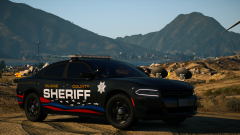 this makes my pants tight
 -
-
-
-
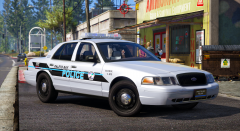
From the album: BradM's Skins
-
-
-
-
-
-
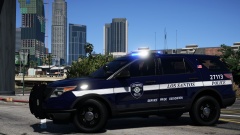 ooh I love these
 -
 Sorry for the late reply. I would need to completely change the lighting to make every ELS pattern compatible with all blue, and I don't really have the time for that anymore. But there are certain ELS patterns that will work with all blues, I have seen people use all blues with these vehicles. Unfortunately they will just be the simple back and forth patterns though. Sorry I'm really not sure why that would still be happening. I've never had that problem. Sorry that's not modded in as an extra so it can't be removed. No it should be working. I would double check that you have the right VCF. And also check that the tint bug isn't making the glass black and therefore blocking the lights.
- 207 comments
- 94 reviews
-
-
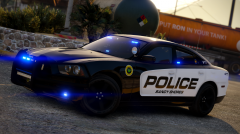
From the album: BradM's Skins
-
The lightbar on these cars is intended to emulate dual color. So because of that the lights are are set up in a way that if you change the colors to all blue a lot of patterns will end up just emitting a solid light. You have to find specific patterns that will work with all blues.
- 207 comments
- 94 reviews
-
-
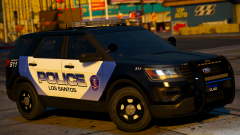
From the album: BradM's Skins
-
 Unfortunately not working on anything at the moment. Haven't really had the time to mod lately. But nah you won't be able to change that, it's part of the model and not a glass portion so it can't be changed to red and blue sorry.
- 147 comments
- 65 reviews
-
-
-
Just to clarify, so models from other authors have the same issue or just this particular pack. Check page 2 of the comments for the templates, at the bottom.
- 207 comments
- 94 reviews
-
Lights worked fine for me and my beta testers. Do other models have the same problem or just these?
- 207 comments
- 94 reviews
-
Yeah I didn't consolidate the emissives textures into one with this pack so they're kind of a mess. You've probably switched them all already, but you can also just import the all blue textures I have in the options folder all at once into the .ytd instead of replacing each one. Makes it a bit easier.
- 147 comments
- 65 reviews
-
-

- 1
-
-
-
Oh I thought you were saying the PD pack had different textures to the State Police pack. But yeah the BCSO cars have different textures cause the Justice's modules are pretty different. The Justice emmissive textures I used in the BCSO cars would look pretty dodgy on this pack or the LSPD one.
- 207 comments
- 94 reviews