GabLeGamer
Members
-
Joined
-
Last visited
Everything posted by GabLeGamer
-
you need both to play. I use the controller for driving, general gameplay and most traffic stops and jump to mouse/keyboard whenever I need to shoot.
-
just get the digital version from Steam, no CDs needed.
-
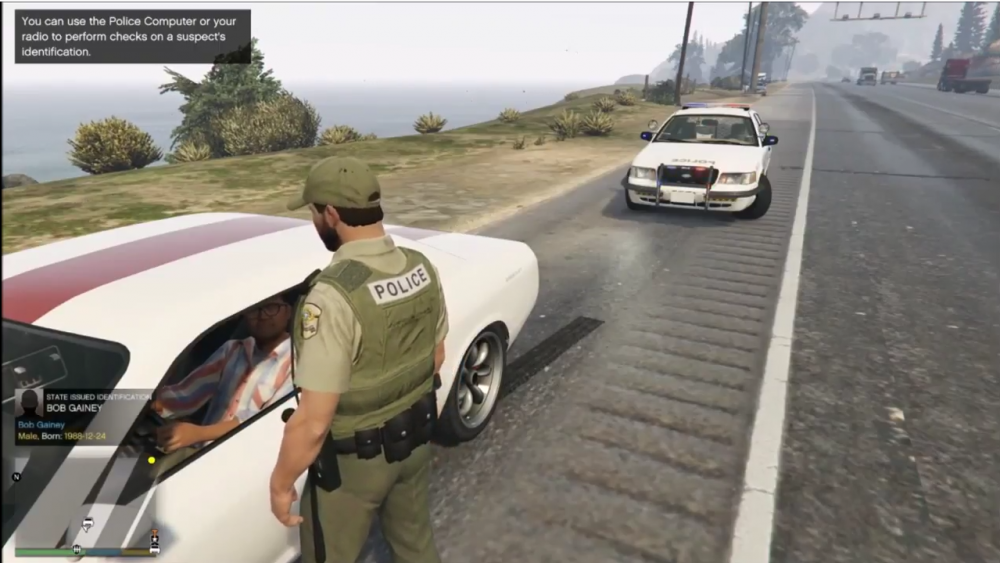
A couple months back when I started making videos, I arrested Bob Gainey (former Montreal Canadiens general manager and coach (NHL)). Being in full Québec police uniform and the Habs had just not made the playoffs made it that much more rewarding... he was simply speeding though.
-
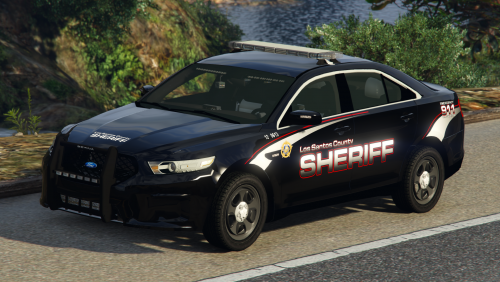
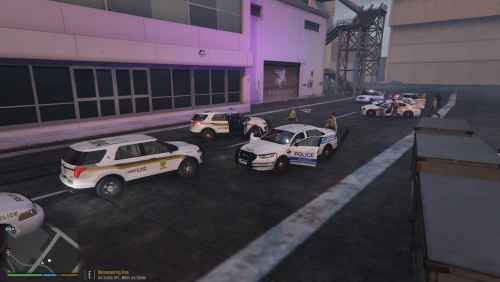 ======================================SQ SKIN PACK BY GABLEGAMER====================================== This skin pack is designed for a few models from different modelers. I use the '15 charger and the '16 explorer from Captain14's LSPD car pack(which I extracted from the pack and use as Sheriff and Sheriff2), BxBugs' 2014 Charger and Canadapolice's CVPI ARROW. My pack contains the skins only, not the actual models, you can download the models here: Each vehicle has 4 skins with different unit numbers and plate numbers. To install, simply use OPENIV and navigate to each car. I installed all my models at mods\update\x64\dlcpacks\lspdpack\dlc.rpf\x64\levels\gta5\vehicles\lspdpack.rpf. These skins might fit other models but it is highly unlikely and has not been tested on any other model. You may use these skins in videos and such, but please be a pal and give credit where credit is due ;) You may not redistribute or reupload these skins in total or in part on any website. Ped skin in some screen shots not included, check out SwiftnessQc's page for those. NOTE: I did not Include the TAHOE because I personally don't use it (it's in the FBI2 slot in my game as the RCMP).
 -
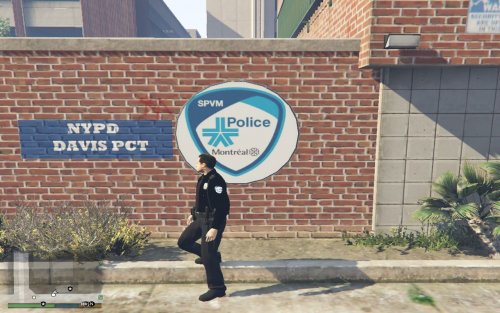 SPVM, Montreal metropolitain police. They used to be in light blue, just changed their uniforms to black.
- 4 comments
- 1 review
-
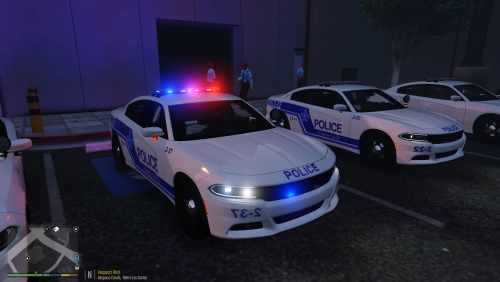 ils sont en grève car le gouvernement veux modifier la loi sur les régimes de retraite, ce qui couperait de beaucoup leur pension une fois retraités.
- 2 comments
- 2 reviews
-
======================================SPVM SKIN PACK BY GABLEGAMER====================================== This skin pack is designed for Captain14's LSPD car pack, My pack contains the skins only, not the actual models, you can download the models here: Each vehicle has 4 skins with different unit numbers and plate numbers, some models even have the "Libre Nego" stickers on them for the SPVM strike. To install, simply use OPENIV and navigate to each car. If you didn't install them somewhere else, they should be at mods\update\x64\dlcpacks\lspdpack\dlc.rpf\x64\levels\gta5\vehicles\lspdpack.rpf. These skins might fit other models but it is highly unlikely and has not been tested on any other model. You may use these skins in videos and such, but please be a pal and give credit where credit is due ;) You may not redistribute or reupload these skins in total or in part on any website. Ped skin in some screen shots not included, check out SwiftnessQc's page for those. NOTE: I did not Include the TAHOE because I personally don't use it (it's in the FBI2 slot in my game as the RCMP). To see the pack in action, check out my video (it's in french canadian, but you get the idea) ======================================SPVM SKIN PACK BY GABLEGAMER====================================== Ce pack a été conçu pour le pack de voitures de Captain14 et ne contient que les skins, si vous voulez obtenir les véhicules qui vont avec, downloadez-les ici: Chaque véhicule comprend 4 skins avec des numéro d'unité et les numéro de plaque différents. Certain ont même les autocollants "Libre Négo" pour la grève en cours. Pour les installer, simplement ouvrir OPENIV et naviguez jusqu'à l'endroit où vous avez installé les voitures, à la base elles devraient être dans mods\update\x64\dlcpacks\lspdpack\dlc.rpf\x64\levels\gta5\vehicles\lspdpack.rpf Il est possible que mes skins fonctionnent sur d'autres véhicule mais c'est très peu probable et pas testé. Vous pouvez utiliser mes skins dans votre jeux, dans vos video mais svp n'oubliez pas de donné crédit au créateur ;) Vous ne pouvez pas redistribuer ou téléverser ces skins en entier ou en partie d'aucune façon. Les skids pour les "Peds" dans les screenshots ne sont pas inclus, visitez la page de SwiftnessQc pour ca. A NOTER: je n'ai pas inclus le skin pour le TAHOE car je ne l'utilise pas personnellement. (C'est mon véhicule FBI2 en tant que la GRC)
- 2 comments
- 2 reviews
-
-

- 1
-
-
 I'm having the same issue, the Impala's handling line is wrong. I installed this with a clean mods folder, I've tried changing the handling lines to different models and nothing seems to fix it. All the other cars work perfectly though, just the Impala flips every time I turn a corner over 20 MPH.
- 779 comments
- 187 reviews
-
I don't think you can only change emergency lights... the lights in the game all use the same variables so if you change emergency lights, you're also changing traffic lights etc. If you like 'em eye-burning bright, try BxBug's RADIANCE V that I linked in my description.
- 3 comments
- 4 reviews
-
Hey everyone, this is my take on BxBug's RADIANCE V mod which I thought was too bright at night for videos and qfmarine's realistic radiance was just not quite bright enough so I just used both scripts and made mine halfway between them. You still get the highly visible lights during the day and you're not as blinded at night by the nuclear-like brightness BxBug's mod has. Hope you enjoy and all credits for this go to both these guys for their mods, all I did was change a couple numbers in the file. INSTALLATION: open OPENIV and copy paste the visualsettings.dat file in mods\update\update.rpf\common\data You can get the originals here: You can also fix the cab sign's brightness by getting this file: You can check out my video (it's in french canadian, but you get the idea) to see what it looks like. PLEASE NOTE the video also shows a custom carcols file for the reflections off wall and pavement, this is NOT DONE BY THIS FILE, only the actual lights.
- 3 comments
- 4 reviews
-
 for the cabs, there's already a fix out there. Basically, all you need to do is take the png file for the cab's sign and make it WAAAAAAAAY darker in photoshop where the ad is barely visible, and then the light barely goes through.
- 50 comments
- 17 reviews
-
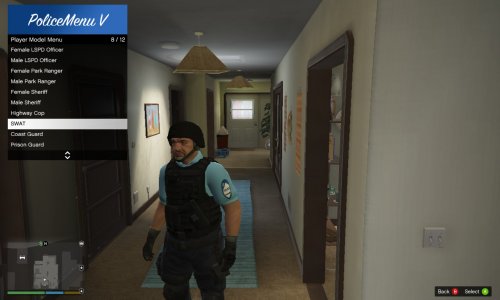 pas mal, mais la patch sur l'épaule droite est mirroir (écrit a l'envers)
 -
Not sure if this is the right spot for it on the forums, couldn't find a sub-forum for it but I was wondering if there was any Dodge Caravan models available of if anyone was working on one. There are quite a few police agencies that use them up here in the great white north and I was hoping to integrate them into my game/videos. There are some on GTA IV but none for GTA V. I can work on the skins for them, but I have no modeling skills / knowledge what so ever. Thanks!
-
-
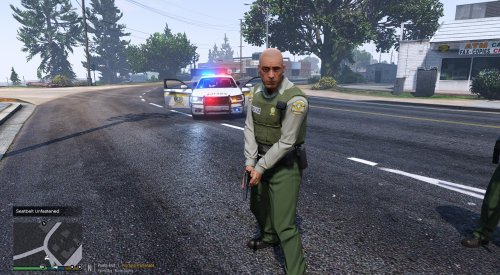 peut-on s'attendre à un update bientôt? :) les femmes font dures avec leurs uniformes de Blaine County à coté des gars en SQ :P
- 8 comments
- 2 reviews
-
-
-
SwiftnessQc has one on his CVPI for the Sureté du Québec.
-
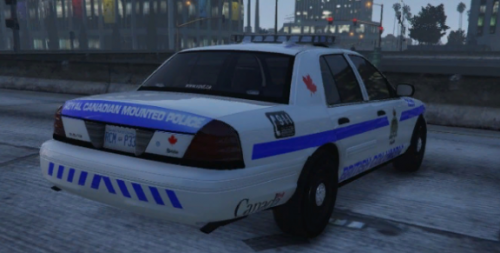 There is no "Canadian Highway patrol", each province has his own Provincial Police and some have a sub devision for highway patrol. Québec has the Sureté du Québec (or SQ): They're subdivision is "Autoroutiers" and the only difference is that word is written on the back end. Ontario has the Ontario Provincial Police( or O.P.P.): (couldn't find any subdivision info) And so on and so forth... The RCMP is the Federal Police and investigations, Kinda carries out the same roles as the US's FBI, DEA and Marshalls, they rarely respond to traffic calls unless no1 else is in the immediate area. And no, they don't ride horses anymore... well not all the time: And they only wear the red suit for parades, funerals and other high importance events:
- 8 comments
- 1 review
-
 HEH! I missed police+hi from patchday10ng when I deleted my previous one, and this one is installed in patchday9ng... totally missed that! Thanks! How about the flying parts though, is that something I did wrong or it's a known issue? Only does it on Police2 and 3. Here I ripped the door off and a carcass cloned where the door landed.
- 501 comments
- 104 reviews
-
So... I did something wrong but I can't seem to figure out where I went wrong, I followed the instructions to the letter... Simply replacing police 1 through 4 and this is what my CVPI looks like in game (Yes, i changed the skins): In the OPENIV modeler, it looks fine. I copy/pasted the individual codes for each car in my carvariation.meta located in mpluxe as instructed... I really don't know where I went wrong. Also, on all 4 models, when a part goes flying (door, hood, bumper etc.) the entire car clones itself and goes with it... Can anyone give me a hand?
- 501 comments
- 104 reviews
-
-
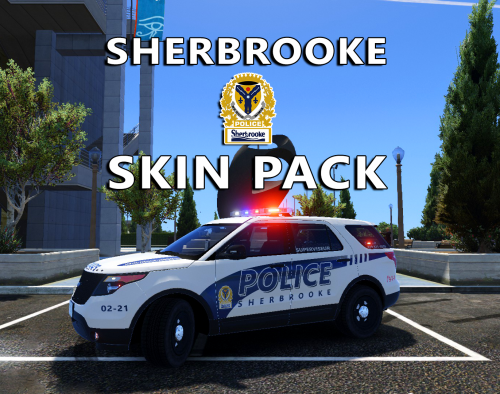
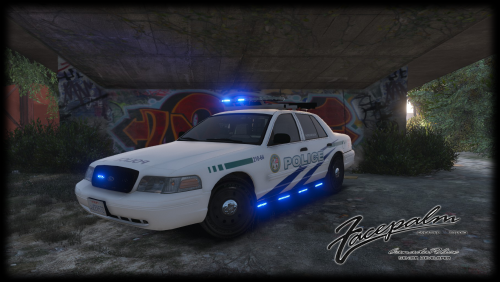
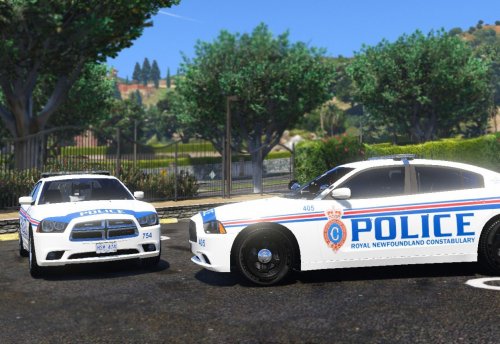 If you're looking for suggestions, how about a Sherbrooke Qc skin pack? The CVPI's are still rockin' the old liveries since they don't plan on keeping them in service for very long....
- 4 comments
- 3 reviews
-
 The script works fine (and worked fine before the update) but since the updates change the files around by adding new clothing, it changes which item number the police uniforms use, and therefore the uniforms stop working. And there's no such thing as a dlclist.xml anywhere on my computer, nor has there ever been.
- 2,341 comments
- 236 reviews
-
This needs an update, the uniforms were changed around with the latest update, none of them work anymore except the basic cop
- 2,341 comments
- 236 reviews