


seve
Members
-
Joined
-
Last visited
Everything posted by seve
-
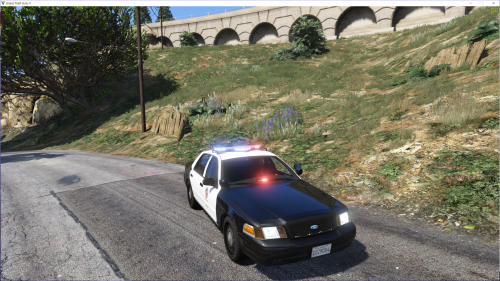 Could someone Please tell me how much of the carvariations.meta we need to install it? I cannot use it for police slot and have to use it for Sheriff slot. Please help. Cannot just copy paste the full carvariations.meta, since it has all other slot cars in it. Do i just copy paste this? And set only modelname to sheriff? <Item> <modelName>police</modelName> <colors> <Item> <indices content="char_array"> 134 134 156 156 </indices> <liveries> <Item value="true" /> <Item value="false" /> <Item value="false" /> <Item value="false" /> <Item value="false" /> <Item value="false" /> <Item value="false" /> <Item value="false" /> </liveries> </Item> <Item> <indices content="char_array"> 134 134 156 156 </indices> <liveries> <Item value="false" /> <Item value="true" /> <Item value="false" /> <Item value="false" /> <Item value="false" /> <Item value="false" /> <Item value="false" /> <Item value="false" /> </liveries> </Item> <Item> <indices content="char_array"> 134 134 156 156 </indices> <liveries> <Item value="false" /> <Item value="false" /> <Item value="false" /> <Item value="false" /> <Item value="true" /> <Item value="false" /> <Item value="false" /> <Item value="false" /> </liveries> </Item> <Item> <indices content="char_array"> 134 134 156 156 </indices> <liveries> <Item value="false" /> <Item value="false" /> <Item value="true" /> <Item value="false" /> <Item value="false" /> <Item value="false" /> <Item value="false" /> <Item value="false" /> </liveries> </Item> <Item> <indices content="char_array"> 134 134 156 156 </indices> <liveries> <Item value="false" /> <Item value="false" /> <Item value="false" /> <Item value="true" /> <Item value="false" /> <Item value="false" /> <Item value="false" /> <Item value="false" /> </liveries> </Item> </colors> <kits> <Item>157_massacaro2_modkit</Item> </kits> <windowsWithExposedEdges /> <plateProbabilities> <Probabilities /> </plateProbabilities> <lightSettings value="1" /> <sirenSettings value="1" /> </Item> <Item> <modelName>police3</modelName> <colors> <Item> <indices content="char_array"> 134 134 156 156 </indices> <liveries> <Item value="true" /> <Item value="false" /> <Item value="false" /> <Item value="false" /> <Item value="false" /> <Item value="false" /> <Item value="false" /> <Item value="false" /> </liveries> </Item> <Item> <indices content="char_array"> 134 134 156 156 </indices> <liveries> <Item value="false" /> <Item value="true" /> <Item value="false" /> <Item value="false" /> <Item value="false" /> <Item value="false" /> <Item value="false" /> <Item value="false" /> </liveries> </Item> <Item> <indices content="char_array"> 134 134 156 156 </indices> <liveries> <Item value="false" /> <Item value="false" /> <Item value="false" /> <Item value="false" /> <Item value="true" /> <Item value="false" /> <Item value="false" /> <Item value="false" /> </liveries> </Item> <Item> <indices content="char_array"> 134 134 156 156 </indices> <liveries> <Item value="false" /> <Item value="false" /> <Item value="true" /> <Item value="false" /> <Item value="false" /> <Item value="false" /> <Item value="false" /> <Item value="false" /> </liveries> </Item> <Item> <indices content="char_array"> 134 134 156 156 </indices> <liveries> <Item value="false" /> <Item value="false" /> <Item value="false" /> <Item value="true" /> <Item value="false" /> <Item value="false" /> <Item value="false" /> <Item value="false" /> </liveries> </Item> </colors> <kits> <Item>157_massacaro2_modkit</Item> </kits> <windowsWithExposedEdges /> <plateProbabilities> <Probabilities /> </plateProbabilities> <lightSettings value="1" /> <sirenSettings value="13" /> </Item>
- 36 comments
- 20 reviews
-
-
-
WOW! That tow truck looks awesome.
-
 This is amazing and thanks. @Krame86 can you please please please tell me what model you used on the very first screenshot with the Ford Crown Victoria? That model looks so beautiful.
- 101 comments
- 17 reviews
-
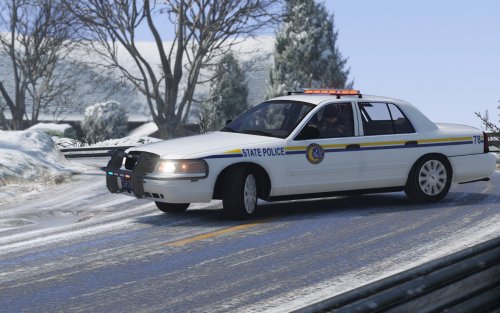 WAUW! This car is so amazing, thank you for it. Lights looks awesome and with LSPD skin from F5544's CVPI makes it PERFECT!
- 42 comments
- 5 reviews
-
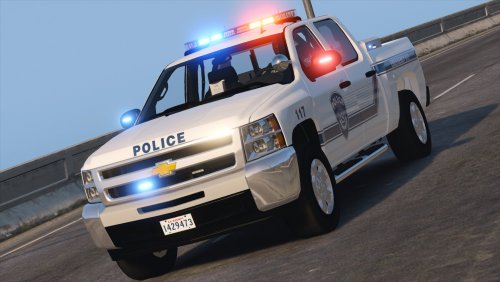 Nice and thank you. Im not good at edit parts, can someone explain to me how i get lights to work? What part of the meta do i need to copy and where do i place it? I have metas for a lot of other police cars so i cannot just copy paste everything over. Please help.
- 27 comments
- 19 reviews
-
-

- 1
-
-
.thumb.png.84adb823f7f653b8d654f1ab13098851.png) awesome work thank you. i use the crown vic for my sheriff and it looks so brilliant and i put in blue lights only on it :)
awesome work thank you. i use the crown vic for my sheriff and it looks so brilliant and i put in blue lights only on it :)- 89 comments
- 44 reviews
-
I did. Cant you read?
-
Okey, i took your advice and have deleted all mods that use that file and wont use that in the future. Thanks.
-
Ahh, so now it's the user that is the problem and not the software that indeed does what ever it feels like?
-
Hi, im not so angry right now, but when it happend i was ready to throw my screen out the window. I have turned OFF ALL check for updates in the scripts and yet i got this while i was trying to record and it wouldnt let me pick option 3... Why the hell make such options in the ini files if they DO NOT WORK? //Default: AutoCheckForUpdates=true AutoCheckForUpdates=False Im thinking, is the modders out there trying to "sniff" or keylogger or whatever on it's users? Since we cannot and dont have any controll what so ever of a dll getting access to the internet! When i find a firewall software that allows me to block 100% of all files(/also dll files) then im buying it and then this crap stops.
-
 Hello and thank you for sharing this baby :) I like to ask, could you tell or make it possible to have more than one skin on it? please? :)
- 74 comments
- 30 reviews
-
.thumb.png.e436e916367dd5b950520057d9057b55.png) Why will this only show 1 Skin?? Even when i try use of trainer, it will only show one skin when i did put in 4 skins.
Why will this only show 1 Skin?? Even when i try use of trainer, it will only show one skin when i did put in 4 skins.- 50 comments
- 23 reviews
-
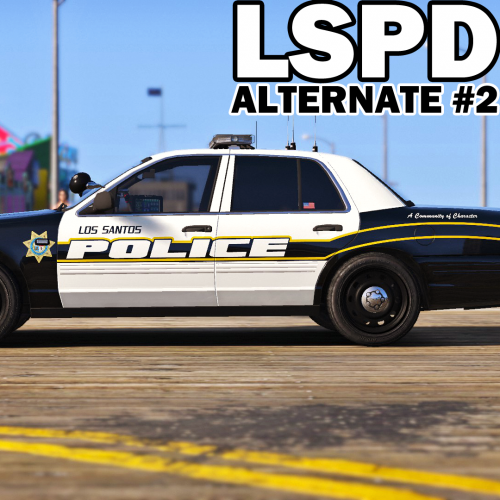 Hi, can someone tell me what car model is it on the First screenshot of a CVPI? When i click his links to the cars, then they dont look the same. please help.
- 51 comments
- 14 reviews
-
 Please tell me how? Im trying to make all blue lights and i still get the small red tint on blue lights :(
 -
 I like this mod and thanks for sharing it, i have a problem and i hope someone knows how to fix it. If i wanna use any of those all blue lights mods, then that replaces this visual file and what thats not good. Can someone tell me what settings to edit in this visual file so it makes all blue lights? I have put all blue textures on my cars and i still get a very small tint of redness on some lights, even on Bxbugz charger :/ Please help.
- 335 comments
- 70 reviews
-
 I asked because i wanted a skin for the 2016 FPIU model and there are none for that.
- 111 comments
- 23 reviews
-
Thank you so much for this, any chance you will make same pack with Highway Patrol? :P
- 111 comments
- 23 reviews
-
Awesome :) Thank you so much.
-
Hello, any chance there is a very kind player out there, that has LSPD(that looks like LAPD) skin & highway patrol for this car and that would share it/give a link to download it? The car mod is this http://www.lcpdfr.com/files/file/11044-2016-lspd-fpiu/
-
-
 Why cant the car show two skins? I did what you write to delete everything on number two and make my own plate, but when im in game trying to sellect car, it only shows number 1 skin.
- 112 comments
- 36 reviews
-
 ahh my bad, i have not played for a long time and just returned :) awesome then and thanks so much for reply.
- 3,646 comments
- 306 reviews
-
-
- 1
-
-
Erm, dont we need Breathalyzer mod any more? or did you build it into this mod? I ask because it use to have link for it here under the section: "Recommended modifications to run alongside Traffic Policer:"
- 3,646 comments
- 306 reviews


.thumb.png.84adb823f7f653b8d654f1ab13098851.png)
.thumb.png.e436e916367dd5b950520057d9057b55.png)

