


Interference
Members
-
Joined
-
Last visited
Everything posted by Interference
-
Yes but it would be handy if you could provide me a download link.
-
Alright, check my first post again. Proper format stuff. :D
-
I can do that skin, only the question is for what police car u want it?
-
Not sure if it's the right section. Meh. I'm bored, so I'll make a skin for ONE car. And that car is being chosen by you fellas! The car with the most votes win. POSTING FORMAT: For which car model u want? (include download link with it) How the skin will look? (either link to a picture, or just explain with own words)
-
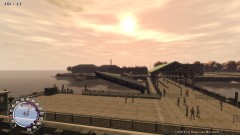 Bad boys, bad boys.
 -
Thanks dude. +rep or whatever it is on this forum
-
-
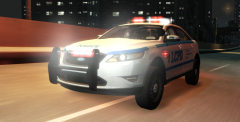 It's a friggin monstertruck IMO.
 -
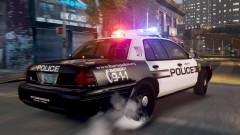 Car Model + Skin? Looks epic.
 -
Try re-installing .NET Framework 4? And change your language into English so others can understand it. (Ik ben Nederlands dus. :D)
-
It's not really related to LCPDFR. I think it should be in the "GTA series section". But just post your problem and i'll help.
-
I'll check tommorow, thanks.
-
Oh there's no PC version? Nvm. :(
-
The guy said FS Siren, but it doesn't sound the same in-game. Anyone knows how's the siren is called?
-
Is LA Noire really that good? Do you play as a cop or something?
-
I'm bored, so can you guys post a list from what you all currently play? Mine: - GTA IV - Prototype - Modern Warfare 2 - Minecraft
-
LMFAO. I'm edcited about the advanced police AI. Those who dont shhot at sight and dont ram each others police cars. ?
-
I would like to see something like police callouts and swat callouts. So if I select swat callouts I get special callouts etc.
-
I'm using a Intel Core E8500 Duo Core Processor 3.17gHZ, almost most of my settings on GTA IV are on max but the CPU usage doesn't even reach 50%. If my processor, which is less powerful than the Intel Core i3 550 / 3.2 GHz processor reaches 50% with ALMOST everything on max then surely the GPU and CPU won't have any problems.
-
I see nothing wrong with his GFXcard. It's better than mine so it should meet the requirements for l33t graphics stuff.
-
1. I can run GTA IV at 1440x900, Texture HIGH, Reflection VERY HIGH, Water VERY HIGH with 20-25fps. Which is fine for me. 2. Regular computers nowadays have 2-4GB RAM and some shitty dual core. 3. When did I said anything about money? Setup is fine, unless u want a cinema gaming system.
-
Are you trying to let him make some kind of Super PC? I'm running a dual core E8500 and 4gb ram and I don't have any difficulties with GTA IV. Although I have a 80GB HDD (the one which came with the pc broke) which loads textures slow and a pretty shitty GPU (nVIDIA GeForce 9500GT) which can handle 30fps only in 1024x769 or lower. Conclusion: Your setup is more than good.
-
Sorry, but you gotta ask bxbugs123 on gtapolicemods.com to do that. I didn't made the vehicle I only made the skin. :) And I probably will make some new skins today. One for the Tahoe and one for the Taurus Interceptor. EDIT: Nvm, Photoshop is being a **** so I won't make new skins 2day.
-
TY BRO!
-
Are there any original LCPD cars by Rockstar with ELS? Basically those cars are my favourite but since they don't have ELS they kinda fail >_<.


