


Asikveysal
Members
-
Joined
-
Last visited
Everything posted by Asikveysal
-
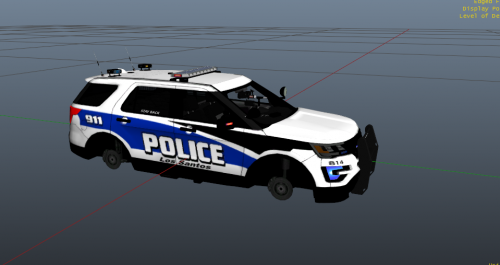 Absolutely amazing texture of a great police department, always would of liked to see my own city in a video game and sure enough here it is, great job and keep up the good work!
 -
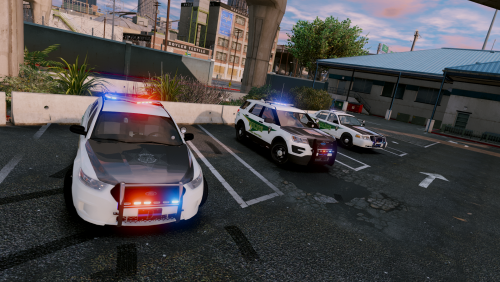 I usually never write a review but I just had to for this. Its an awesome pack man, the lighting for all the cars are absolutely beautiful!! very impressed indeed. I don't see myself changing vehicles for a while. Even though with the small bugs of Police4, FBI2, Police3, and sheriff disappearing at a distance (which i know you will fix eventually) and also Sheriff2 license plate text appears then disappears as well, but that didn't stop how amazing this pack is. Keep up the good work man and i hope to see the update soon for this
- 44 comments
- 27 reviews
-
-

- 1
-
-
-
 Amazing Pack yet again Captain, I have your FBI, Sheriff and now this! Job well done:) oh and btw had a little trouble at first with the installer, thought i should mention it to ya
- 779 comments
- 187 reviews
-
 Absolutely amazing work! I can't explain how much i use these vehicles in game now:) Maybe a LSPD pack soon? ;)
- 445 comments
- 108 reviews
-
.thumb.jpg.61de846de400ca98f85d205992527de1.jpg) You need to make sure first that for whatever DLC pack you are installing to, is default before you actually start adding vehicles. Now that is said that your putting your vehicles into your mod folder and not the actual GTA Update.rpf. So you need to make sure that for all PatchDays POLICE Slots are in there default places. So that goes for x64e as well. if one file is not in its right place it overrides to the default police cars in the game. Hope this helps! Use this to make model be able to work for sheriff slot
You need to make sure first that for whatever DLC pack you are installing to, is default before you actually start adding vehicles. Now that is said that your putting your vehicles into your mod folder and not the actual GTA Update.rpf. So you need to make sure that for all PatchDays POLICE Slots are in there default places. So that goes for x64e as well. if one file is not in its right place it overrides to the default police cars in the game. Hope this helps! Use this to make model be able to work for sheriff slot- 265 comments
- 83 reviews
-
-
 My Post FX was on normal, i changed it to high. totally forgot about that XD
- 337 comments
- 74 reviews
-
-
So i just recently installed VisualV and the vehiclesettings.dat changed of course and now the lighbar on all my vehicles are all funky. I went and put the radianceV back into its place and i saw it changed by the file size. I went back into Gta 5 and it was still messed up (I did this before about a month ago and this worked but not anymore) and i even changed the type of brightness and etc. Can someone please help me with this?
- 337 comments
- 74 reviews
-
Is there anyway to put this into sheriff slot and have all lights working properly? I have it in police 2 already but i can put this model in sheriff slot to correct?
- 265 comments
- 83 reviews
-
 My game keeps crashing ever since i replaced sheriff2 vehicle meta and car variation meta.. i dont know what to do.
- 87 comments
- 23 reviews
-
My Gta 5 recently updated when I was gone for a week and nothing was able to work like Rage hook and etc. I've seen a lot of things going around lately about this build and people saying downgrade to 573 until Rage hook gets everything fixed with 617. The only problem is.. I don't know how to do that and after doing research, i found nothing. Someone please help if you can. Thanks!
-
Does anyone know when this will be updated?

.thumb.jpg.61de846de400ca98f85d205992527de1.jpg)
