


victoriousV11
Members
-
Joined
-
Last visited
Everything posted by victoriousV11
-
 when using with the RDE mod is it Possible to add the 3rd Hwaycar since its not in the .INI, or is it possible to just add extra Copied Coding lines and build it of the hwaycar2 base selection lines
- 113 comments
- 27 reviews
-
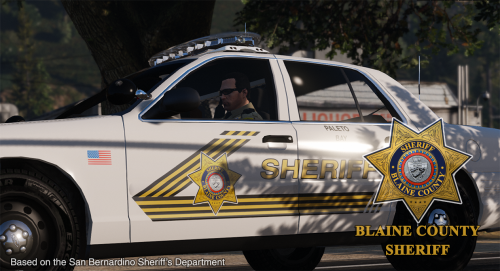 Complete set of sheriff vehicles, great, especially when you got RDE Sheriff Slots, Great Work Beren, this is what you call a proper sheriff livery pack, Beautiful. 5 stars
- 32 comments
- 8 reviews
-
-

- 1
-
-
finally, what took you so long , DW just joking, but great work love these liveries cant wait to try 'em out, downloading as we speak
- 32 comments
- 8 reviews
-
-
- 1
-
-
I cant Wait tbh as long as I (we) know you got the skins and your ready to release them, then i'm sure some cant wait another day or two
- 32 comments
- 8 reviews
-
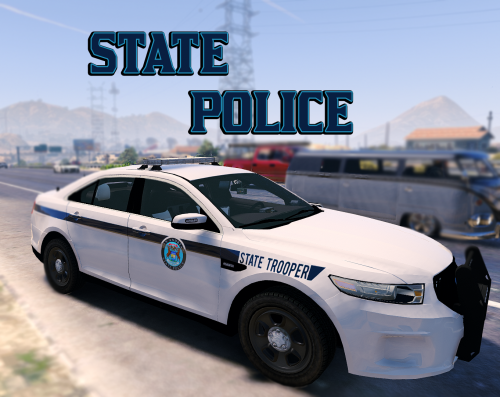 Love this, especially exactly what I need for my new State patrol FPI, but is it also possible to add a new liveries for the New FPIU (TheHurk) or the more common one (desmond's or Pimdslr) and maybe when your not busy maybe create 2/3 more liveries for each vehicle 4 start until More liveries and FPUI are added, keep up the good work, definitely the best SASP
 -
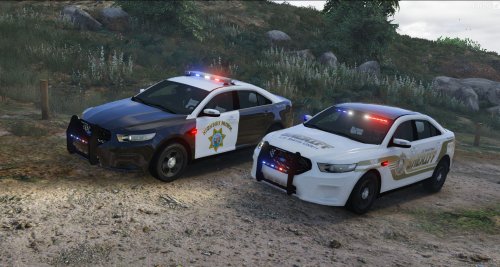 the Emblem is NOT San andreas its California HwayP, like stylez said please fix,
 -
 hey have you fount a solution for this yet as im having the same problem round corners this never used to happen with PIMDSLR's FPUI but this one look better hence why i changed
- 563 comments
- 116 reviews
-
 having the same exact issue are you dragging the file onto your desktop to edit them via Notepad? if not do that for both when finished save and place them back into openiv location
- 87 comments
- 23 reviews
-
 the only other script i have left in my scripts folder is the Speed camera (speed radar). it happens every time they come (about every 3 mins) and for the gear to spawn (so i can take a quick screenshot) i have to melee them with a gun/without or vice versa (they melee me), however after me or them attack it disappears like a second later back to his striped down gear
- 1,509 comments
- 85 reviews
-
aite cheers mate i'll do that when back on my PC as i'm currently on my laptop thanks for the help i'll tell you how it gets on later Sweet, V - Update hey so it work they spawn we are getting somewhere but without gear now the pic with gear is after they gun-buck me or i gun-buck them any solution
- 1,509 comments
- 85 reviews
-
what and place all files in my including .asi .dll and .xml in my directory or the .asi .dll in my directory and .xml in my scripts folder
- 1,509 comments
- 85 reviews
-
hey The RDE works perfectly however the Riot Truck is invisible, and doesnt spawn the juggernaughts (only the driver) i have everything installed correctly and spawning correctly i also have the ghost fix thats meant to fix my proble. could you help me out cheers V
- 1,509 comments
- 85 reviews
-
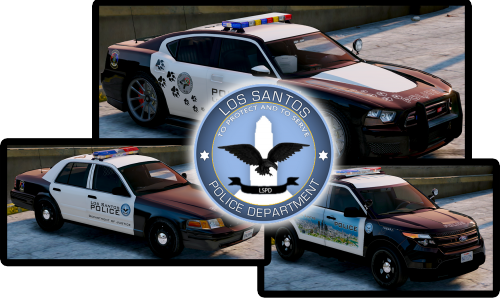 completely agree, i and many others would love one for the charger especially for the 2015 or 2014 these are two very good base charger models that many people in this community use link to vehicles down below: 2015 charger by F5544 2014 charger by Carperino 2014 charger by BxBuggs
- 8 comments
- 4 reviews
-
 hey, if you haven't fixed this. It is to do with the model you have replaced, what model did you replace ??
- 221 comments
- 34 reviews
-
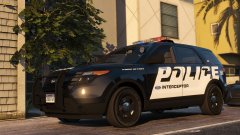 thanks i searched for it after i saw this, and found it, thanks though bro looks nice
 -
hey dude how did you get this skin , it looks awesome
-
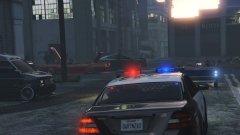 hey bro the police interceptor utility skin, how did you get that, it looks awesome bro

