bizzlezx10r
Members
-
Joined
-
Last visited
Everything posted by bizzlezx10r
-
-
 Thats weird, if you have a messanger program i can try to walk you through how to install shit.
- 31 comments
- 8 reviews
-
No prob, remember to always use a mods folder. I case you install something wrong (I do all the time) you can just get rid of the folder and try again.
- 31 comments
- 8 reviews
-
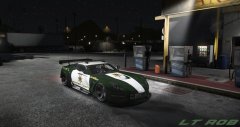 Would love it if you released this skin
 -
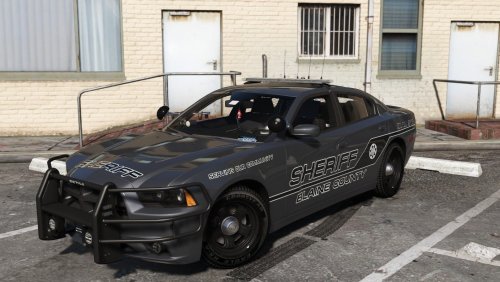 Can you tell me how you got the lines? Is there a photoshop brush i can download?
- 12 comments
- 7 reviews
-
You should have a mods folder in your game directory so just in case something goes bad you can get rid of the mods folder and it won't effect your game. Also for step 2, you basically have to tell the game to allow the pack to be used by adding a certain line of coding into the text file.
- 31 comments
- 8 reviews
-
-
I'm from PBC!
-
-
I don't believe so. I have a few different ones for the McLaren but not lore friendly.
- 31 comments
- 8 reviews
-
-
They're already in quite a few. These cars have been released for awhile but never as an add-on pack.
- 31 comments
- 8 reviews
-
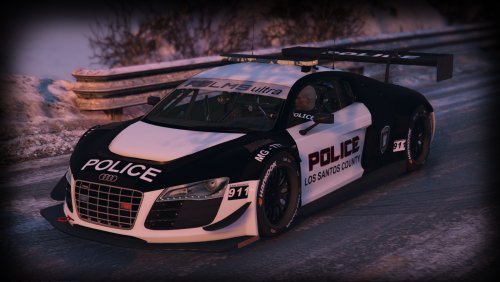
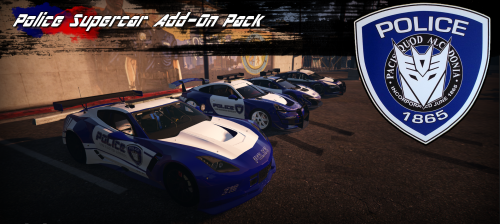
Alot of people have asked me to create add-on's for my vehicles but for some reason i was never able to execute it correctly. After some research i finally figured out how. This pack includes the 4 Police Supercars i've created over the past year or so, with updated liveries as well! Installation 1. copy bizzlepolice folder to: mods/update/x64/dlcpacks 2. From the update.rpf go to:/common/data and edit the file dlclist.xml and add this line: <Item>dlcpacks:\bizzlepolice\</Item> The spawn names are: MCLARENPD AUDIPD CORVETTEPD PORSCHEPD Depending on the car you may have to choose the livery from the trainer as some "experimental" liveries were accidentally left.
- 31 comments
- 8 reviews
-
-

- 4
-
-
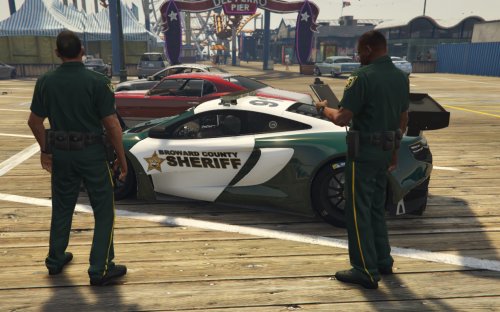 I don't have them anymore. I made them just for the screenshots. I think there are some better made ones on here somewhere though.
 -
-
-
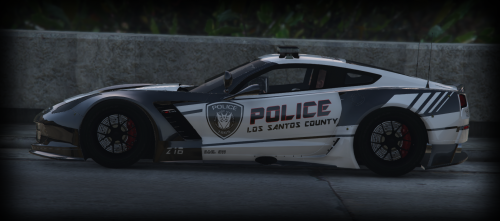 I seemed to of gotten lucky with the McLaren because any other add-on i make crashes.
- 19 comments
- 4 reviews
-
-
-
Every time i place PEDS with the map editor, they show up duplicated when i record a scene. Do you have the same issue @Carrythxd ?
-
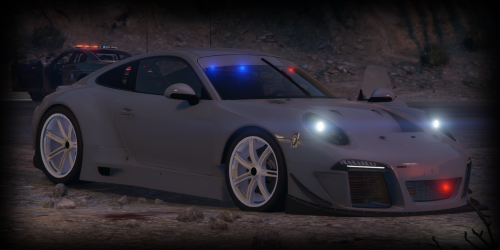 Original Conversion by Neophyte Industries Police Conversion by: BizzleZX10R Install: mods\x64e.rpf\levels\gta5\vehicles.rpf\ Replaces FBI Spoiler is set as extras. Hands are not on steering wheel Gauges do not work Car has 5 liveries but only seems to recognize the 5th one.
 -
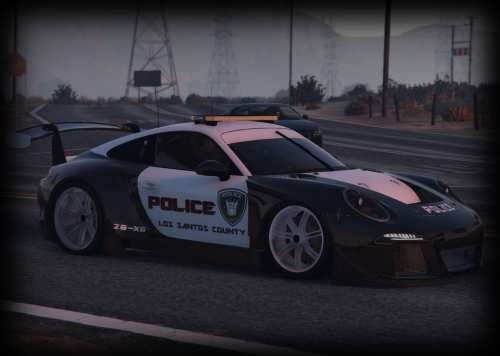 Hey all, coming back from semi-retirement to upload some stuff here and there. I don't really have the drive to really mod anymore so don't bank on me fixing little issues with some models like hands on the steering wheel. Original Conversion by Neophyte Industries Police Conversion by: BizzleZX10R Install: mods\update\x64\dlcpacks\patchday3ng\dlc.rpf\x64\levels\gta5\vehicles.rpf\ Replaces Police2 Rambar @ Spoiler are set as extras. Add-On Installation copy bizzlepolice folder to: mods/update/x64/dlcpacks 2. From the update.rpf go to:/common/data and edit the file dlclist.xml and add this line: <Item>dlcpacks:\bizzlepolice\</Item> If you want all of my supercars i recommend downloading this instead:
- 3 comments
- 3 reviews
-
-
- 3
-
-
 Hell yes, i'm going to serve and protect the fuck out of the people of Los Santos
- 31 comments
- 5 reviews
-
-
- 3
-
-
I was gonna ask the same thing. Can you make this with Batons/Nightsticks please? I'd like to pull the bad cop card and beat the fuck out of suspects without killing them.
- 31 comments
- 5 reviews
-
-
- 2
-
-
The light settings are all dependent on what car you replace. I have this car setup to replace Police2 so idk what you'd have to do to make it work in policeold1. I would just experiment with the numbers to see what you can get.
- 19 comments
- 4 reviews