


OfficerKnox
Members
-
Joined
-
Last visited
Everything posted by OfficerKnox
-
-
 Hmmm, interesting, when I install any of his mods it tells me the game version is not supported...??? Nvmnd found the issue.
- 1,081 comments
- 166 reviews
-
-

- 1
-
-
To those that are reporting crashes, how are you even using these mods? They aren't updated.... Am i missing something?
- 1,081 comments
- 166 reviews
-
Yes, but as i said, I can't get gta to load even by itself without RPH, it crashes shortly after the social club login screen. Sooooo, I'll have to download the file cache (through steam) and start over, which is more or less the same as "reinstalling" . Plus I got a second hard drive a while ago and have been meaning to install GTA on the second drive anyway, I guess i can just take this opportunity to install it there.
-
Well again, I have to admit i was not using a mods folder, never quite understood how that worked. Eventually i'll reinstall it and do it properly, I'm just bitching. And no, the modding itself isn't difficult, but trying to keep everything working with the constant onslaught of unwanted updates is quite annoying and difficult at times.
-
Admittedly it was a Youtuber lol, I was just hoping because I really enjoy LSPDFR but am so fed up with CONSTANTLY fixing the stuff R* Breaks. As i said, after the last two updates GTA V is completely broken, it won't even start on its own without RPH.... And at this point I would have to reinstall everything which I've already done a few times, it takes HOURS to get everything installed and in the right place. I know thats how modding goes, but I've modded other games and NONE are this much of a PITA. I just hate R* lol
-
Right, but I heard that with windows 10 it's much more stable.
-
So after the last update for GTA V, NOTHING works. Gta won't load, RPH won't load, and R* just announced yet another sh*tty update that will break the game even more... So I'm done. My question is, should I give GTA IV a shot and install LCPDFR?? The way i figure it is, at least they aren't constantly breaking things with updates in GTA IV. Plus I think Liberty city is a cooler setting anyway.
-
 Can i ask why? Isn't LCPDFR the same thing basically? As someone who has never played LCPDFR I envy those who have. Of course I like GTA IV better all around anyway.
- 23 comments
- 14 reviews
-
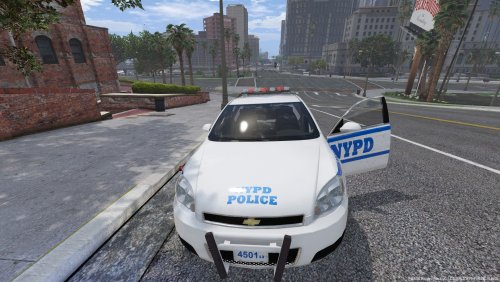 Grill lights still don't work... In fact the included .yft and hi.yft are empty.
- 10 comments
- 6 reviews
-
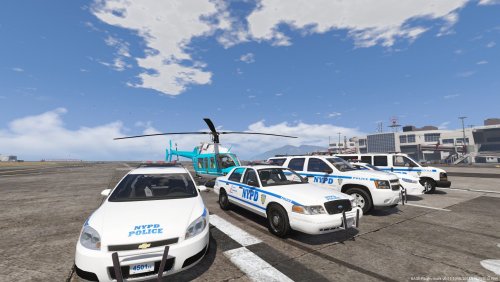
Once again the impala is being shown as having grill lights, however when I install this model it doesn't have any.....???? What am i doing wrong? Nice car pack though!
- 23 comments
- 14 reviews
-
Hey maybe it's just me, but the model in the video has grille lights, however when I install the model it has no grille lights. EDIT: Nevermind, I see they must have been removed at some point.
- 10 comments
- 6 reviews
-
okay, gonna sound stupid here, but how do you update the "update.rpf"??? Also I don't use a mods folder because i could care less about gta online. I would imagine the reason the new RPH isn't working for me is due to the update.rpf not being updated. Which I've been been doing this for over a year now and this is the first I'm even hearing of updating the update.rpf, always learning something new around here, and thats a good thing! :-) Have had no problems until now... So I'll just keep using this reverted steam.dll for now, works fine for me.
-
lol No, oddly enough. Tells me I have version 944 installed, when I in fact do have 1011. When I install RPH 50 it tells me it does not support 1011.
-
Yes I can confirm this trick worked as well (the provided .dll). I downloaded the newest RPH (51) but it's not working.... Sooo I did this method and problem solved!
-
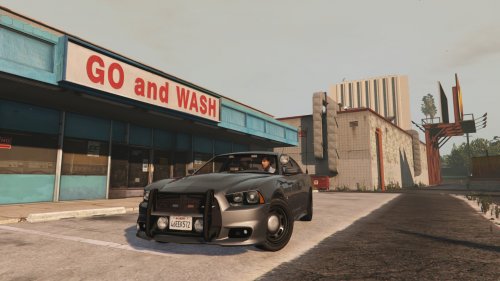
 It may just be me, but it would seem the handling on the charger is messed up, when you accelerate, the nose dips forward which of course should be the other way around. Same with turning, the car leans left when turning left, which again should be the opposite. Just letting you know, like I said, maybe it's just my game. But I'm running an otherwise untouched vehicles.meta.
- 132 comments
- 39 reviews
-
 Hey just curious if Im the only one, but rockstar released a small patch, and now els doen'st work, sirens come on, but no lights.... I am running "make visuals great again", Could that be causing problems? problem solved, turns out OfficerHackneyGaming was right, restarting the computer seemed to have worked.
- 2,655 comments
- 234 reviews
-
No problem, glad I could help!
-
For whatever reason, it was "keepcalm". I painstakingly had to go through ALL my scripting mods ( I'm running like 20+), and I double triple quadruple checked, and I can say without a doubt that is was the cause. I know keepcalm isn't a complicated script, but like I said, for whatever reason, uninstalling it fixed my lag. Of course this sucks huge ones, because "keepcalm'' is pretty important in Los Santos! lol
-
-
 Soooooo no help??
 -
Yes to both? I noticed the stutter after the update, so I updated drivers today. Still stuttering though... I guess I'm the only one having this problem.... Well LSPDFR was fun while it lasted.... I can't play it with it lagging like this.... :-( I also realize this probably would have gotten more support in the "support" forum.... i was in a bit of a panic when I posted this. So the stuttering is not present if I run gta through steam, so it would seem there is an issue with RPH maybe?? SOLVED *DELETE PLEASE*
-
Hello all, I believe I'm putting this in the right place, but I have a definite stutter every 10 seconds or so.This has been ever since the 757.4 update, I'm the type of person who will not tolerate running issues! Not with a rig like mine! Ran perfectly smooth before the update. So I'm just wondering if anyone else is having this problem. Thanks for any info!
-
-


.thumb.png.5fbbb989547defaeeb5c22864df62b54.png)