




PNWParksFan
Insiders
-
Joined
-
Last visited
Everything posted by PNWParksFan
-
Please fill out the support template from the first page of this thread.
-
 I would recommend joining the discord server, where you can look at examples and discuss with other DLS devs
- 276 comments
- 21 reviews
-
-

- 1
-
-
It does work to control lighting on AI vehicles, you need to set up the appropriate triggers in the config for different modes and specify a default mode for when the sirens are turned on.
- 276 comments
- 21 reviews
-
-
- 1
-
-
 I can confirm that I was able to run the game on the latest update without requiring a gameconfig update.
 -
-
I haven't updated yet, but from what I understand the base game's gameconfig did not change, so this shouldn't need to either.
-
Any visualsettings.dat mod will work the same with DLS as it does for any other vehicle model. They all use the same shaders, it's just different methods of turning the lights on and off. This is the particular one I use: https://www.modding-forum.com/downloads/file/120-improved-emergency-lights/ As for the environmental lighting, you have to adjust that in each individual config, but it can be edited by messing with the falloff and intensity values.
- 276 comments
- 21 reviews
-
-

- 1
-
-
-
Crashes have been fixed with the latest update, available now. For faster updates in the future, please join the Discord server.
- 276 comments
- 21 reviews
-
-
-

- 2
-
-
-
This mod is unrelated to Coastal Callouts, and I am not the primary developer of Scene Manager. That mod was created by Rich, and the code is intended to be private and not licensed for modification. If you are a developer and would like to contribute a known fix, you could message Rich directly.
-
 Works with or without either. This mod just enables vehicles to have up to 32 lights. Depending on how the vehicle is set up, they might be controlled using ELS, DLS, or neither.
- 339 comments
- 15 reviews
-
-
- 1
-
-
An update is not needed as the gameconfig did not change from 3407 to 3411.
-
-
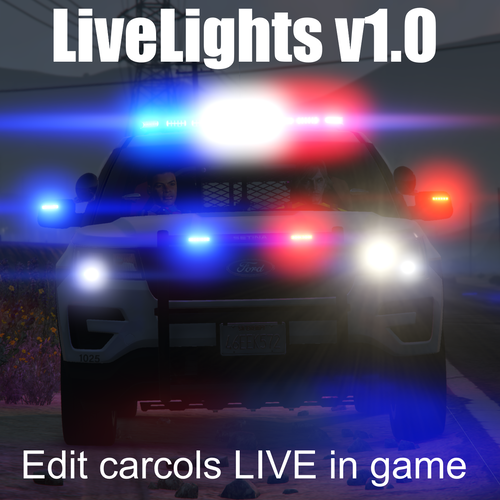 I'm aware of the crash on the latest version of GTA and will have an update posted shortly.
- 37 comments
- 4 reviews
-
-
- 2
-
-
- rph
- open source
- legacy
- rph
-
Tagged with:
-
-
I am 100% certain this is unrelated and has something to do with another mod. Literally nothing in Coastal Callouts does anything to your regular ground vehicle when driving.
-
 We actually have this model and it has been sitting around unfinished for quite some time. Boat models are very tedious to work on. But I suspect we'll finish it up at some point!
- 496 comments
- 33 reviews
-
-
-
- 4
-
-
You may be using the wrong keys. It is by default set to +/- on the numpad. If you don't have a numpad, you will need to change the key config in the INI.
-
CONFLICT: PackerMOC and mlbrotator share ID 250 Do you have a mod called or related to "packer MOC"?
- 496 comments
- 33 reviews
-
Yes, almost certainly. If you have SirenSettingLimitAdjuster, check the sirensettings.log file and it should tell you which other config is conflicting. You can edit the IDs, you would have to change it in both the carcols.meta where the siren setting is defined, and the carvariations.meta where it's assigned to a particular vehicle. Let me know if you figure out which mod has the conflict.
- 496 comments
- 33 reviews
-
-
DSS does not do lighting patterns, you need DLS for that.
- 37 comments
- 4 reviews
-
- rph
- open source
- legacy
- rph
-
Tagged with:
-
The error is not caused by Coastal Callouts, looking at this log it appears to be caused by LoreCallouts. There is some issue with its partner management system that is conflicting. I suggest you try disabling that callout and see if that fixes the issue. You need to update RageNativeUI. Get the latest version here: https://github.com/alexguirre/RAGENativeUI/releases
-


