




TheCanadianDream
Members
-
Joined
-
Last visited
Everything posted by TheCanadianDream
-
 you have done a great job I'm speechless its so much better than the standard gun holster WELL DONE!!!!!!
 -
 great now you have me searching this on google lol
 -
Can anyone make this skin for me please?
-
 i did not even spot that lol
 -
is that a real question
-
-
 add more locations, but that will come in time nice job and nice callout same here sandy shores all the way man :)
- 546 comments
- 103 reviews
-
-

- 1
-
-
 looks amazing great job!!!!!!
 -
politeness is a virtue:0
-
no its called police brutality :)
-
 make the ram bar spawnable it looks good
 -
 ya nice job my opinon is you dont have to put a read me if you give instructions on the download page, but you probability should in the future, but good job
 -
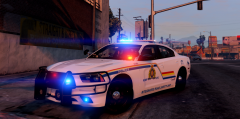 i love the rcmp nice job looks amazing on this charger
 -
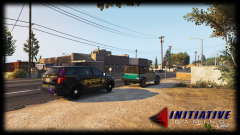 all black sheriff slick top!!!! love it looks good
 -
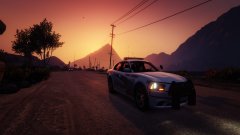 lets hope so
 -
dispatch we are code 4 i will be 10-8
-
never mind i thought you downloaded one but you said u made it, did the second one work?
-
it almost seems like theiris a mod for this, like thier is for everything by the way which slot did you put it into
-
having no clue on this topic, did u try both ways?
-
Overwriting the old files will do just fine. Just remember to update LSPDFR BEFORE you update RAGE. Thank you ill try it I'm new to this if u cant tell
-
when I update my game (LSPDFR) do I take the original files out or do I just overwrite them. same thing with all the LSPDFR mods I added I download it and then just drag and drop over the old ones?
-
thank you
-
the light on the sheriff stainer are orange, how do i fix that or is it even possible
-
i do not know the cause buti have the same issue and i restarted my pc and it seemed to fix it
-
search it up in the search bar


